Command Palette
Search for a command to run...
Allegro Video Generation Demo
An error occurred in the Server Components render. The specific message is omitted in production builds to avoid leaking sensitive details. A digest property is included on this error instance which may provide additional details about the nature of the error.
Failed to load notebook details

Tutorial Introduction
该教程至少需要 NVIDIA RTX A6000 48GB 启动。
Allegro is a cutting-edge text-to-video generation model developed by Rhymes AI in 2024. It has the ability to transform basic text input into high-definition video content, specifically achieving 720p resolution, a smooth 15 frames per second, and a maximum video length of 6 seconds. Related research papers are available. Allegro: Open the Black Box of Commercial-Level Video Generation Model This model demonstrates exceptional performance in video synthesis, excelling in both quality and temporal coherence. It rapidly generates dynamic visual content from descriptive text, providing content creators with a flexible and controllable approach to video creation. In user research, the Allegro model outperformed existing open-source models and most commercial models. Furthermore, Allegro offers in-depth insights and guidance on enhanced foundational capabilities, including model extensions, cue refinement adaptability, and video segmenter design. These enhancements collectively improve the model's ability to generate complex video content based on the narrative details of the input text.
This tutorial is a model inference tutorial. Since it takes a long time for the model to generate a video, this tutorial can only generate a 5-second video (taking about 40 minutes).
Run steps
After cloning and starting the container, click the API address to enter the Web interface
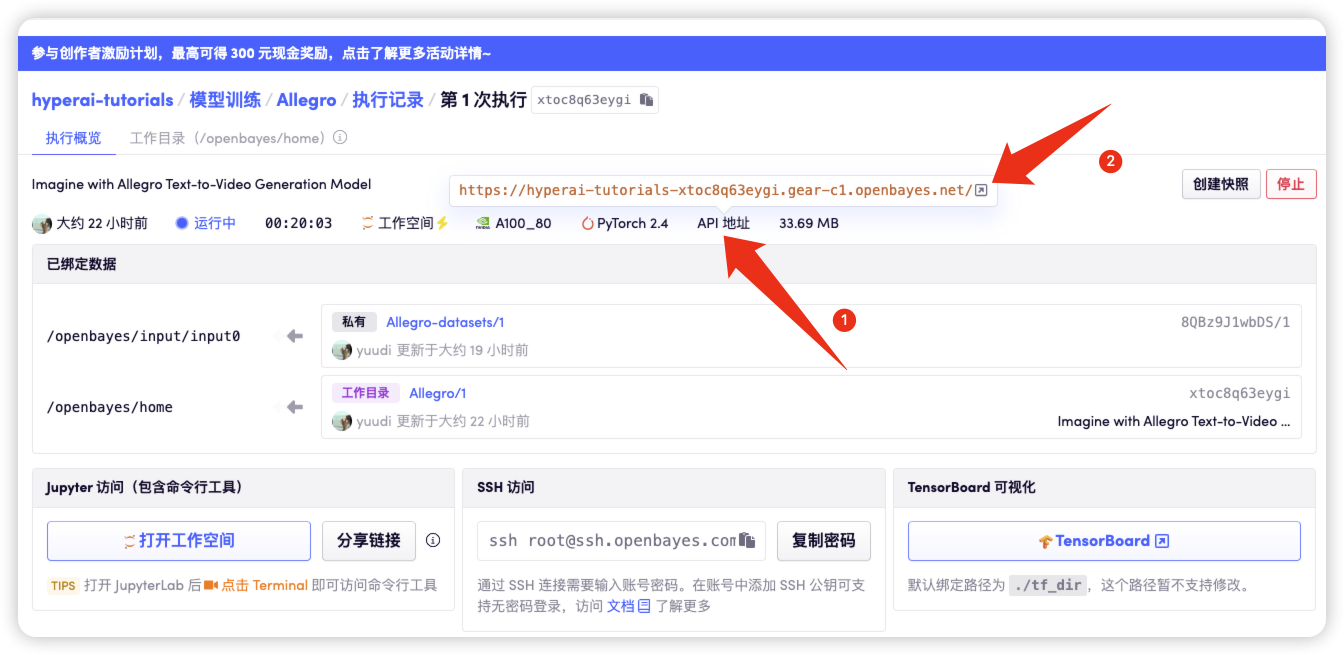
1. Text-generated video
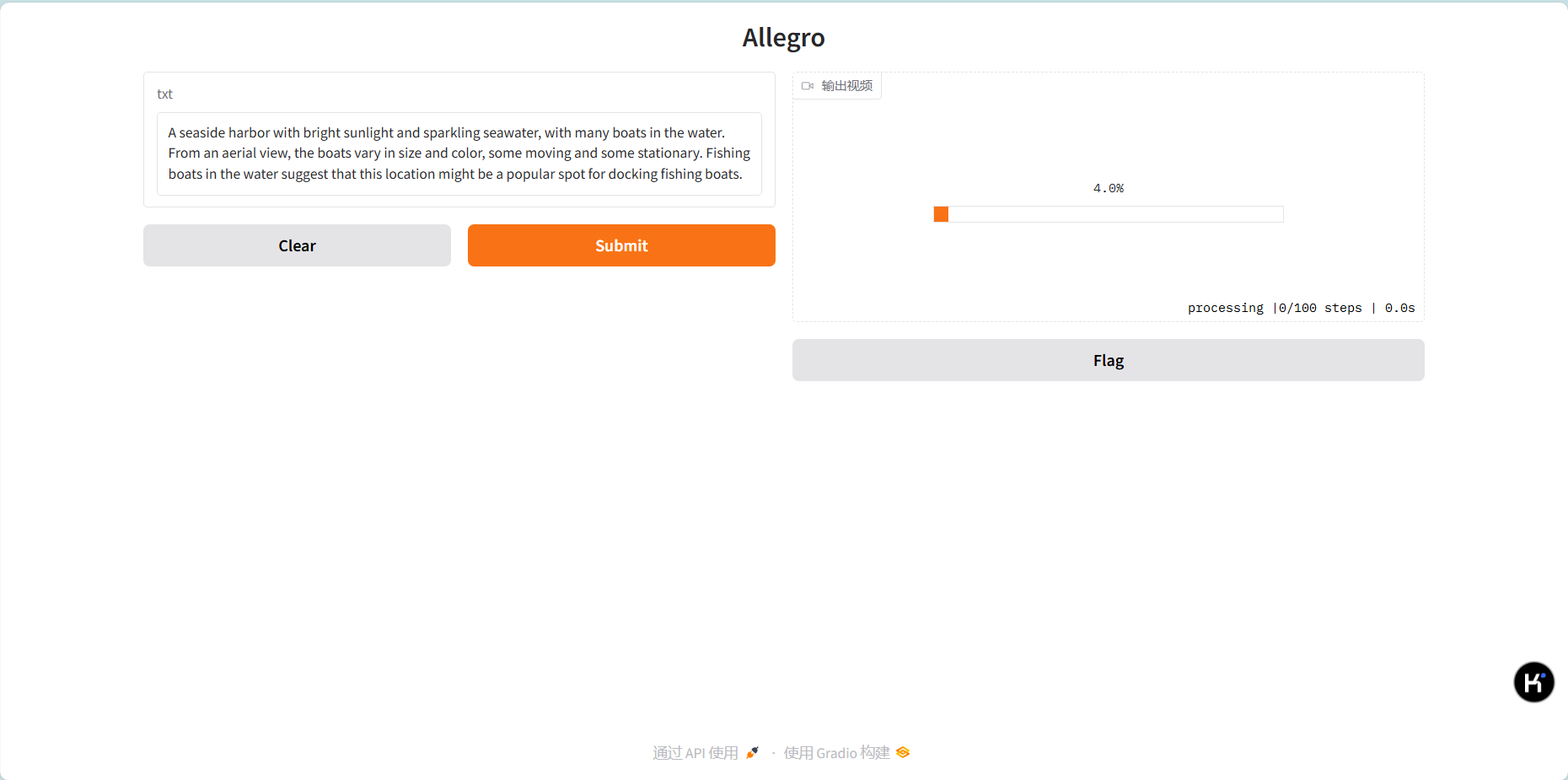
- Enter the text prompt and click Submit (it will take about 30 seconds to load the model, then a progress bar will be displayed and the video will start to be generated. It will take about 40 minutes to generate a five-second video, so please be patient)
As shown in the figure below
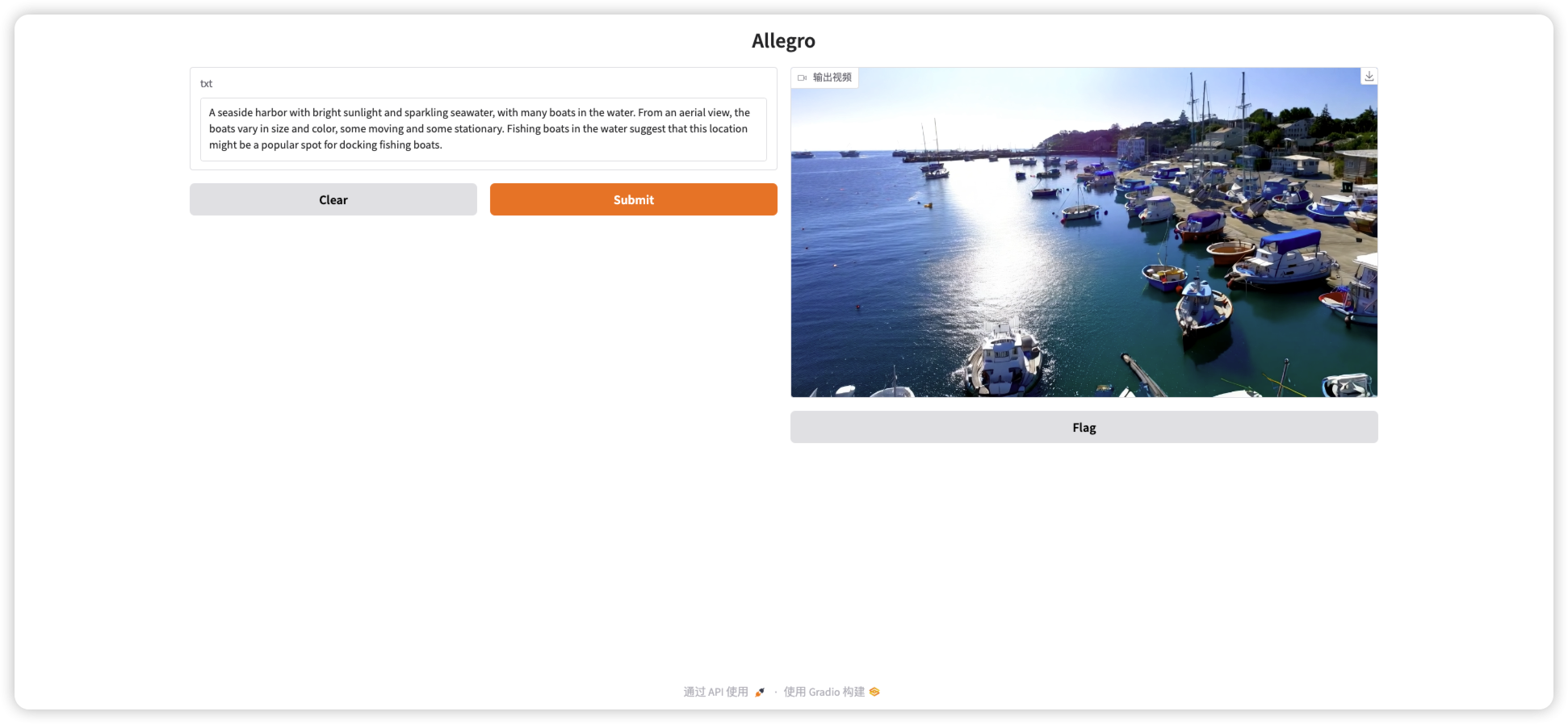
- When the video is generated, the progress bar will automatically change to play the video.
As shown in the figure below
2. Video Download
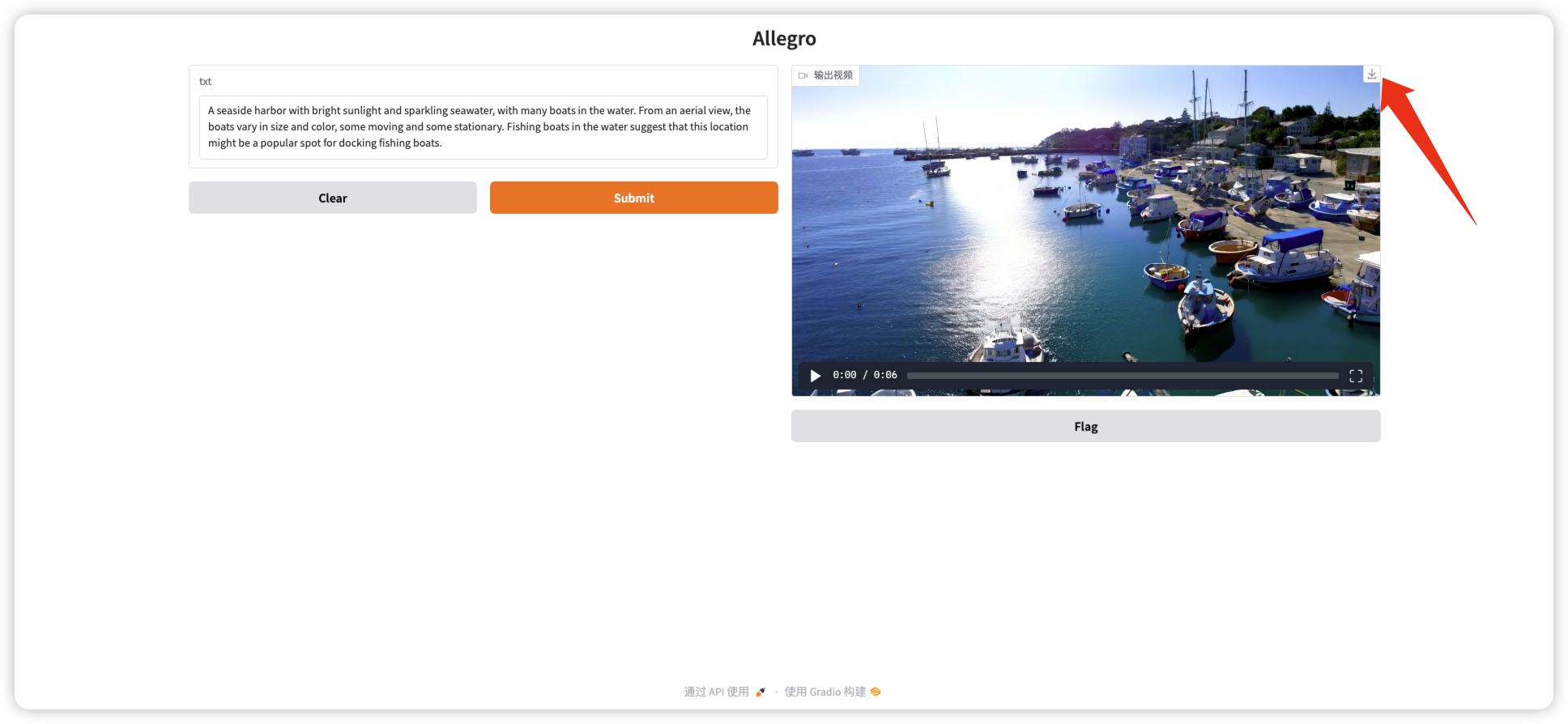
- Click the download button on the right side of the video to download the video.
As shown in the figure below
Exchange and discussion
🖌️ If you see a high-quality project, please leave a message in the background to recommend it! In addition, we have also established a tutorial exchange group. Welcome friends to scan the QR code and remark [SD Tutorial] to join the group to discuss various technical issues and share application effects↓

Build AI with AI
From idea to launch — accelerate your AI development with free AI co-coding, out-of-the-box environment and best price of GPUs.