Command Palette
Search for a command to run...
Online Tutorial | Tencent's Hunyuan Open Source Client-Side Translation Tool HY-MT1.5, 1.8B Model Requires Only 1GB of Memory

In the field of machine translation, traditional high-performance models often face two core challenges. For mainstream languages, closed-source commercial models deliver outstanding results but are costly to implement, with model parameters often reaching tens of billions, requiring significant computing power and making them difficult to deploy on consumer devices such as mobile phones. On the other hand, for less common languages with scarce data, and for texts containing specialized terminology and culturally specific expressions, model translation quality is often poor, prone to illusions or semantic biases. This leads users to struggle to choose between high-quality, high-cost cloud services and localized, lightweight solutions that are less effective in everyday and mobile scenarios.
Based on this,**Tencent's Hunyuan team recently officially open-sourced its new translation model, HY-MT1.5.**This open-source release includes two versions with different parameter scales: Tencent-HY-MT1.5-1.8B, designed specifically for mobile devices, and Tencent-HY-MT1.5-7B, geared towards high-performance scenarios.**It supports mutual translation between 33 languages and between 5 Chinese minority languages/dialects and Mandarin Chinese.**In addition to common languages such as Chinese, English, and Japanese, it also covers several less common languages such as Czech and Icelandic.
* HY-MT1.5-1.8B:
After quantization, the model requires only about 1GB of memory to run smoothly on mobile devices and supports offline real-time translation. The model demonstrates outstanding efficiency, processing 50 tokens in an average of only 0.18 seconds. On authoritative test sets such as Flores200, its performance comprehensively surpasses medium-sized open-source models and mainstream commercial APIs, reaching the 90th percentile level of top-tier closed-source models.
* HY-MT1.5-7B:
This model is an upgraded version of the one that Tencent previously won 30 language championships in the WMT25 international translation competition. It focuses on improving translation accuracy and significantly reduces the problem of irrelevant annotations or language mixing in the translation.
Specifically, HY-MT1.5's innovation lies in its unique technical solution that effectively resolves the contradiction between "lightweight deployment" and "high-precision translation." It employs an "On-Policy Distillation" strategy, where a more powerful 7B model acts as the "teacher," guiding a 1.8B "student" model in real-time during training to correct its prediction biases. This allows the smaller model to learn from its mistakes rather than simply memorizing. This enables the smaller model to achieve translation capabilities beyond its own size.
The "HY-MT1.5-1.8B: Multilingual Neural Machine Translation Model" is now available on the HyperAI website (hyper.ai) in the tutorial section. Come and experience its lightning-fast translation capabilities!
HyperAI also offers computing power benefits to everyone.**New users can get 2 hours of NVIDIA GeForce RTX 5090 usage time by using the redemption code "HY-MT" after registration.**Limited quantities available, grab yours now!
Run online:https://go.hyper.ai/I0pdR
Demo Run
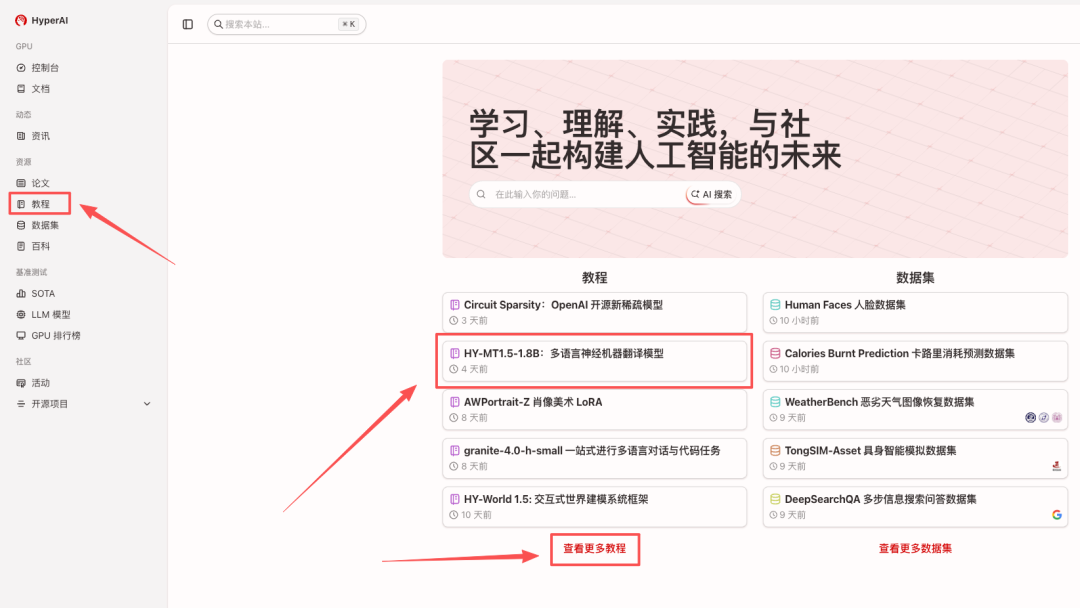
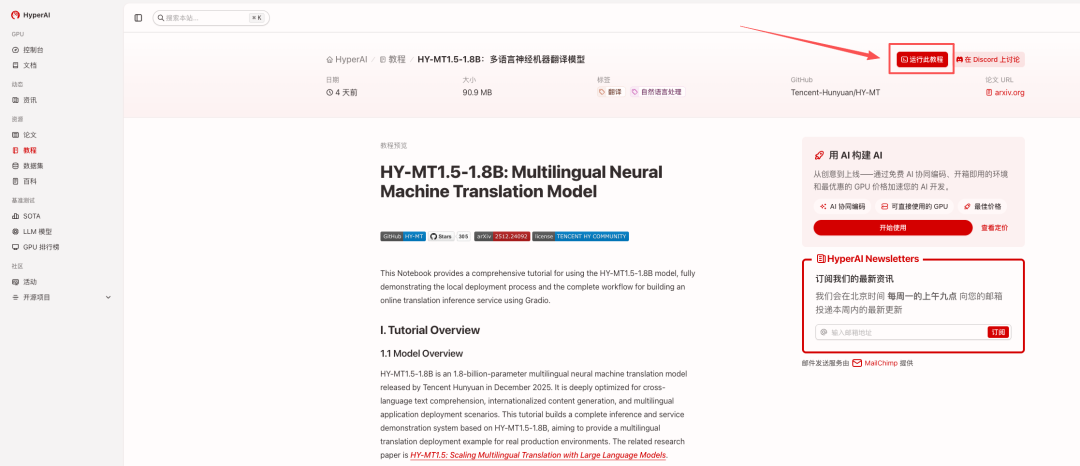
1. After entering the hyper.ai homepage, select "HY-MT1.5-1.8B: Multilingual Neural Machine Translation Model", or select it from the "Tutorials" page. After the page redirects, click "Run this tutorial online".
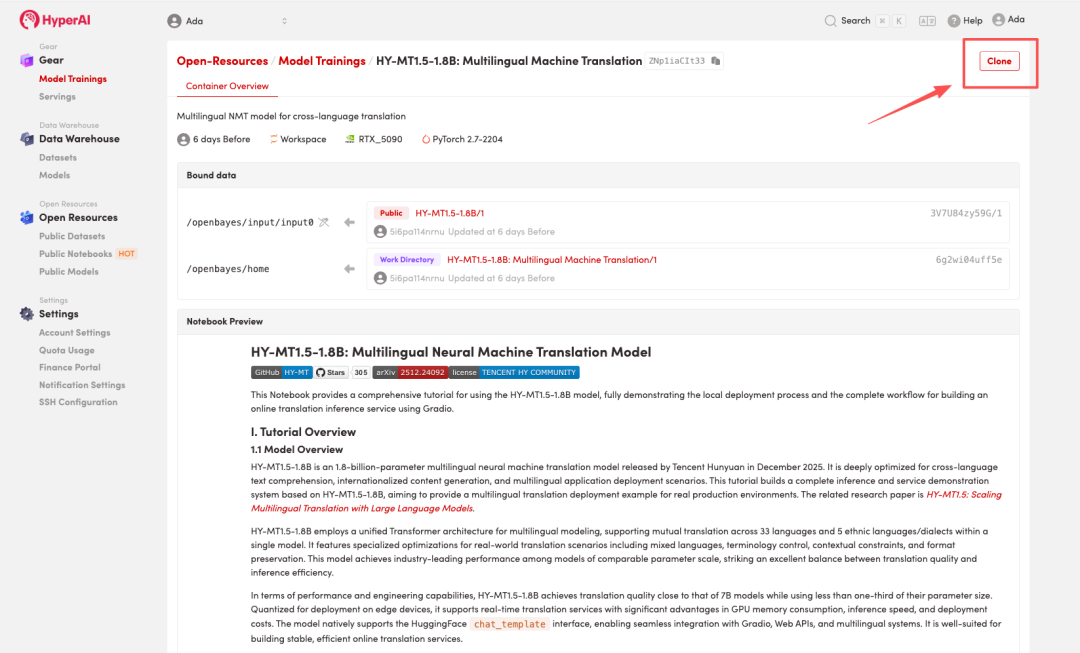
 2. After the page jumps, click "Clone" in the upper right corner to clone the tutorial into your own container.
Note: You can switch languages in the upper right corner of the page. Currently, Chinese and English are available. This tutorial will show the steps in English.
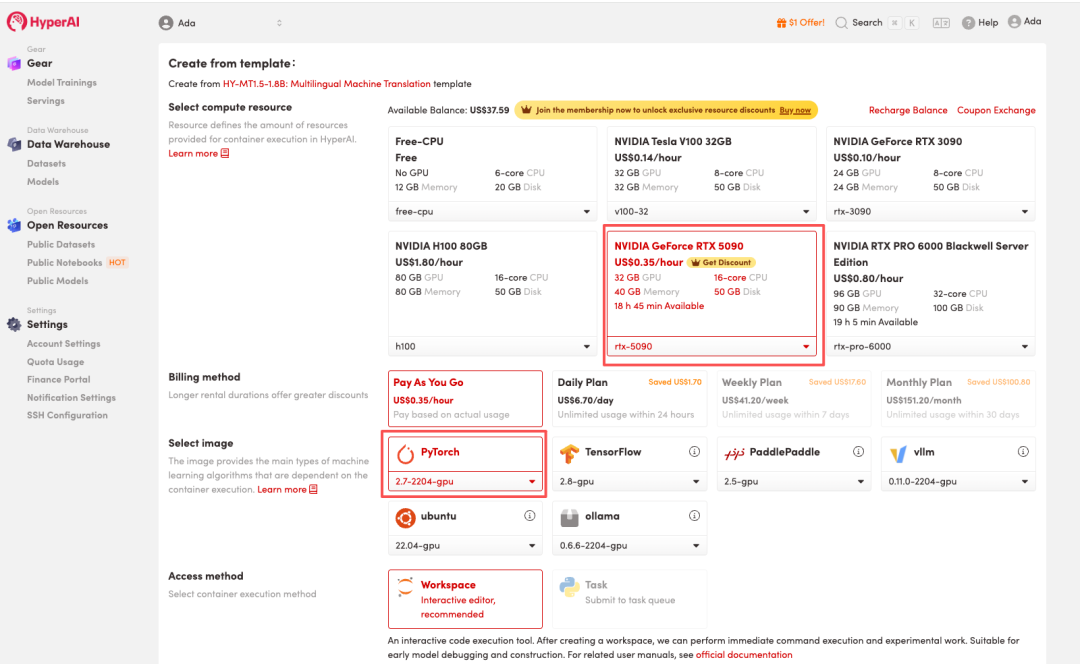
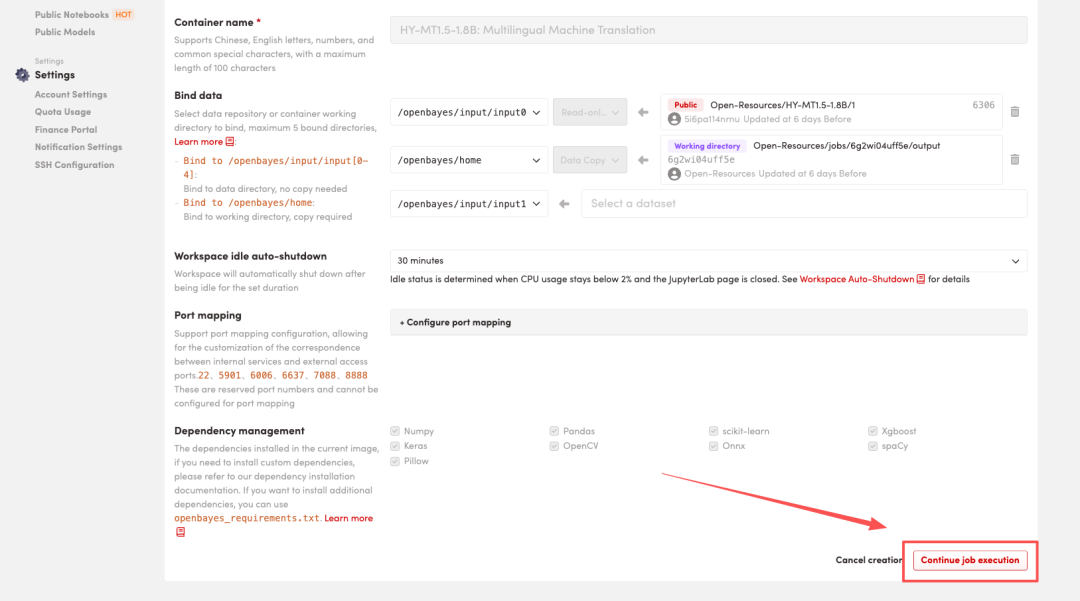
 3. Select the "NVIDIA GeForce RTX 5090" and "PyTorch" images, and choose "Pay As You Go" or "Daily Plan/Weekly Plan/Monthly Plan" as needed, then click "Continue job execution".
HyperAI is offering a registration bonus for new users: for just 1,youcanget20hoursofRTX5090computingpower(originallypricedat7), and the resources are valid indefinitely.
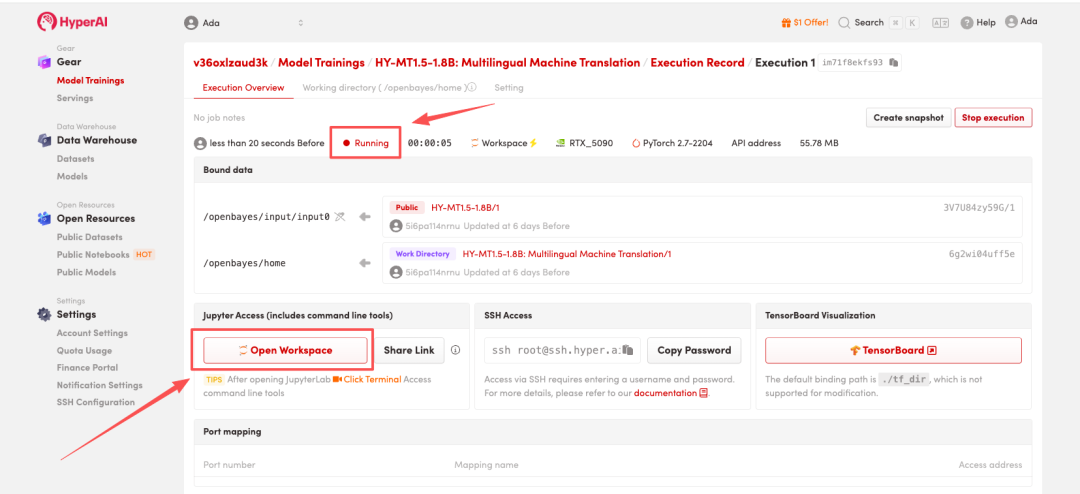
 4. Wait for resources to be allocated. Once the status changes to "Running", click "Open Workspace" to enter the Jupyter Workspace.
 Effect Demonstration
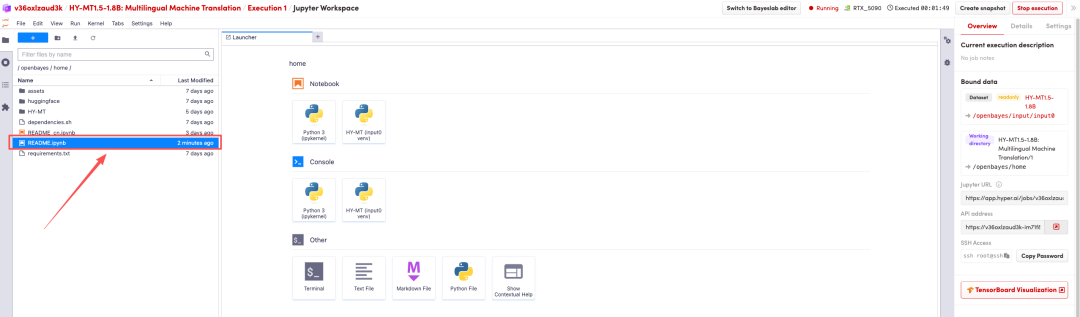
After the page redirects, click on the README page on the left, and then click Run at the top.
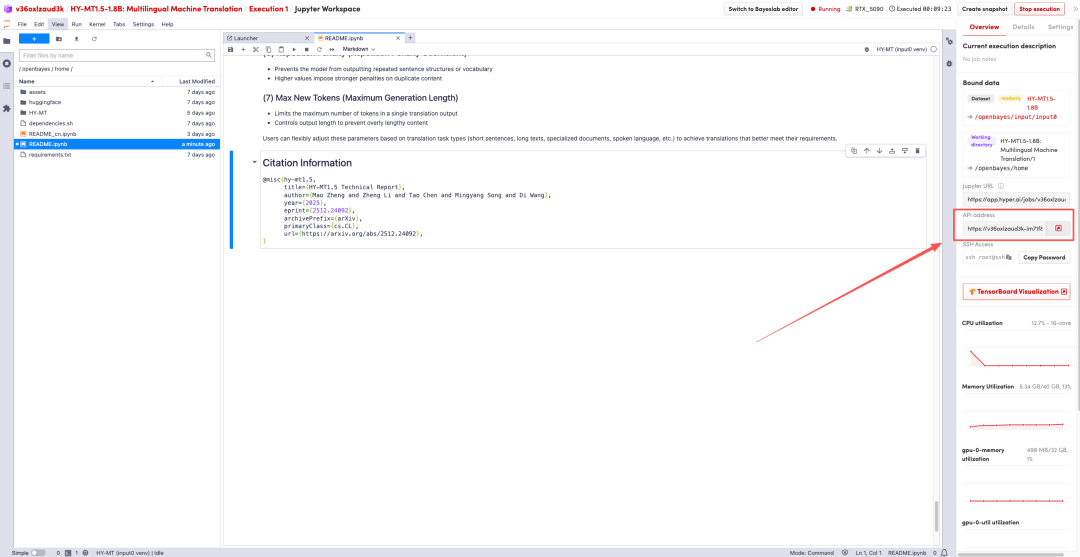
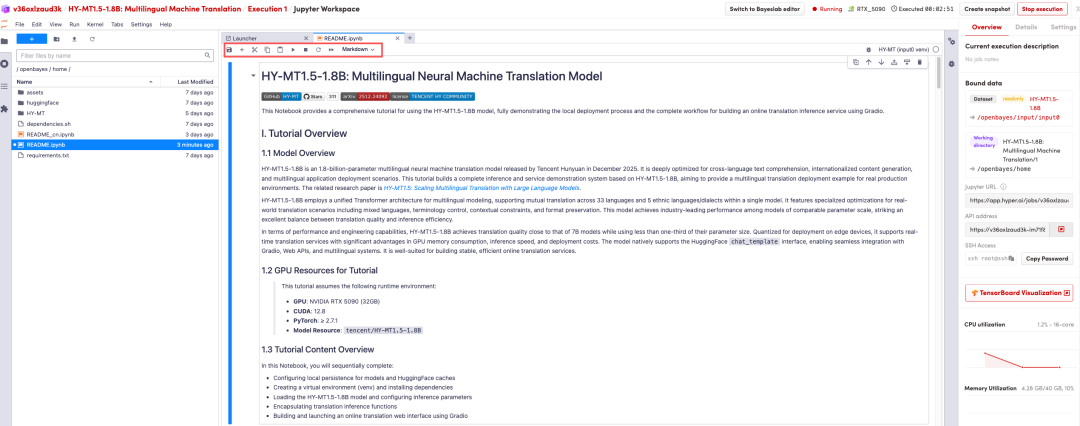 Once the process is complete, click the API address on the right to go to the demo page.
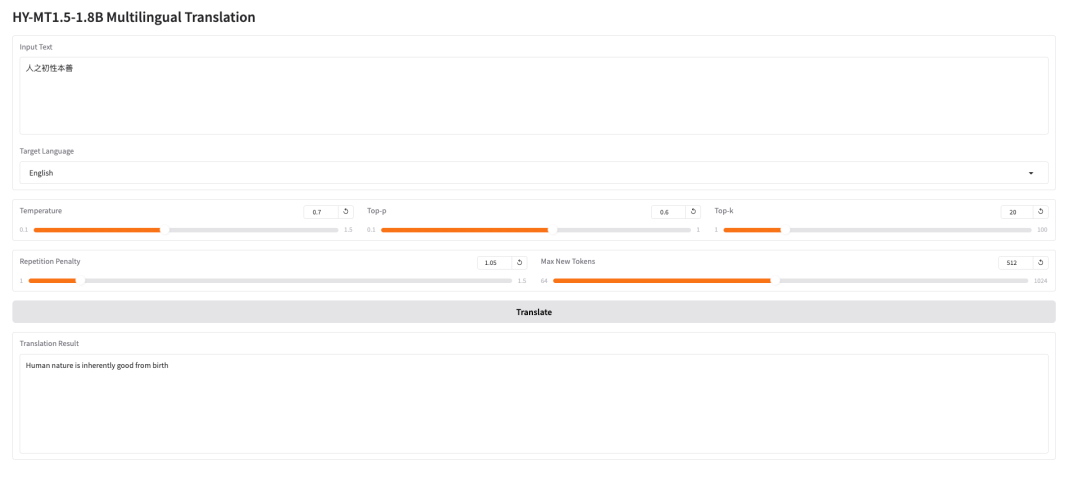 The above is the tutorial recommended by HyperAI this time. Everyone is welcome to come and experience it!
Tutorial Link:https://go.hyper.ai/I0pdR