Command Palette
Search for a command to run...
Free CPU Tutorial | Westlake University's Zhang Yue Team open-sources AutoFigure, a Powerful Scientific Illustration Tool Capable of Accurately Understanding Long Scientific texts.
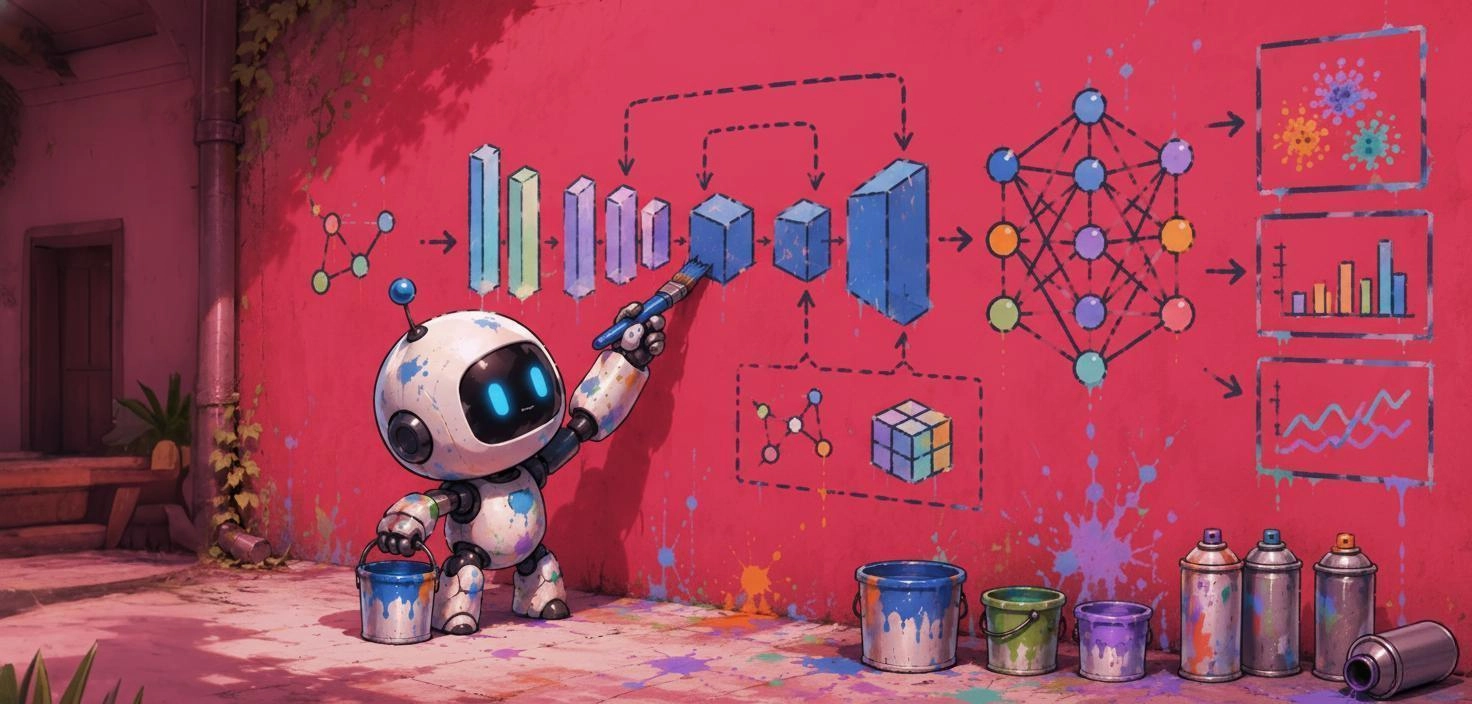
In scientific papers, a well-drawn illustration is often more effective than hundreds of words of text. Whether it's a deep learning model architecture, a biological mechanism process, or a complex experimental design and technical roadmap, scientific illustrations are an important tool for helping readers quickly understand the core ideas.
However, compared with the rapid development of AI in fields such as paper writing, code generation, and data analysis, the production process of scientific illustrations has long remained in a stage that is highly dependent on manual labor.**Researchers typically need to repeatedly read through the paper's content and then use tools such as PowerPoint, Illustrator, or draw.io to design and create the drawings.**It is not only time-consuming and labor-intensive, but also places high demands on design and visualization skills. For many researchers, accurately and aesthetically pleasingly translating complex concepts into graphical representations has always been a significant challenge.
With the development of large language models, "text-to-image generation" has become a popular research direction, but the generation of scientific illustrations for academic scenarios still faces many challenges. Unlike ordinary images, scientific illustrations not only need to be visually appealing,**It is even more necessary to ensure that the logical structure is accurate, the relationships between elements are clear, and the content is strictly consistent with the description in the paper.**Existing generative models often fail to meet these requirements simultaneously, and the generated results frequently suffer from problems such as structural disorder, missing information, or non-compliance with academic norms.
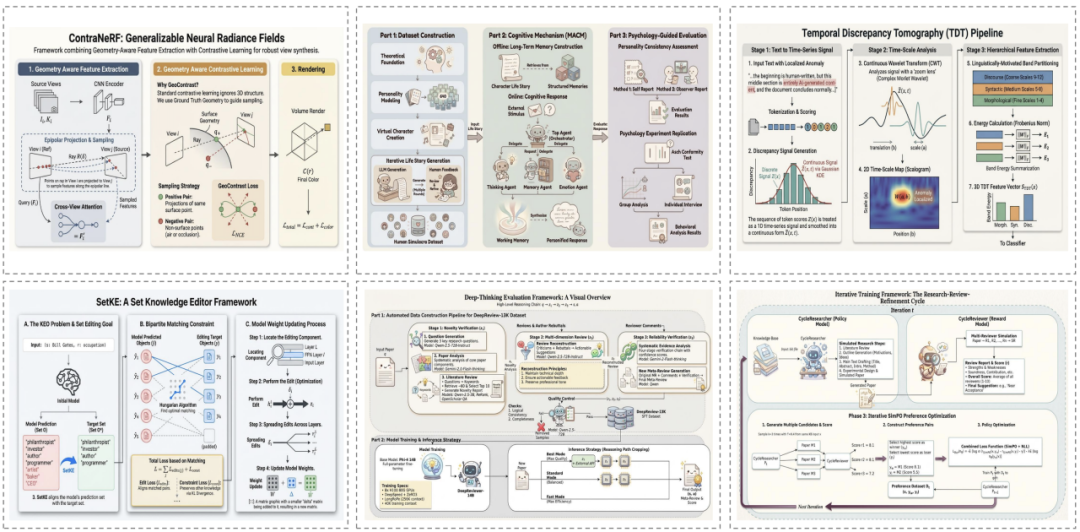
In response to this pain point,**The team led by Zhang Yue at Westlake University has launched AutoFigure, an intelligent scientific illustration generation system, and simultaneously released FigureBench, the first large-scale benchmark dataset for generating scientific illustrations from long scientific texts.**The related findings, titled "AutoFigure: Generating and Refining Publication-Ready Scientific Illustrations," have been accepted for ICLR 2026.
FigureBench includes 3,300 high-quality pairs of scientific texts and illustrations, covering various sources such as papers, reviews, textbooks, and technical blogs. Meanwhile,**As the first framework based on an agent architecture capable of automatically generating high-quality scientific illustrations from long scientific texts,**Before generating the final illustration, AutoFigure conducts thorough reasoning, reorganization, and verification, continuously optimizing the graphic layout to ensure that it is rigorous and reasonable in structural design and more beautiful and exquisite in visual presentation.
Currently, the tutorial section of HyperAI's official website (hyper.ai) has launched "AutoFigure: An Automatic Illustration Generation System for Academic Papers Based on LLM". It can be deployed using a notebook on a free CPU. Come and experience this high-performance illustration generation tool for free!
Run online:https://go.hyper.ai/IjyQL
Project open source address:https://github.com/ResearAI/AutoFigure
Paper link:https://arxiv.org/abs/2602.03828
Welcome to visit our official website for more information:
Demo Run
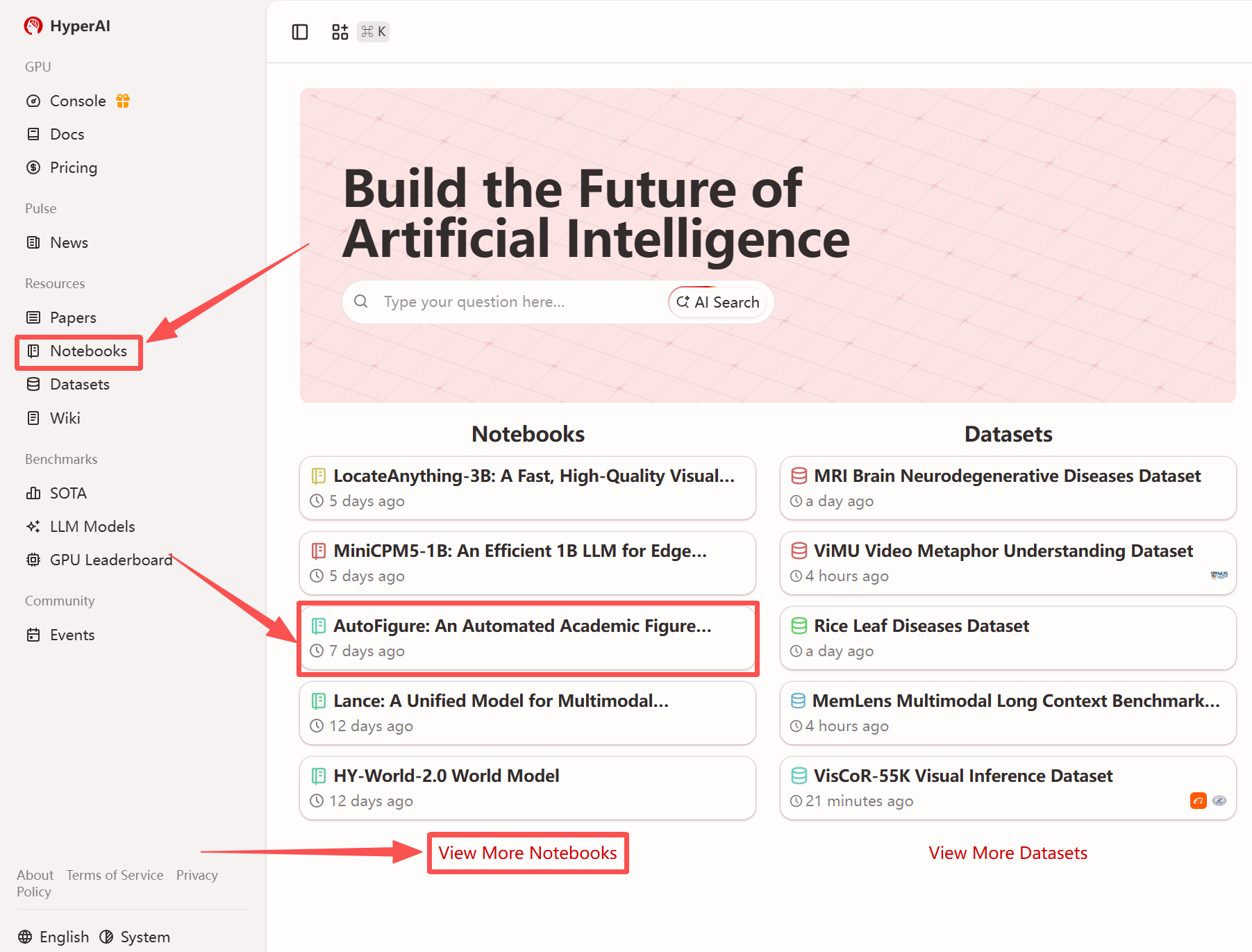
1. After entering the hyper.ai homepage, select the "Tutorials" page, or click "View More Tutorials", select "AutoFigure: An Automatic Figure Generation System for Academic Papers Based on LLM", and click "Run this tutorial".
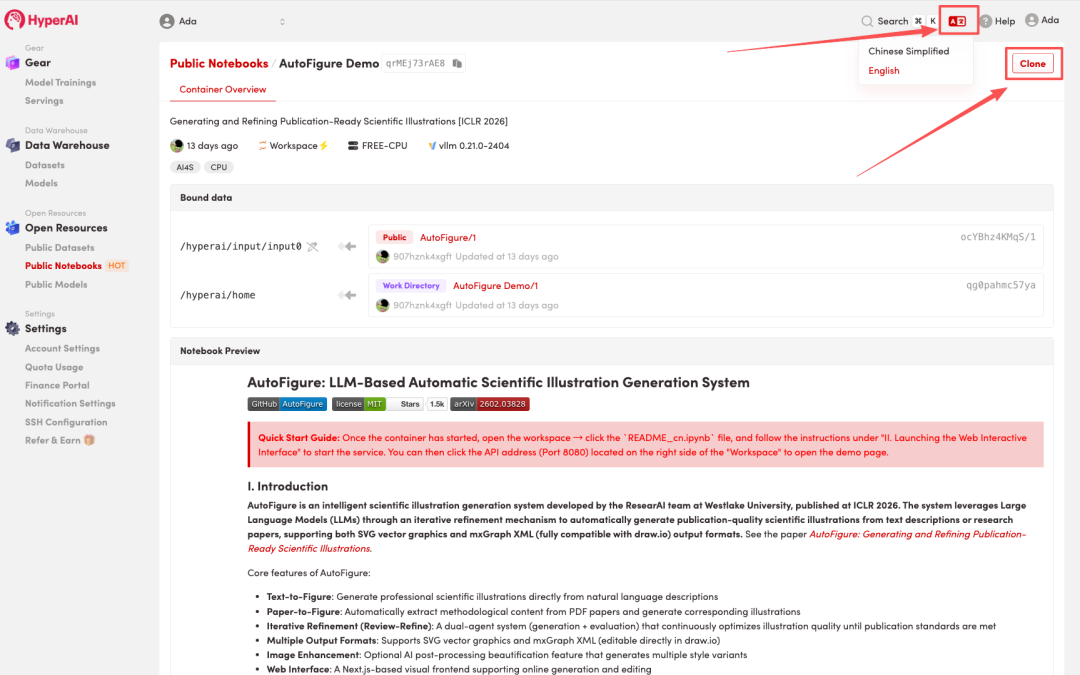
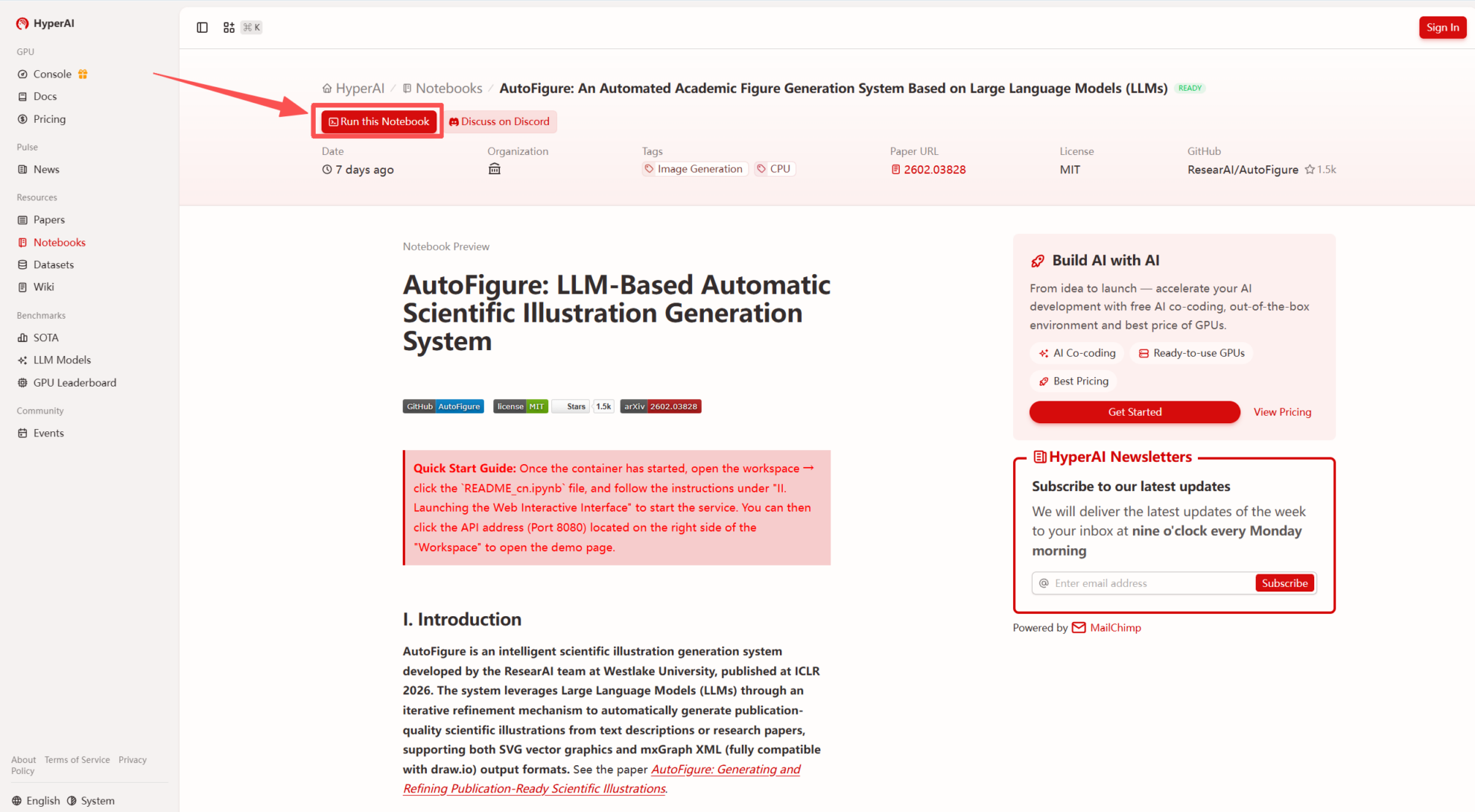 2. After the page redirects, click "Clone" in the upper right corner to clone the tutorial into your own container.
Note: You can switch languages in the upper right corner of the page. Currently, Chinese and English are available. This tutorial will show the steps in English.
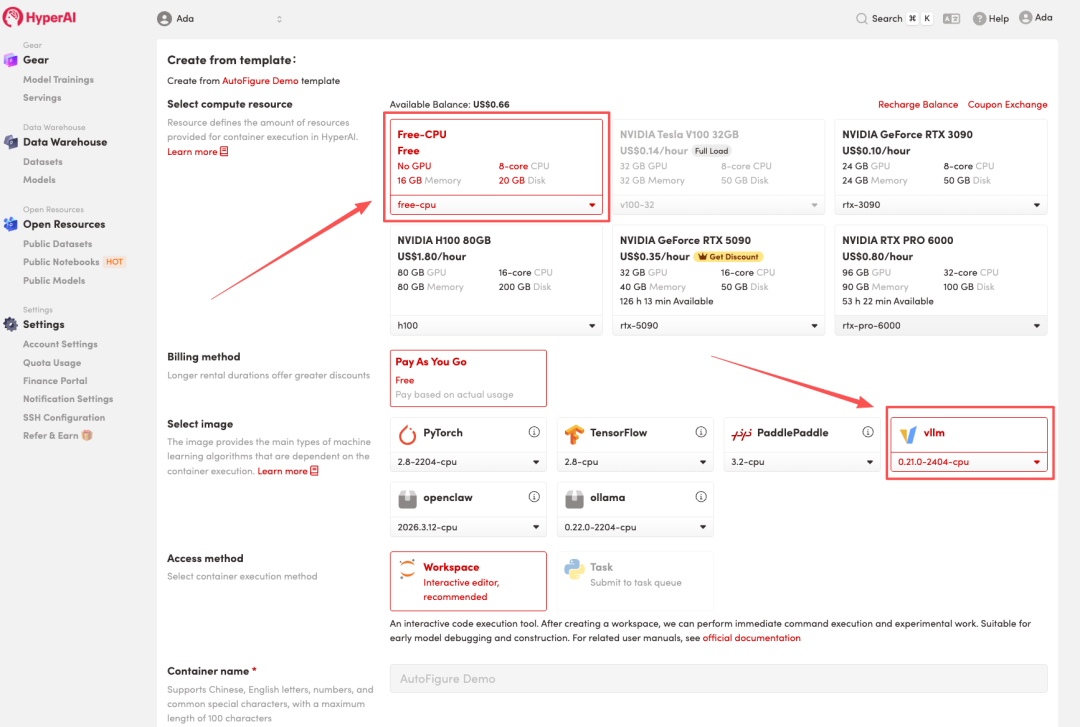
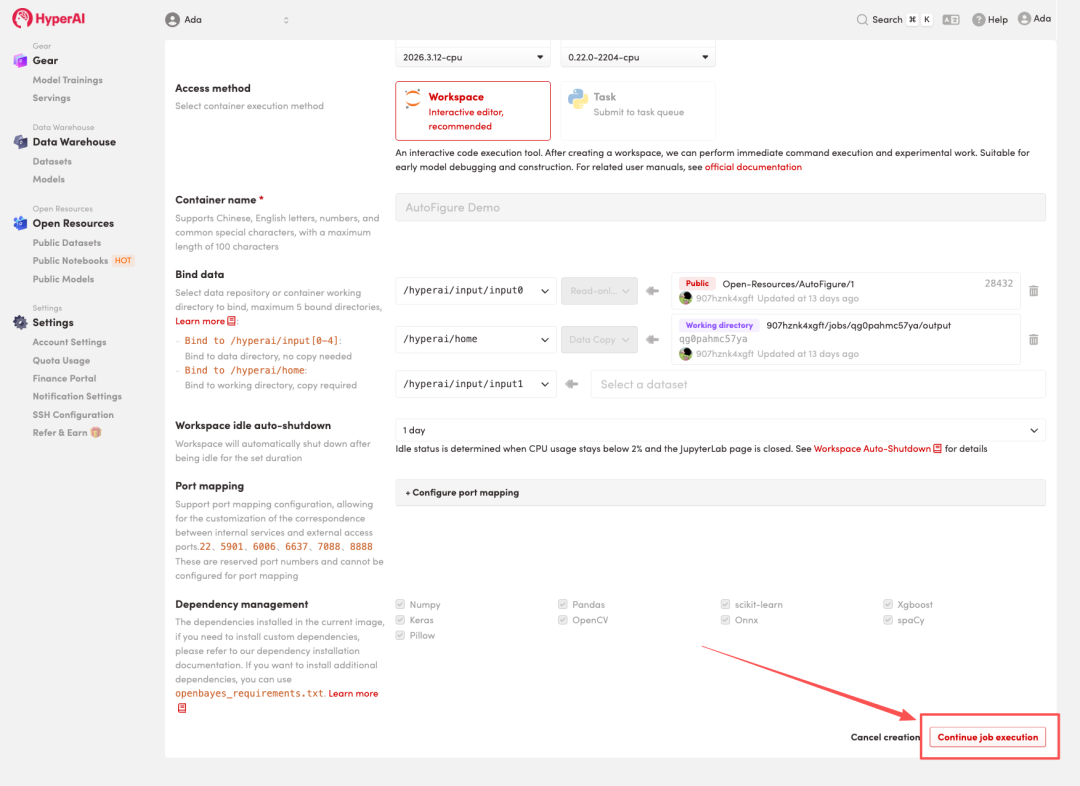
 3. Select "Free CPU" and "vLLM" image, and click "Continue job execution".
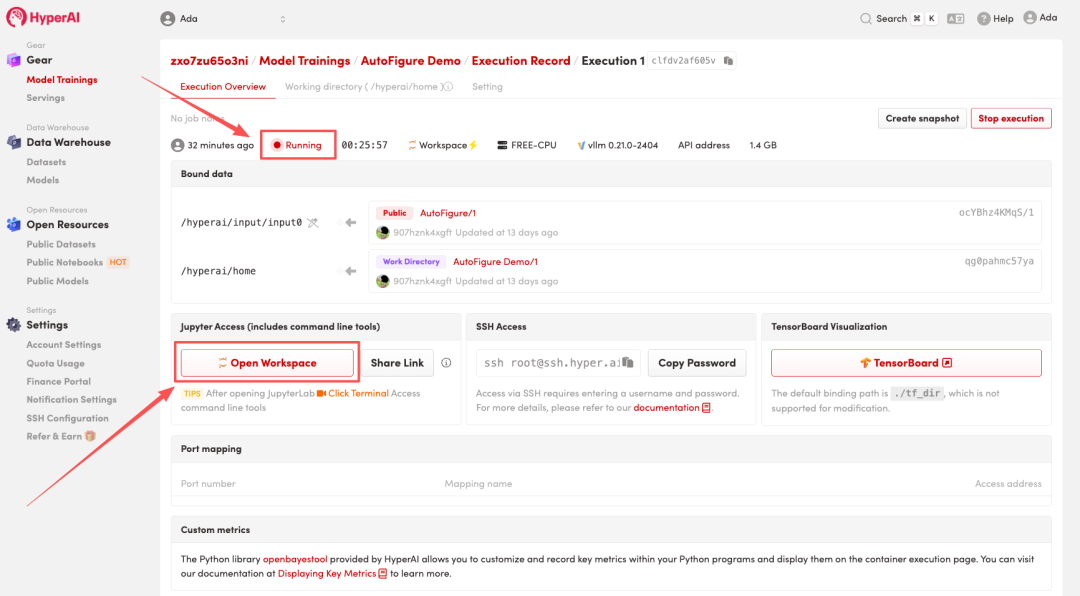
 4. Wait for resources to be allocated. Once the status changes to "Running", click "Open Workspace" to enter the Jupyter Workspace.
Effect display
1. After the page redirects, click on the README file on the left, and then click on Run at the top.
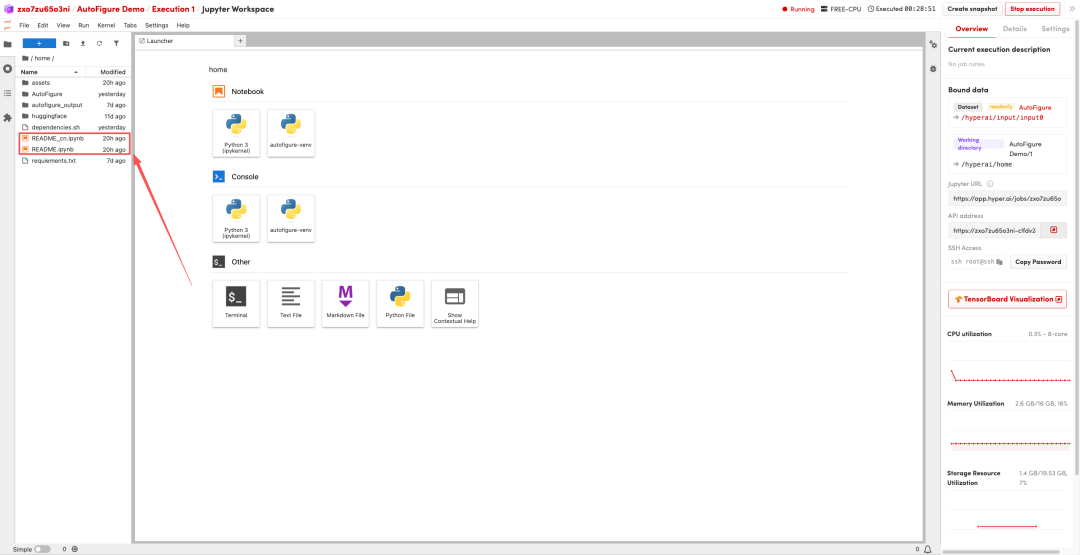
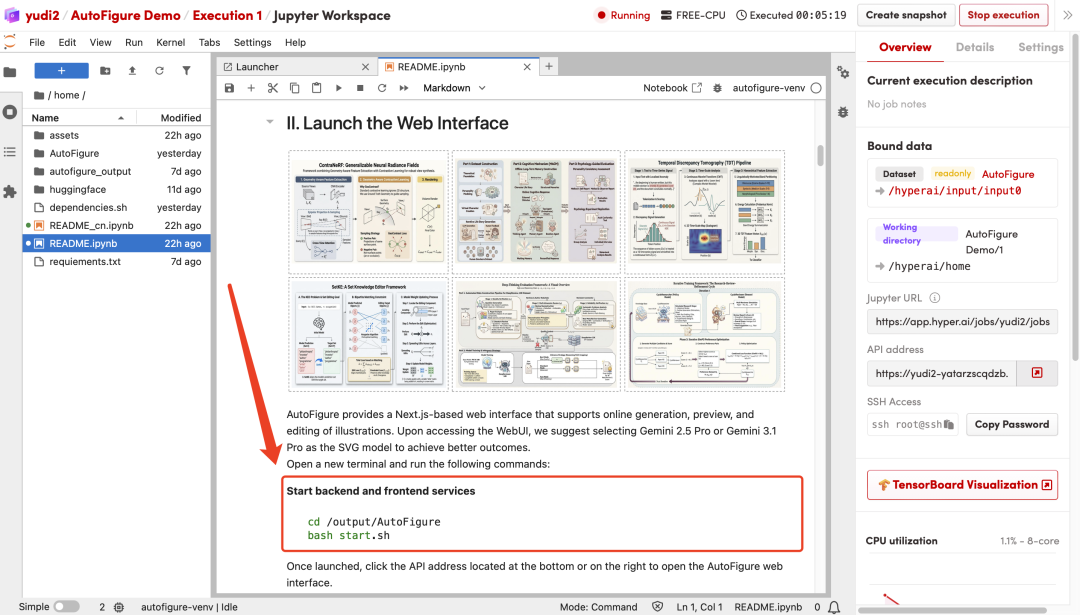
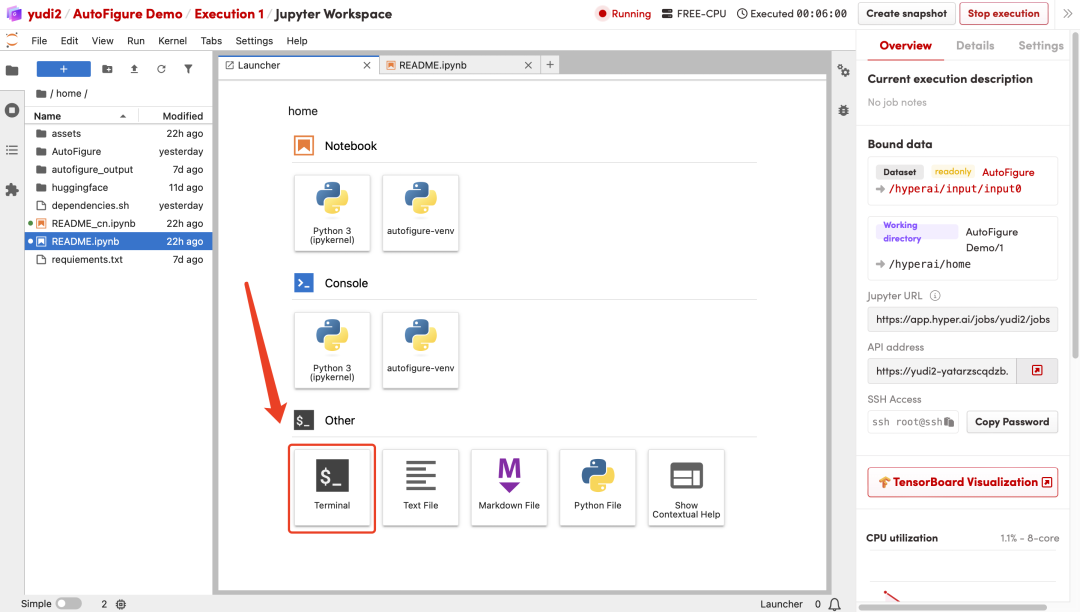
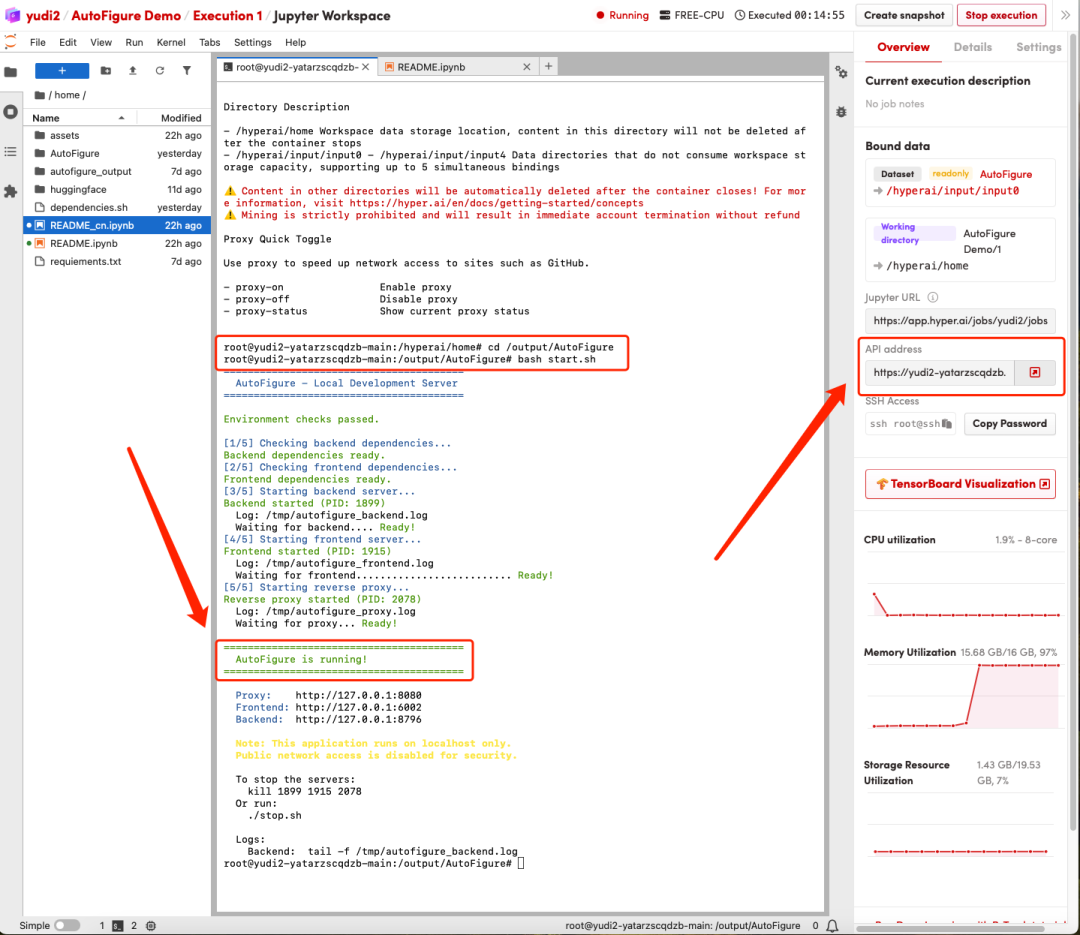
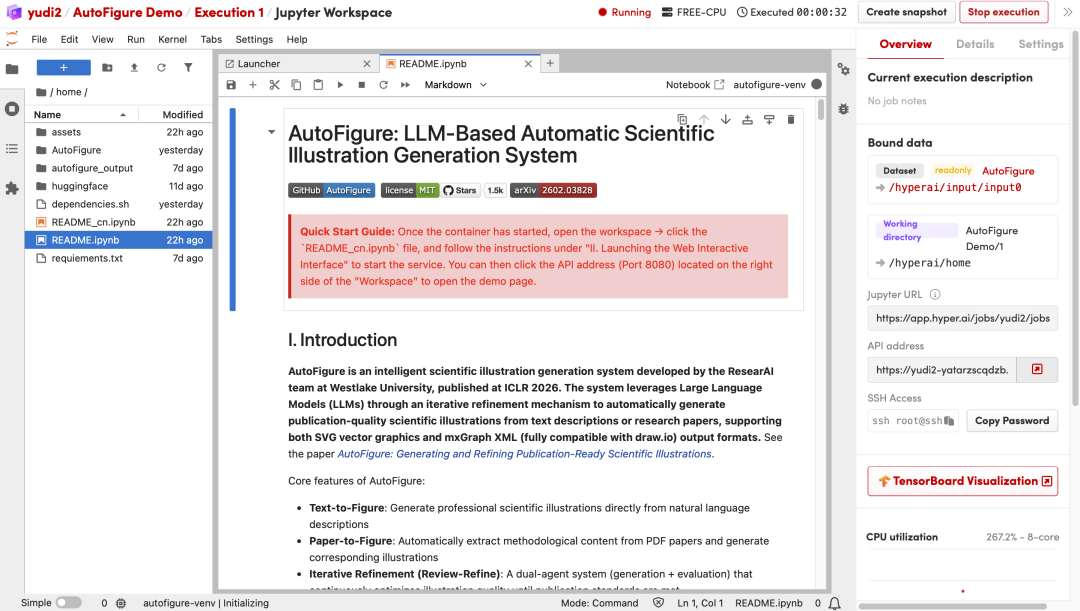 2. Open a new terminal and execute the following commands in sequence to start the backend and frontend services:
cd /output/AutoFigure
bash start.sh
 3. Once the process is complete, you will see "AutoFigure is running!". Click the API address on the right to open the AutoFigure web interface.
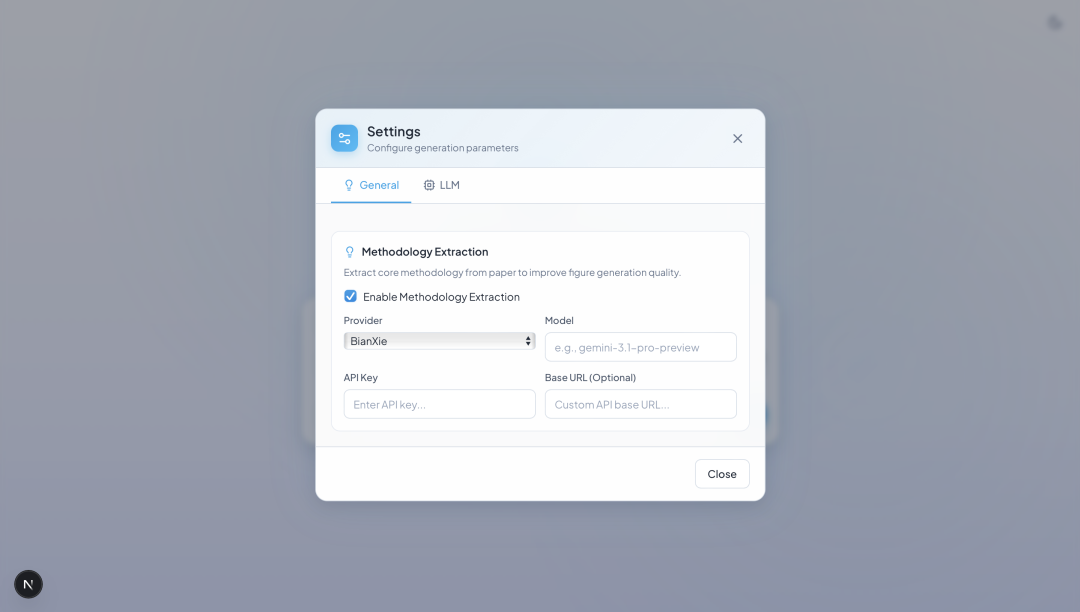
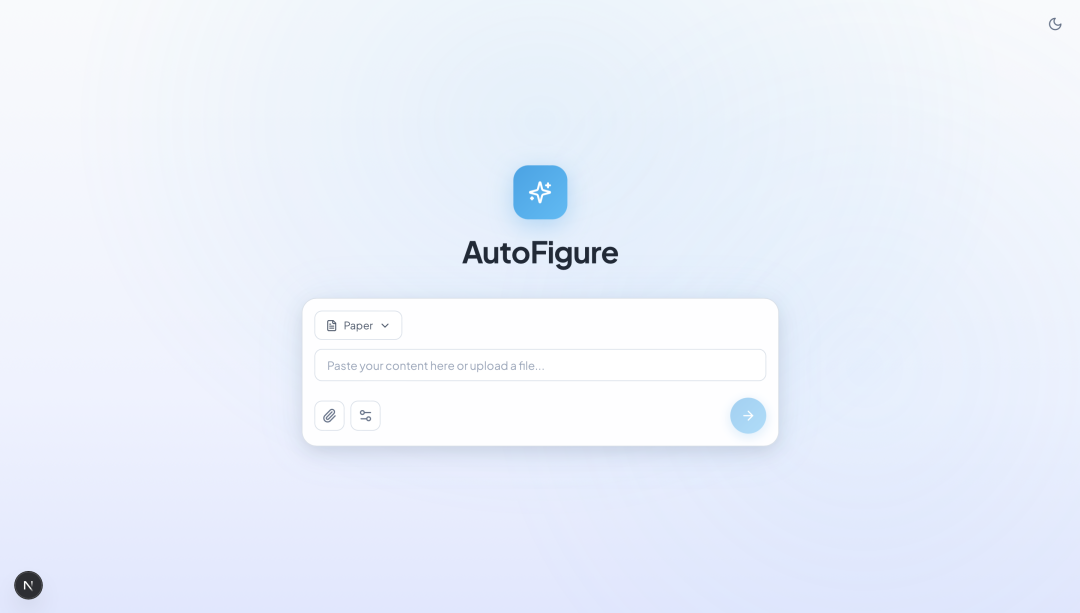 4. Upload your paper file and fill in the relevant model information and its API Key to automatically generate illustrations for your academic paper.