Command Palette
Search for a command to run...
Online Tutorial | Load ComfyUI Workflow With One Click: Master AI Drawing Without Writing a Single Line of Code

With the rapid development of generative AI, models such as Stable Diffusion, Flux, and Wan have continuously improved their image and video generation capabilities, enabling the transformation from text to images and from static images to dynamic videos. However, while the capabilities of these models have improved, the barrier to entry for using them has also increased. To achieve the desired results, users not only need to gradually optimize the prompts for better performance, but also need to understand model selection, parameter adjustment, sampling methods, and the combination relationships between different control modules.
To solve this problem,**The Comfy-Org team has open-sourced ComfyUI—a visual AI workflow framework based on a node-based design.**It breaks down model loading, text encoding, sampling, decoding and other processes into independent nodes. Users can build a complete image and video generation process simply by dragging and connecting nodes, without writing any code.
Unlike traditional "one-click generation" AI tools, ComfyUI's biggest feature is that it makes the generation process more transparent and controllable.**Users can freely adjust the parameters of each step, combine different models and functional modules, and save and reuse their own workflows.**Meanwhile, ComfyUI boasts an open and extensible ecosystem, supporting community-defined nodes and integrating various capabilities such as LoRA, ControlNet, and quantization models to meet diverse needs in image generation, image editing, and video generation. Furthermore, ComfyUI offers a rich set of preset templates and supports automatic detection of the models required for workflows, lowering the barrier to model configuration and enabling more users to quickly experience generative AI workflows.
Currently, an increasing number of cutting-edge generative models are being integrated into ComfyUI. For example,**The latest open-source video generation model, Wan 2.2,**It also supports the experience through ComfyUI workflow, allowing users to more easily explore generation tasks such as image to video and text to video.
The HyperAI (hyper.ai) tutorial section now includes ComfyUI workflow and ComfyUI × Wan 2.2 model resources to help developers quickly deploy models, test results, and engage in AI creation practices. ⬇️
Run online:
ComfyUI Workflow User Guide:
ComfyUI × Wan2.2 Image-based Video Workflow:
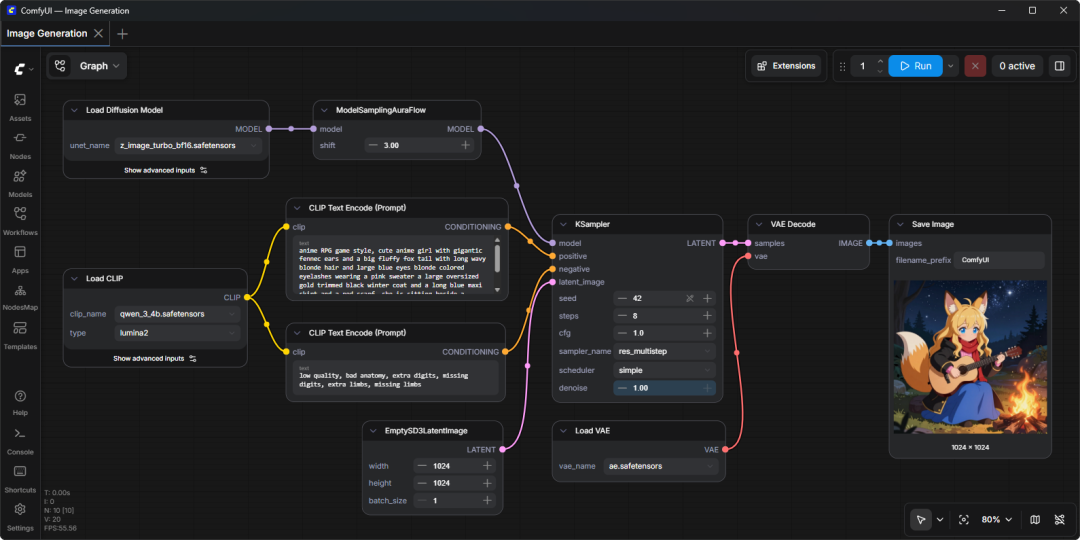
Open the ComfyUI interface
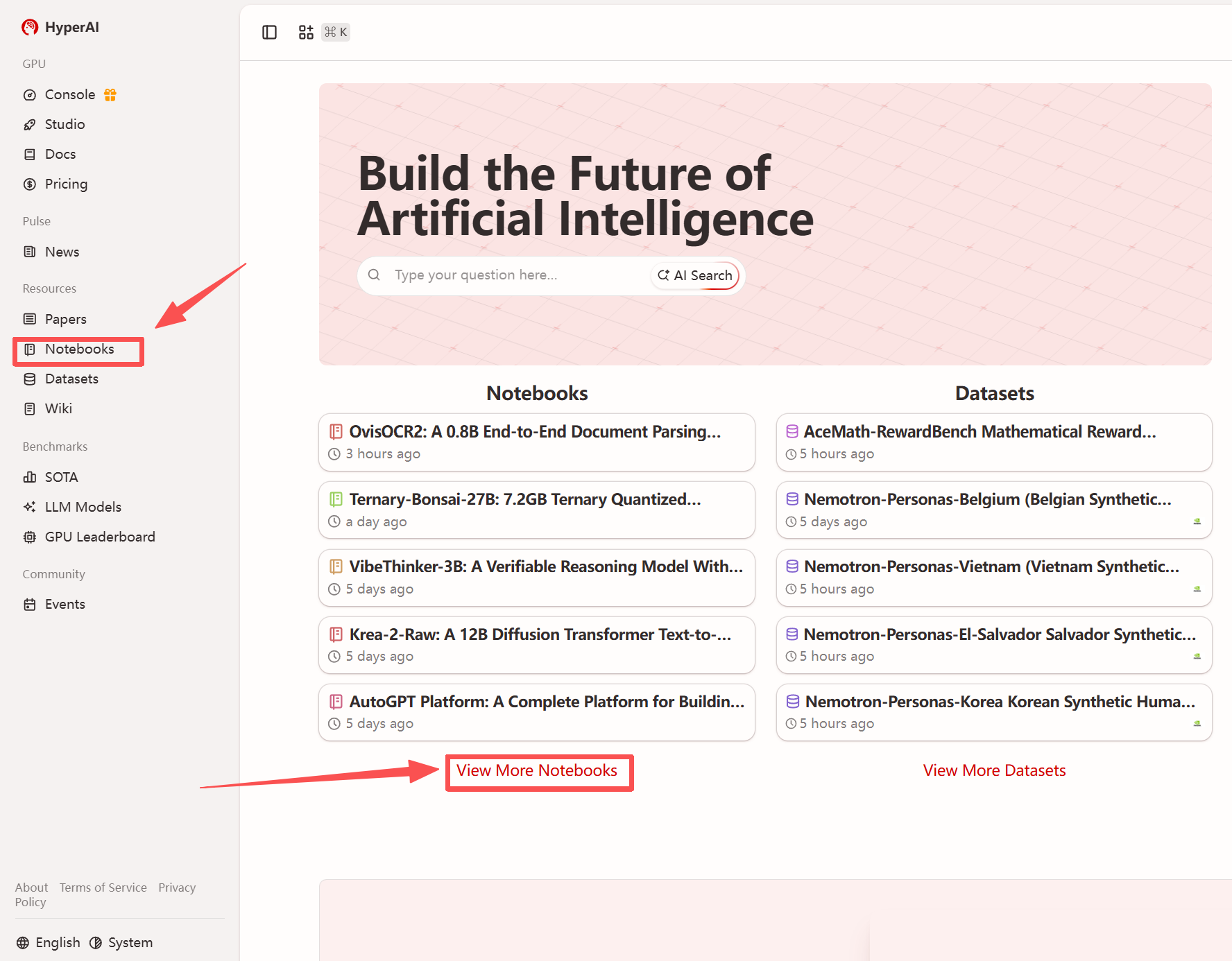
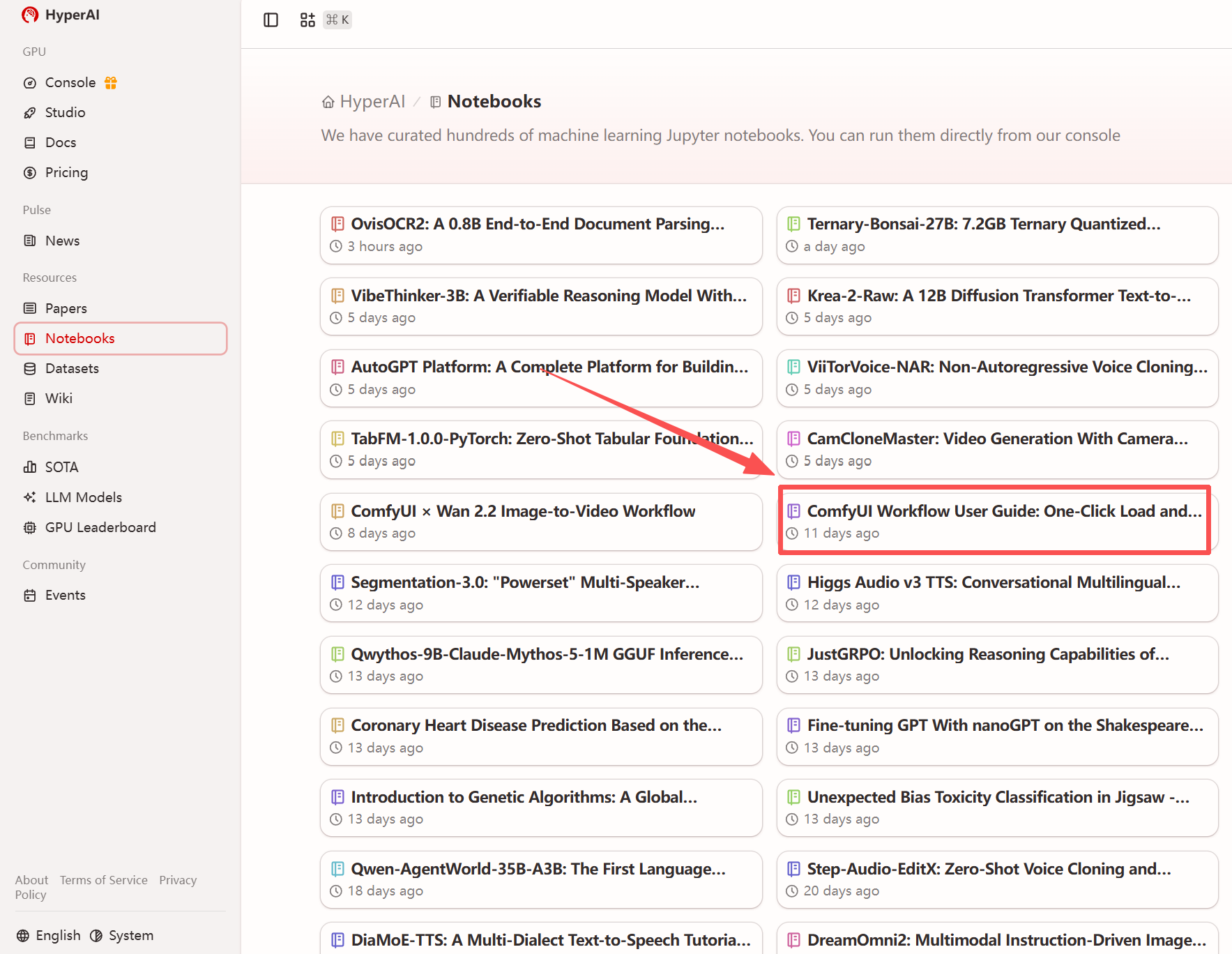
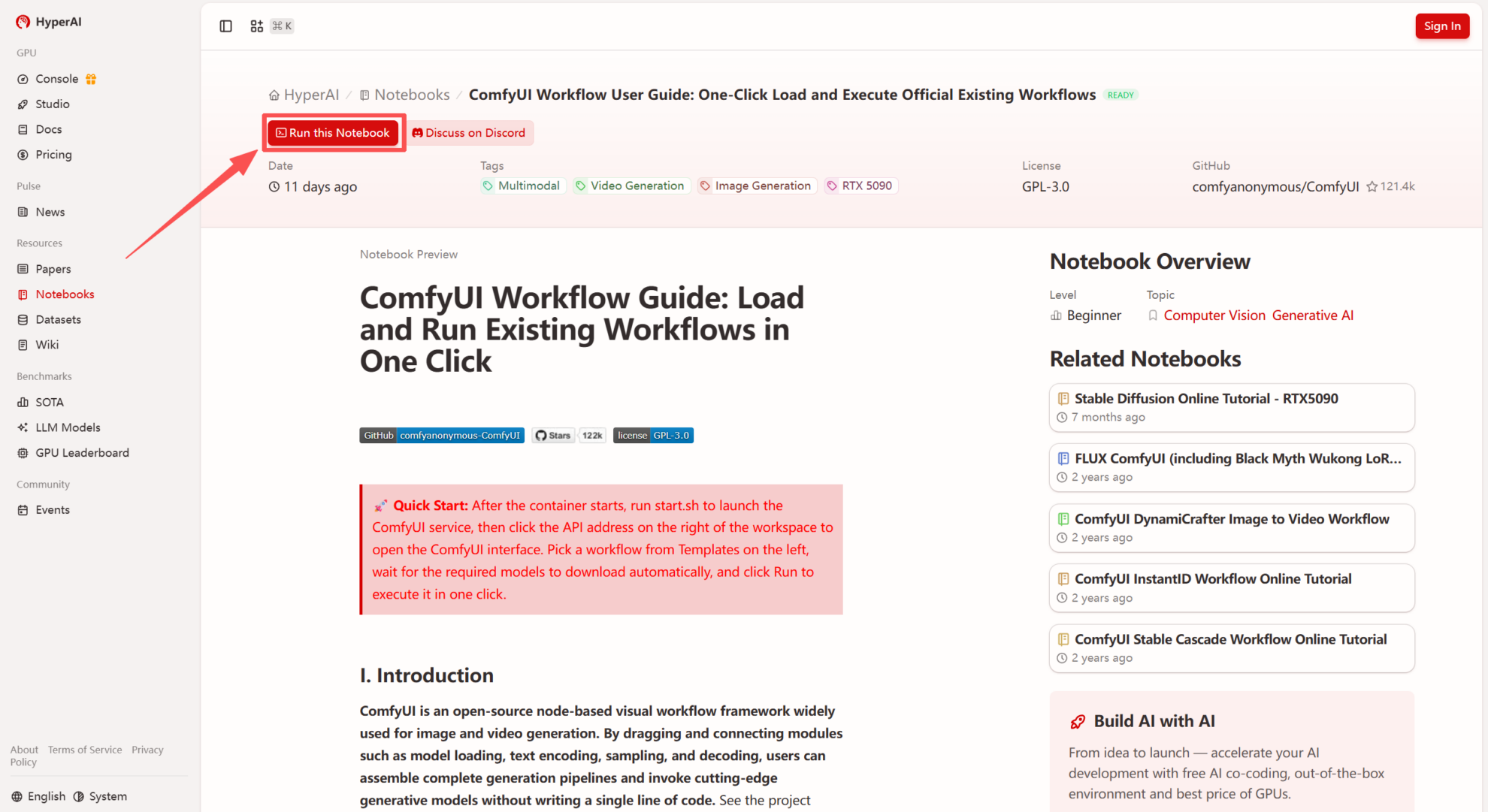
1. After entering the hyper.ai homepage, select the "Tutorials" page, or click "View More Tutorials", select "ComfyUI Workflow User Guide: One-Click Loading and Execution of Existing Official Workflows", and click "Run this tutorial".
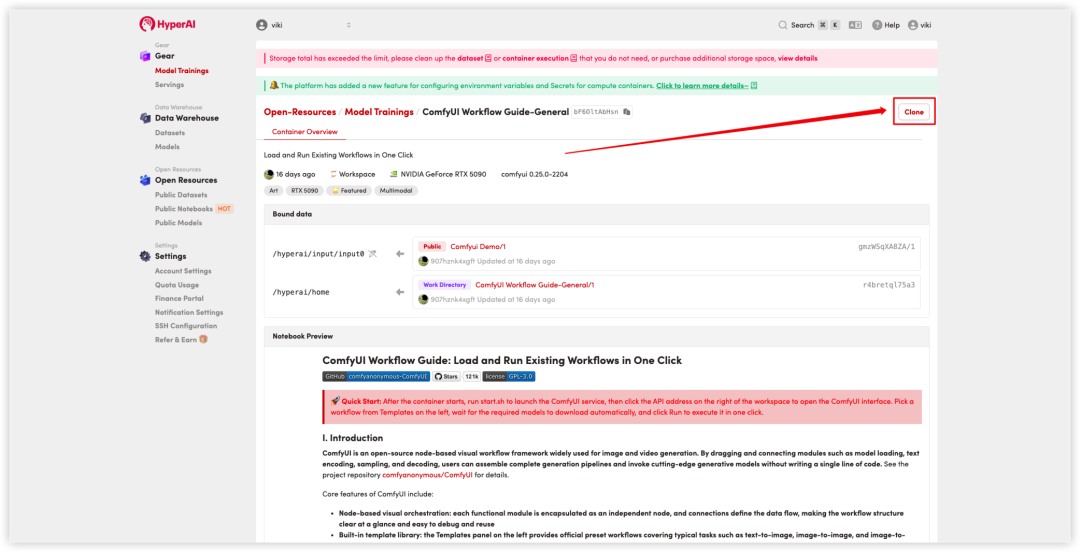
 2. After the page redirects, click "Clone" in the upper right corner to clone the tutorial into your own container.
Note: You can switch languages in the upper right corner of the page. Currently, Chinese and English are available. This tutorial will show the steps in English.
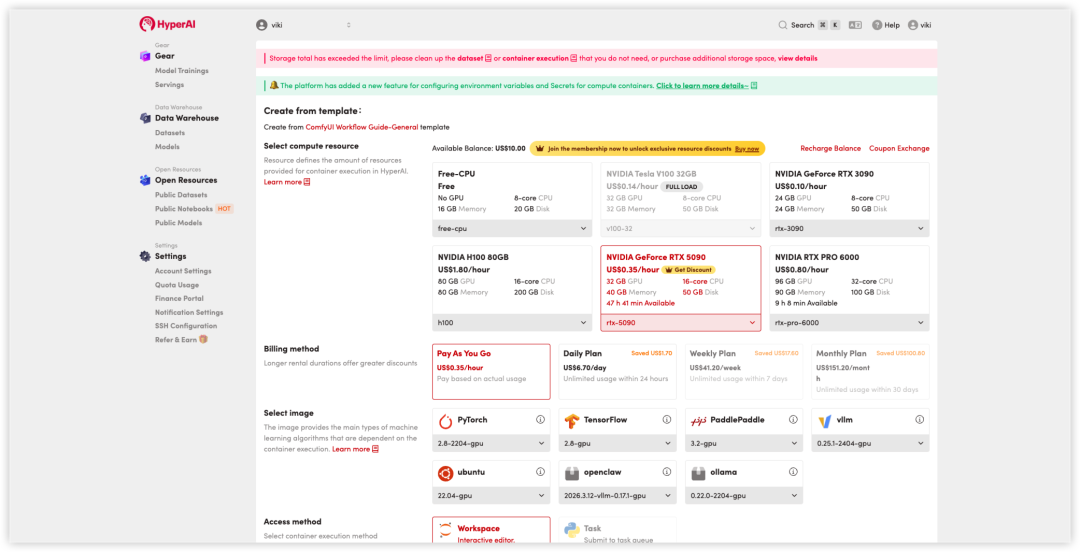
 3. Select "NVIDIA RTX 5090" and click "Continue job execution".
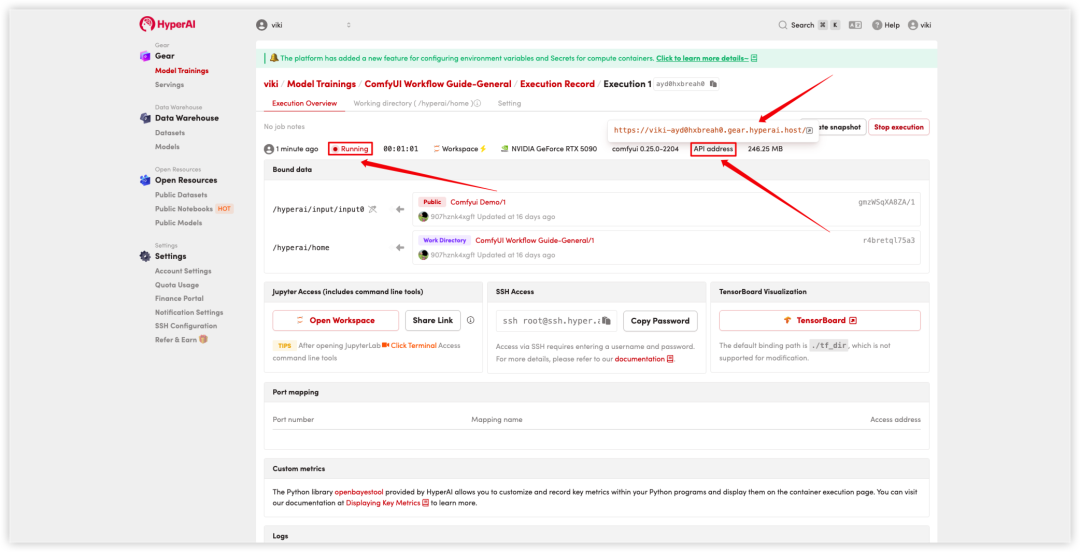
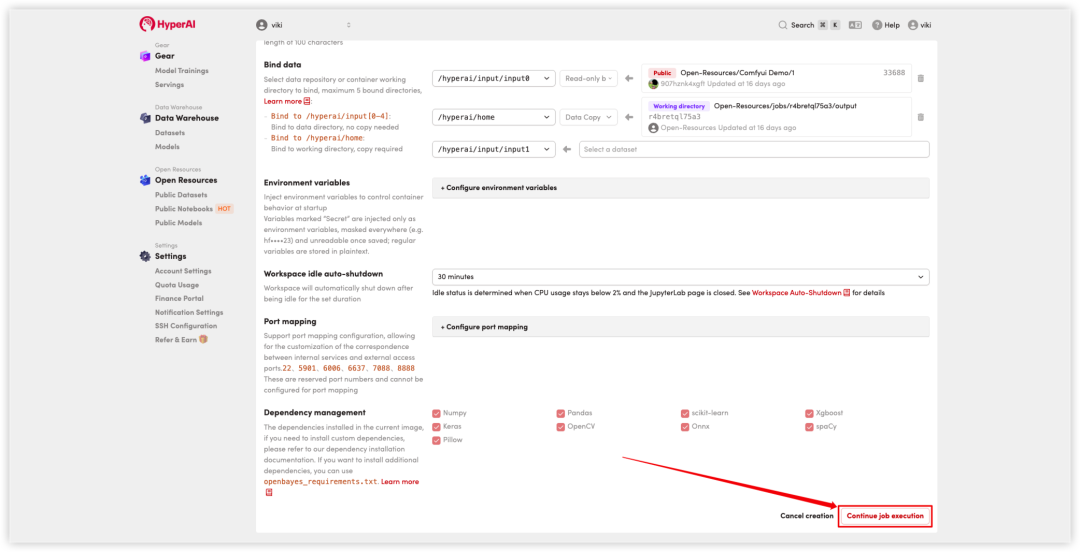 4. Wait for resources to be allocated. Once the status changes to "Running", click the button to the right of "Open Workspace".API AddressYou can then open the ComfyUI node-based editing interface in your browser and proceed with the subsequent workflow acquisition, model download, and execution processes.
Obtain Workflow
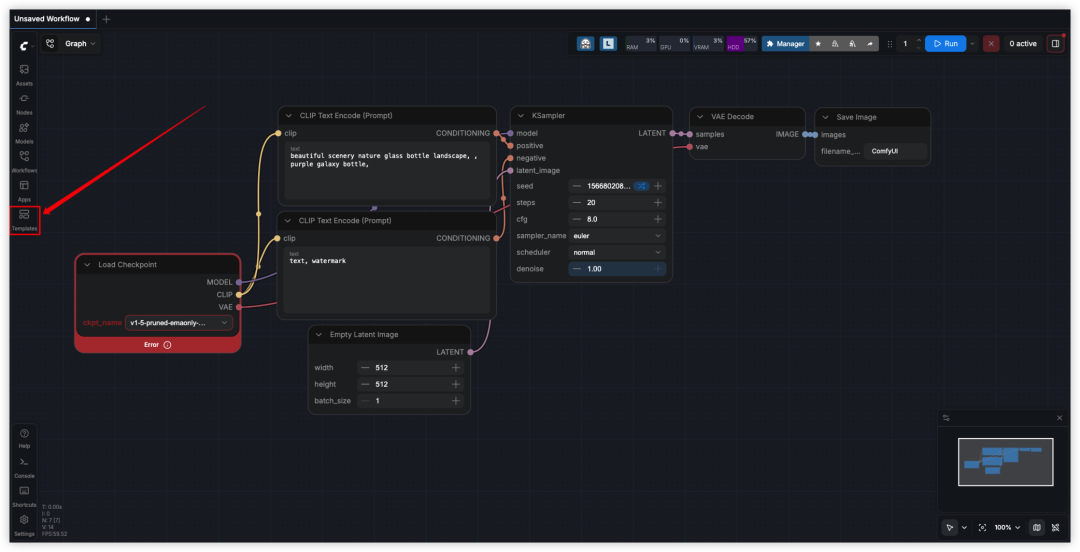
1. In the ComfyUI interfaceLeft sideClicking the Templates button will expand the built-in workflow template list, which includes typical task templates such as Text-to-Image, Image-to-Image, Image-to-Video, and Upscale.
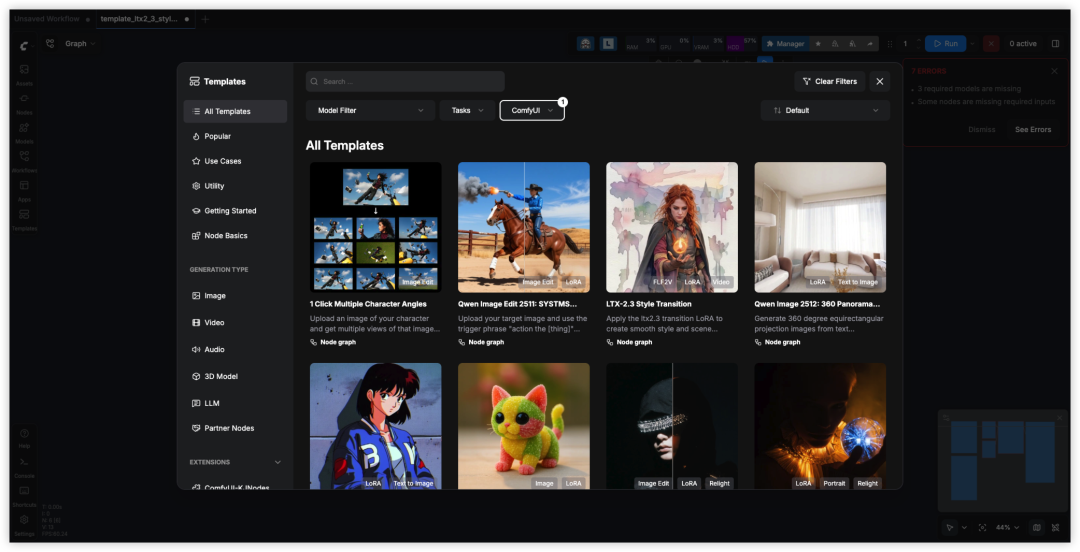
 2. Select a target workflow (such as a text template) from the template list and click to load it into the canvas. Nodes and lines will automatically expand and arrange to form a complete generation process. At the same time, ComfyUI will start detecting and preparing the model required for the workflow.
Download the model and execute the workflow
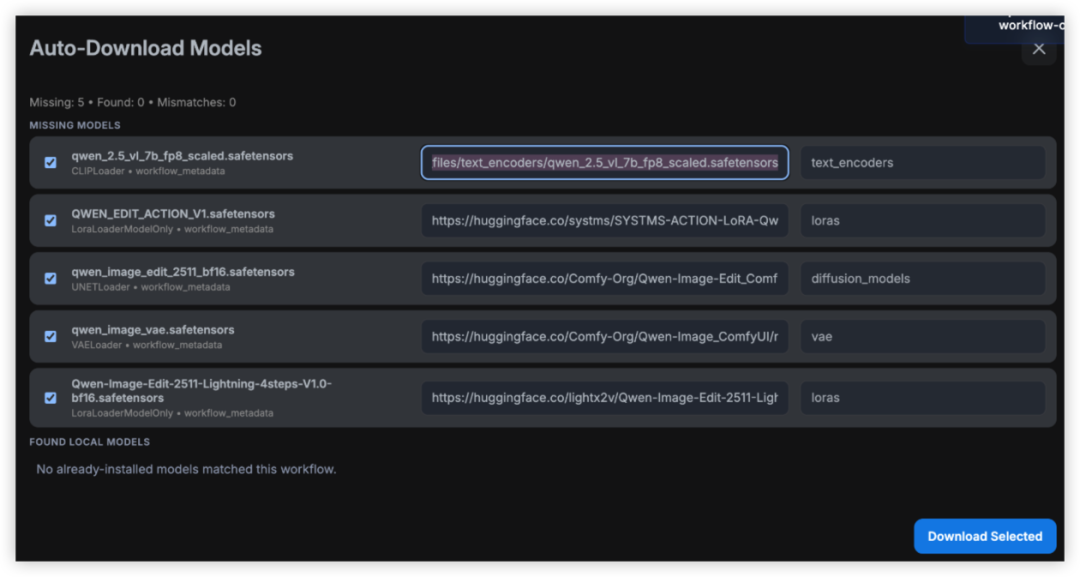
1. After loading the workflow, ComfyUI will automatically detect all model files referenced by the workflow. If some models have not yet been downloaded, the interface will display a missing message and provide a one-click download option. Selecting the workflow will start the download.
 2. Once the model is ready, the workflow can be executed to generate the final result.
In the field of video generation,**Wan 2.2, open-sourced by Alibaba's Wan-AI team, is also worth noting.**The model adopts a MoE dual-expert architecture, which achieves a dual improvement in complex motion generation and style consistency in image-to-video tasks.
Currently, the HyperAI (hyper.ai) tutorial section has also launched the ComfyUI × Wan 2.2 image-to-video workflow, supporting one-click deployment. ⬇️
Run online:
ComfyUI × Wan2.2 Image-based Video Workflow: