Command Palette
Search for a command to run...
Online Tutorial | DeepSeek-V4 Brings Visual Agent Capabilities, Surges to 36.5 on ApexBench

The DeepSeek-V4 series officially embraces multimodality—the first experimental vision model, DeepSeek-V4-Flash-Vision-Exp, is now available!
As a multimodal extension of the DeepSeek-V4-Flash architecture, DeepSeek-V4-Flash-Vision-Exp introduces visual modules and undergoes continued training, unlocking enhanced visual understanding capabilities while preserving its original text-based agent functionalities. The model can perform complex tasks by integrating images, charts, and other visual information, with particular emphasis on strengthening environmental perception and task execution for multimodal agents.
In terms of performance, the model achieves further balance between textual and multimodal agent capabilities: it maintains stable performance in text-agent benchmarks while improving ApexBench (Pass@1) scores from 26.2 to 36.5, achieving an Agents’ Last Exam score of 27.3, and scoring 64.3 and 35.0 respectively on Chartography and ZeroBench—multimodal evaluation suites. Additionally, the new model demonstrates competitive results across text-agent tests such as DeepSWE, NL2Repo, and Toolathlon-Verified.
From text comprehension to visual perception, DeepSeek-V4-Flash-Vision-Exp opens up a new direction toward multimodal agents within the DeepSeek-V4 family. As visual understanding, reasoning, and tool-use capabilities continue to converge, these agents hold strong potential for demonstrating greater autonomy in real-world applications involving intricate task execution, chart analysis, interface interaction, and more.
Currently, HyperAI’s tutorial section has launched “Multimodal Reasoning with DeepSeek-V4-Flash-Vision-Exp & Deployment via Open WebUI,” enabling one-click deployment so you can quickly experience its visual understanding, multimodal agent functionality, and capacity for executing complex tasks.
Online Demo:https://go.hyper.ai/QtxhJ
More online tutorials:https://hyper.ai/notebooks
Running the Demo
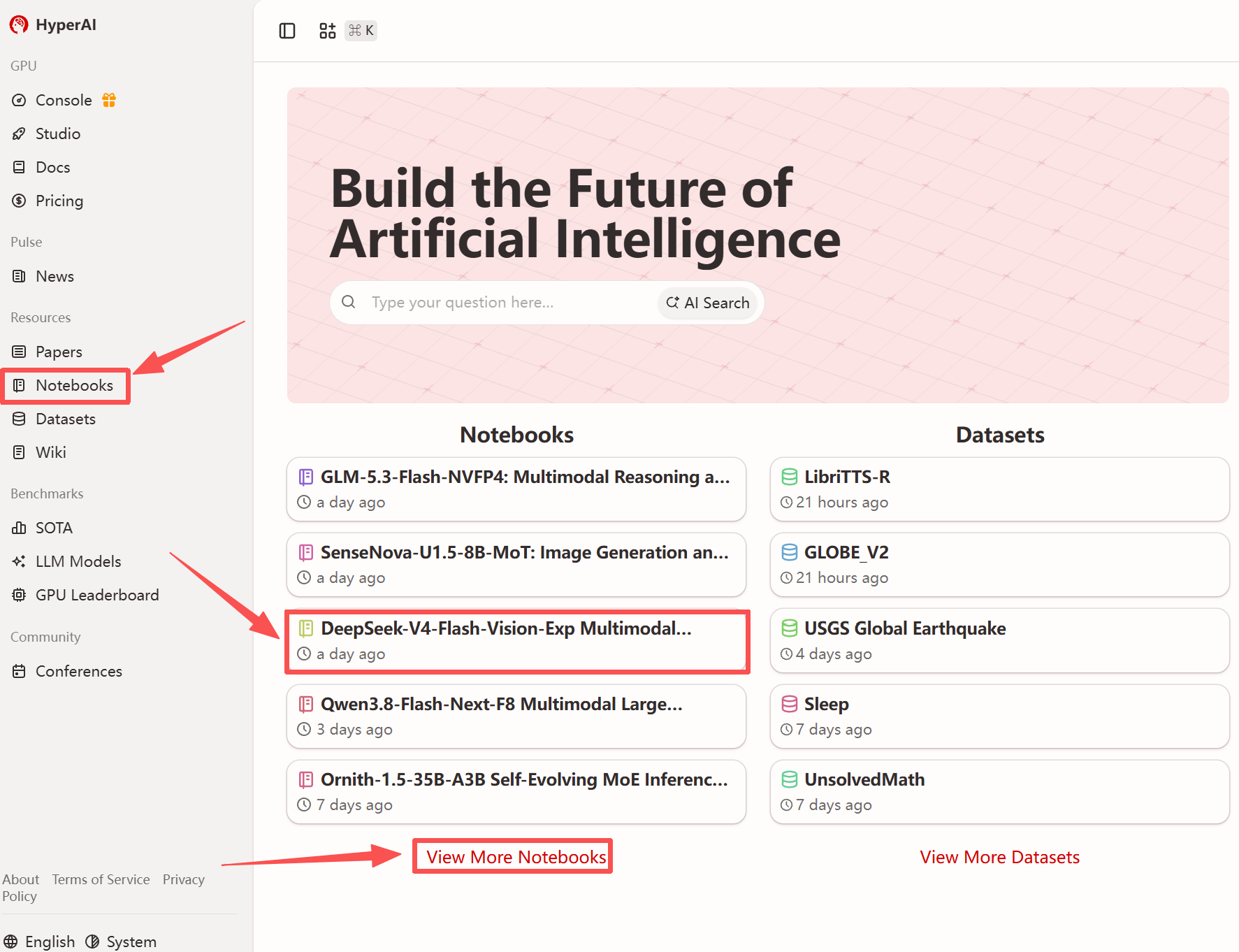
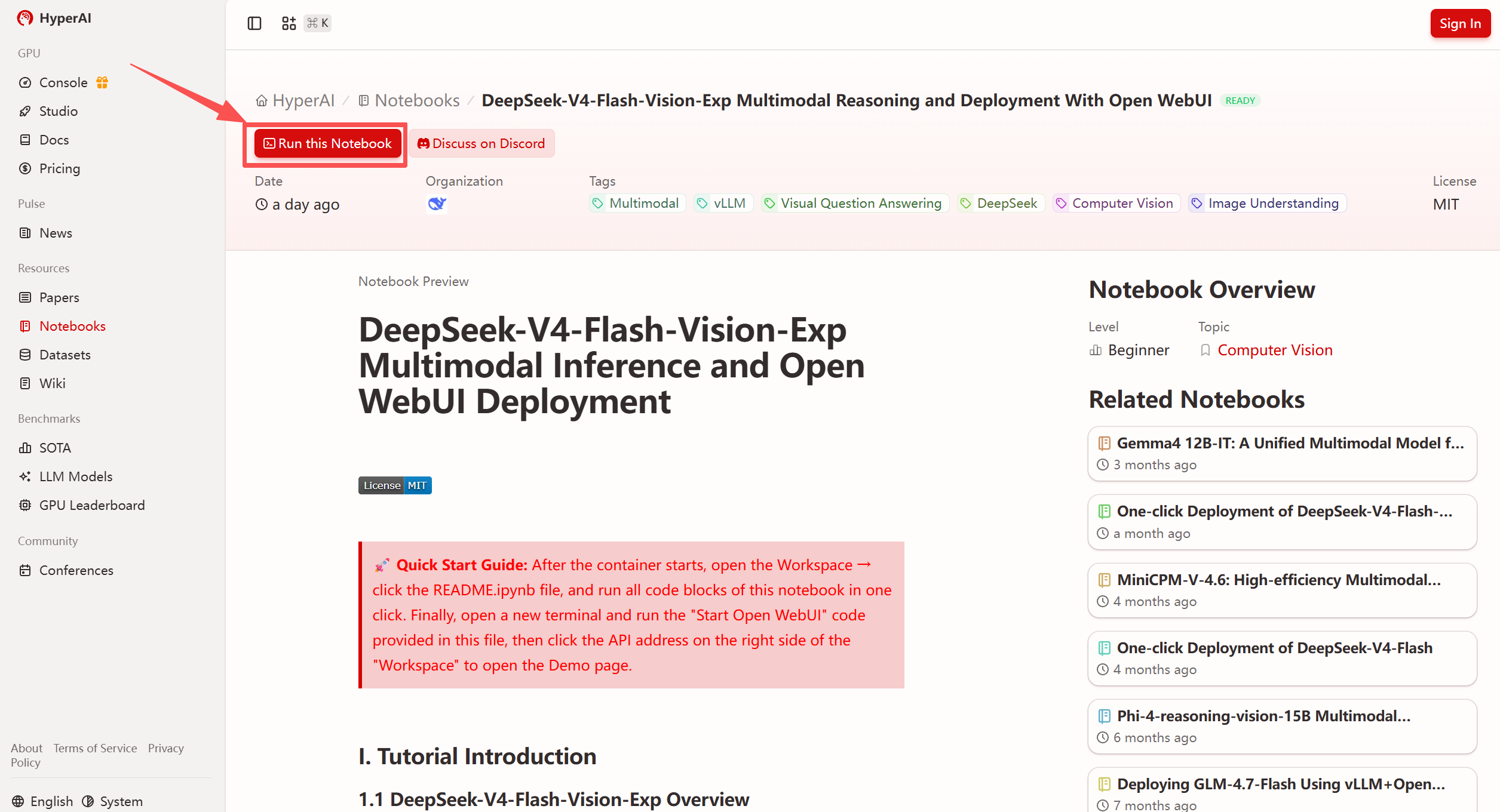
- After entering the homepage of hyper.ai, select the "Tutorials" page, or click on "View More Tutorials," choose "DeepSeek-V4-Flash-Vision-Exp Multimodal Inference & Open WebUI Deployment," and then click "Run This Tutorial."
- After navigating to the page, click "Clone" in the upper-right corner to clone this tutorial into your own container.
Note: The upper-right corner of the page supports switching languages, currently offering both Chinese and English versions. This tutorial uses the English version as an example for step-by-step instructions.
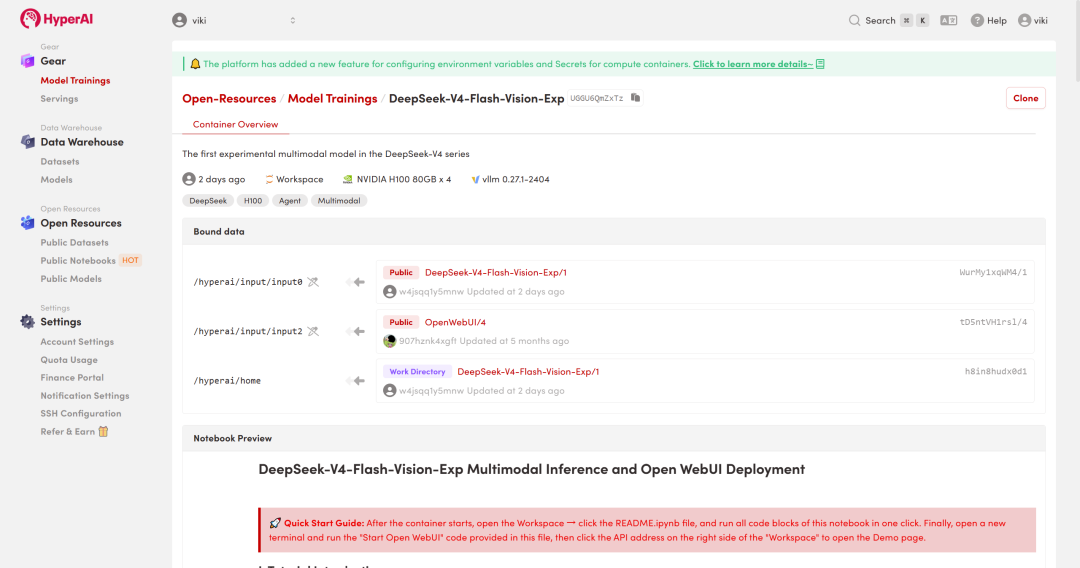
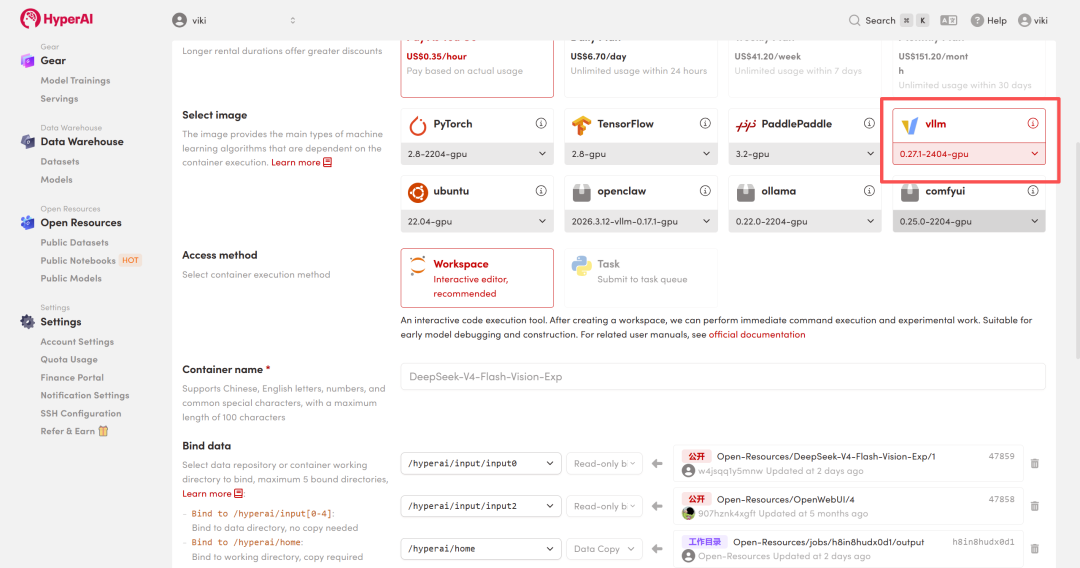
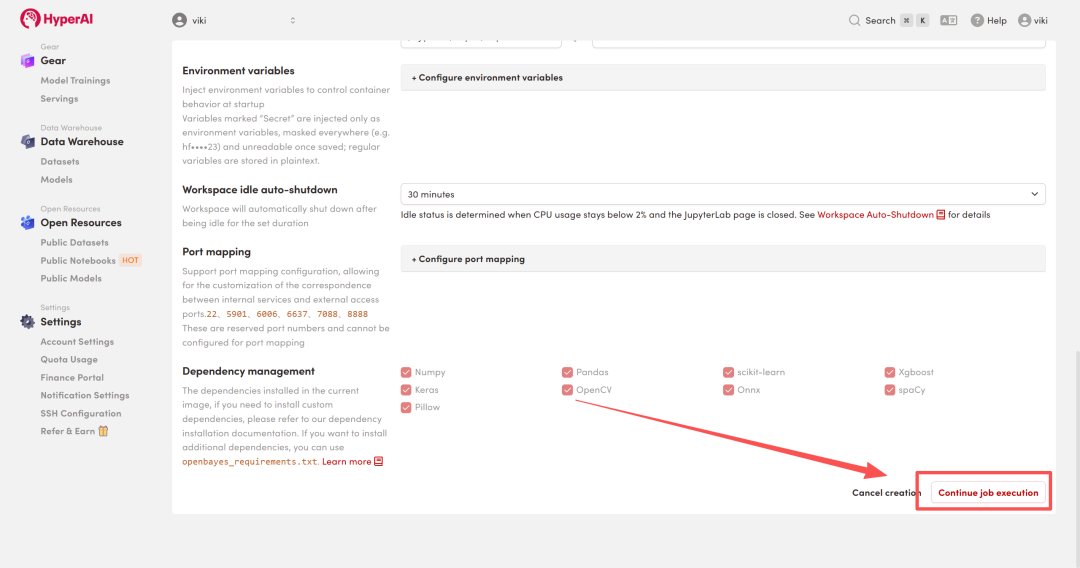
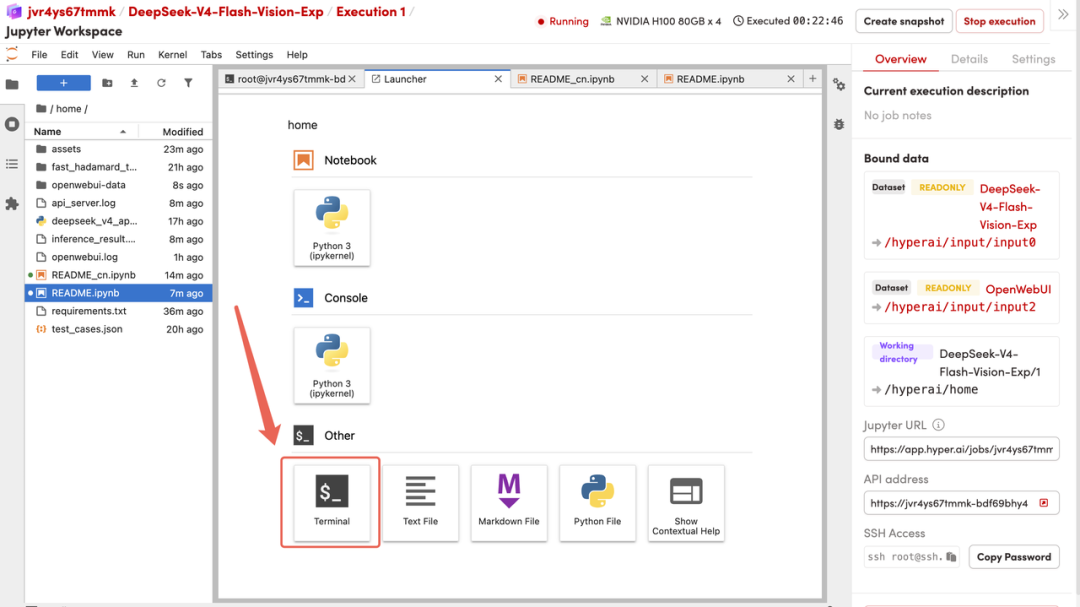
- Wait for resource allocation, and once the status changes to "Running," click "Open Workspace" to enter the Jupyter Workspace.
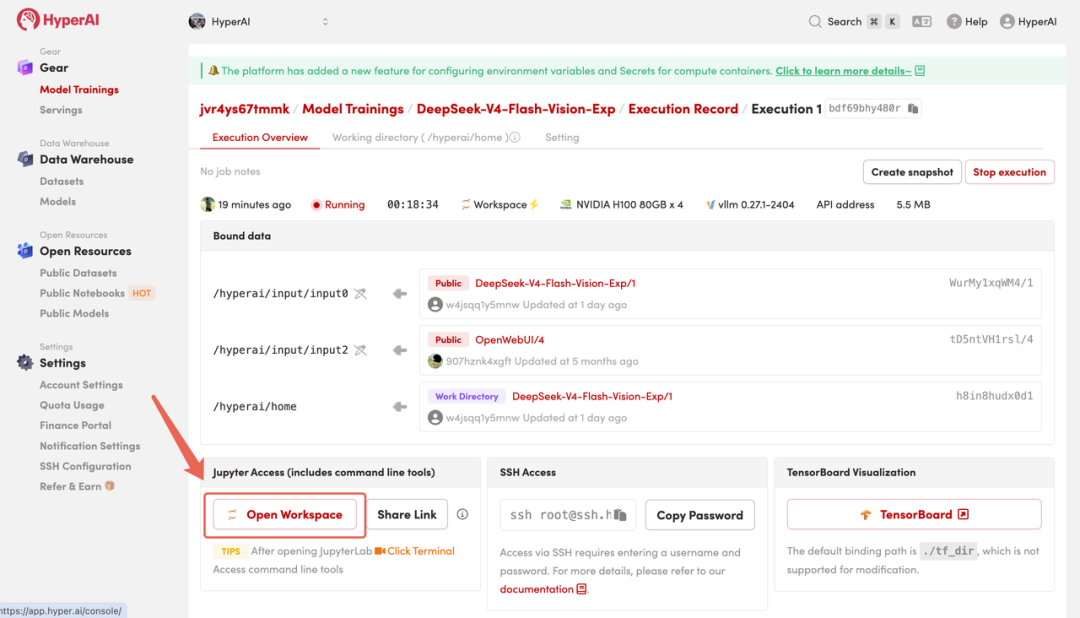
Demo
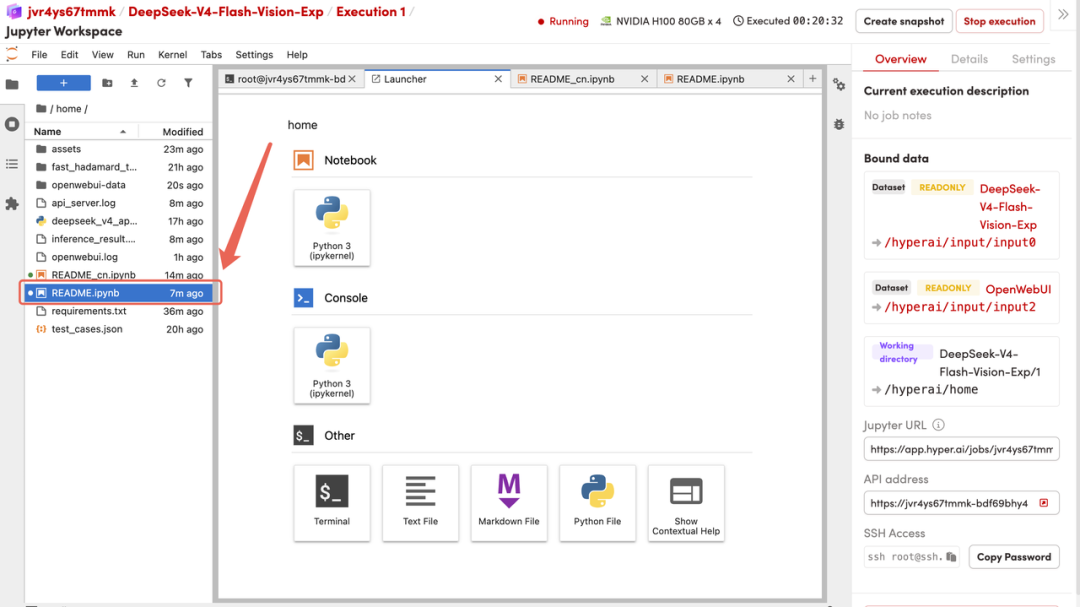
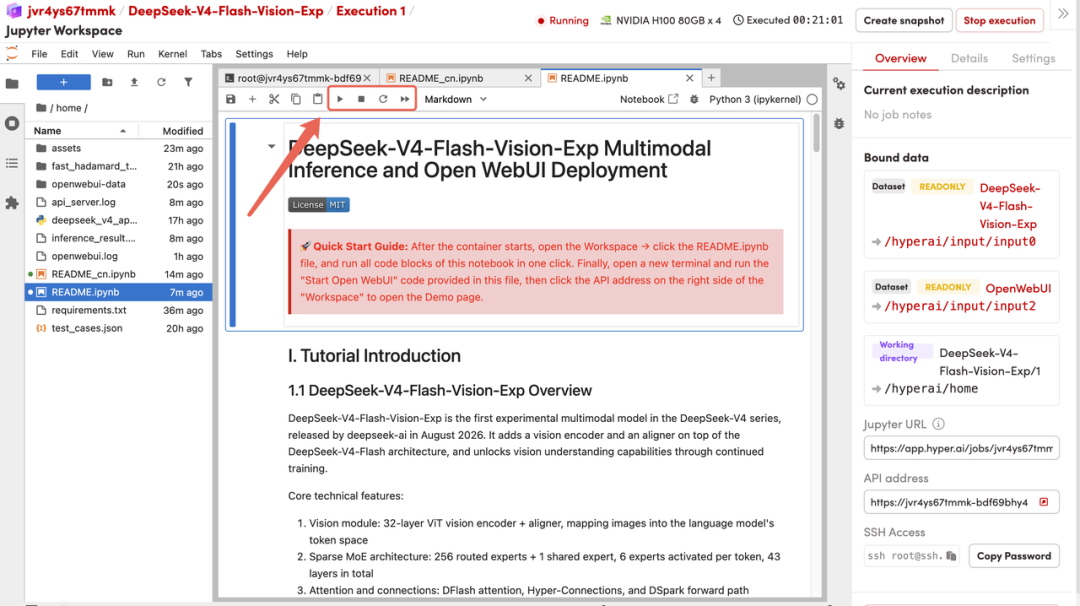
- After navigating to another page, click on the README file in the left sidebar. Once opened, click Run at the top of the page.
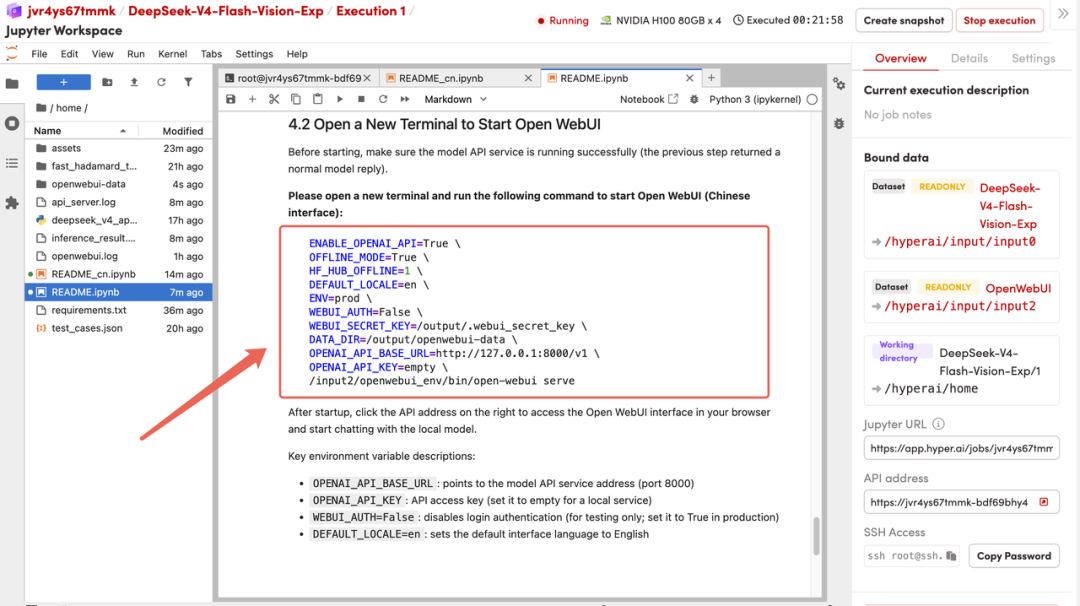
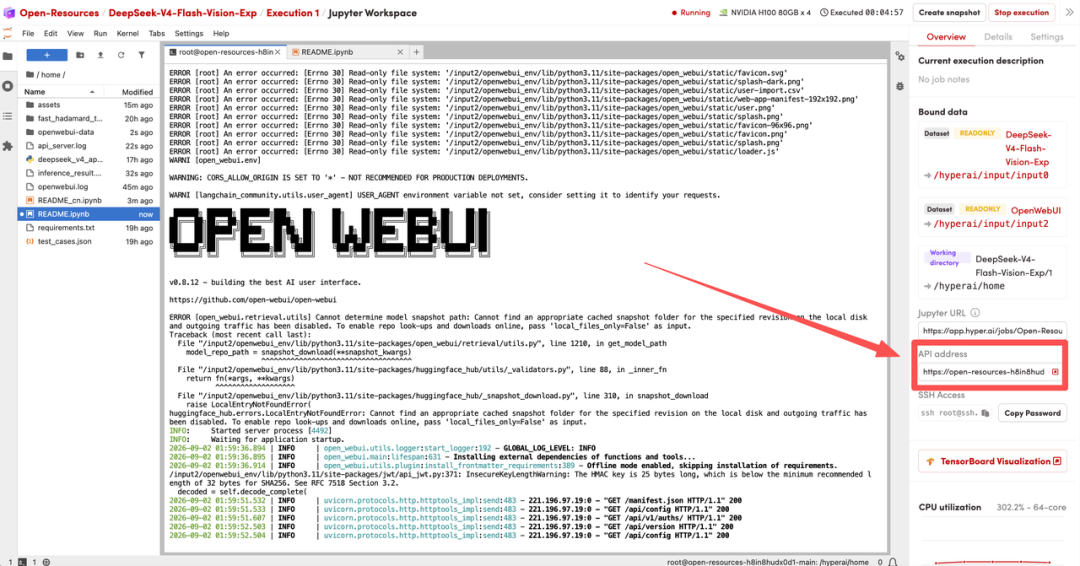
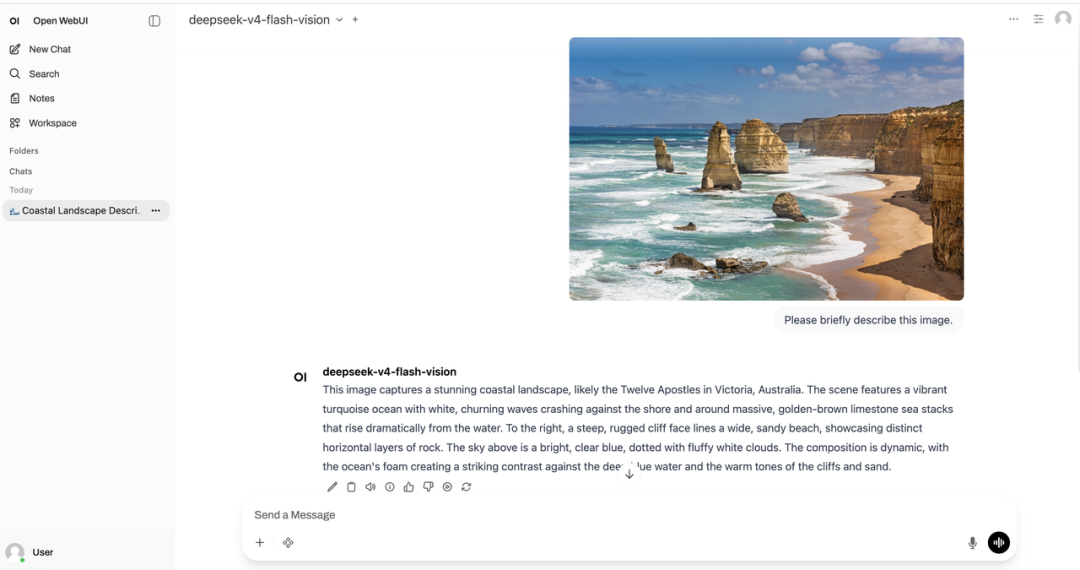
- After starting, click on the API address on the right side to access the Open WebUI interface in your browser and begin conversing with local models.