Command Palette
Search for a command to run...
GPT-SoVITS Audio Synthesis Online Demo
1. Functional Description
Note: The one-click training I made currently only supports Chinese. If you want to train Japanese or English, you need to enable webui.
The method is to change the python run_all.py in the run.ipynb running code to python webui.py
2. Video Tutorial
https://www.bilibili.com/video/BV1WC411W79t
3. Operation method
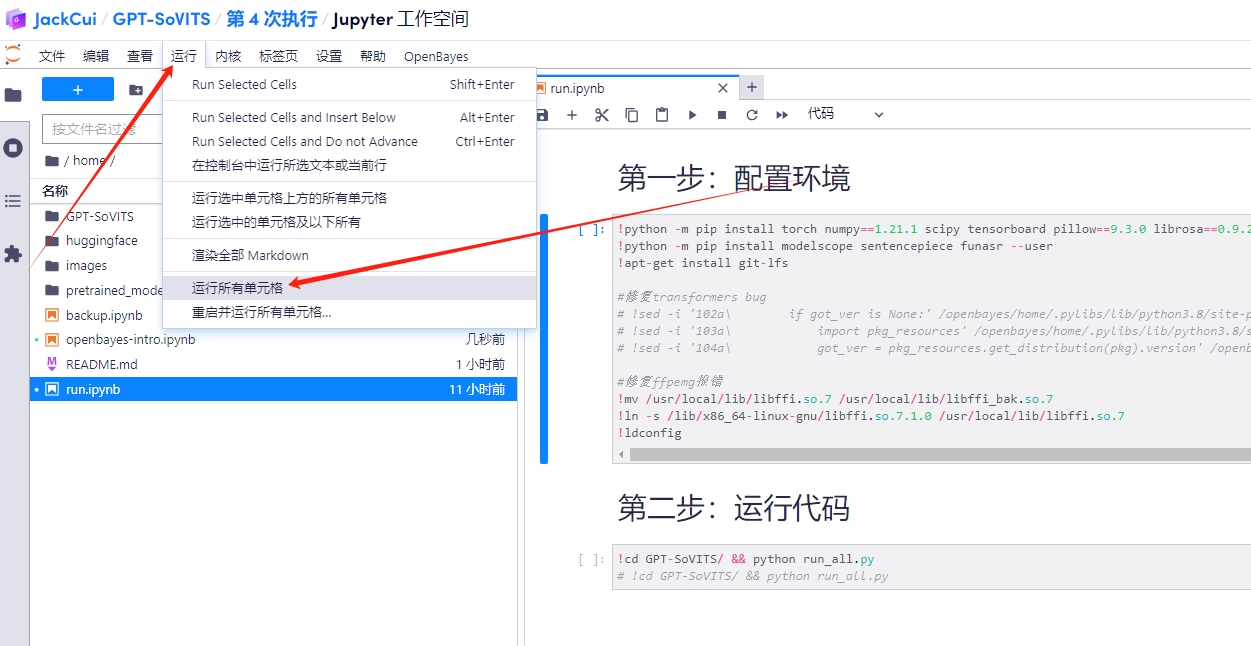
- Open run.ipynb
Click Run -> Run All Cells to start the program, automatically configure the environment, and start the service.
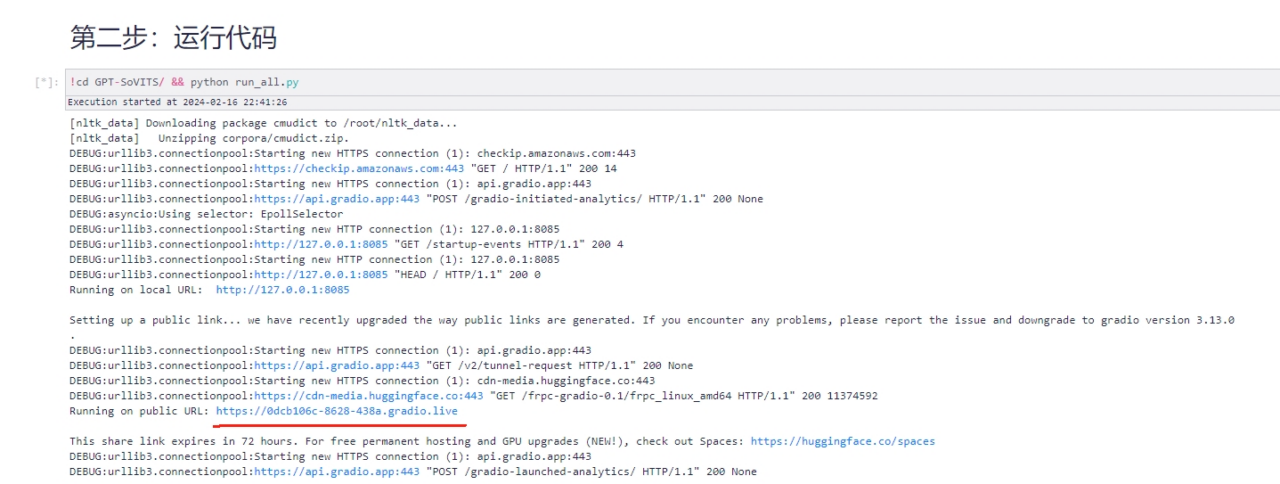
- Open the output public URL
- Choose the data type according to your audio

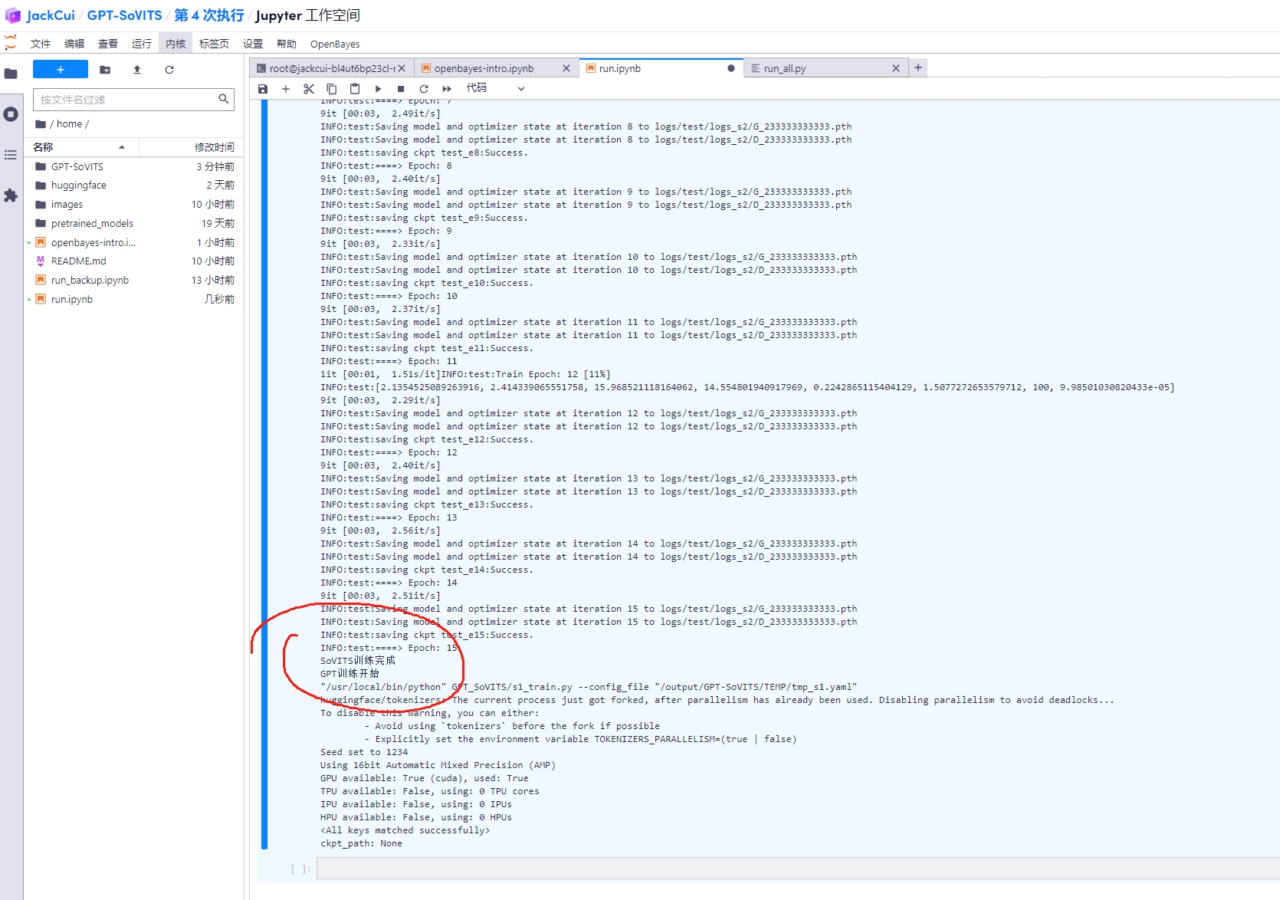
- Click to start training
Click to see which step the process has reached in the foreground, and you can also see the log output in the background.

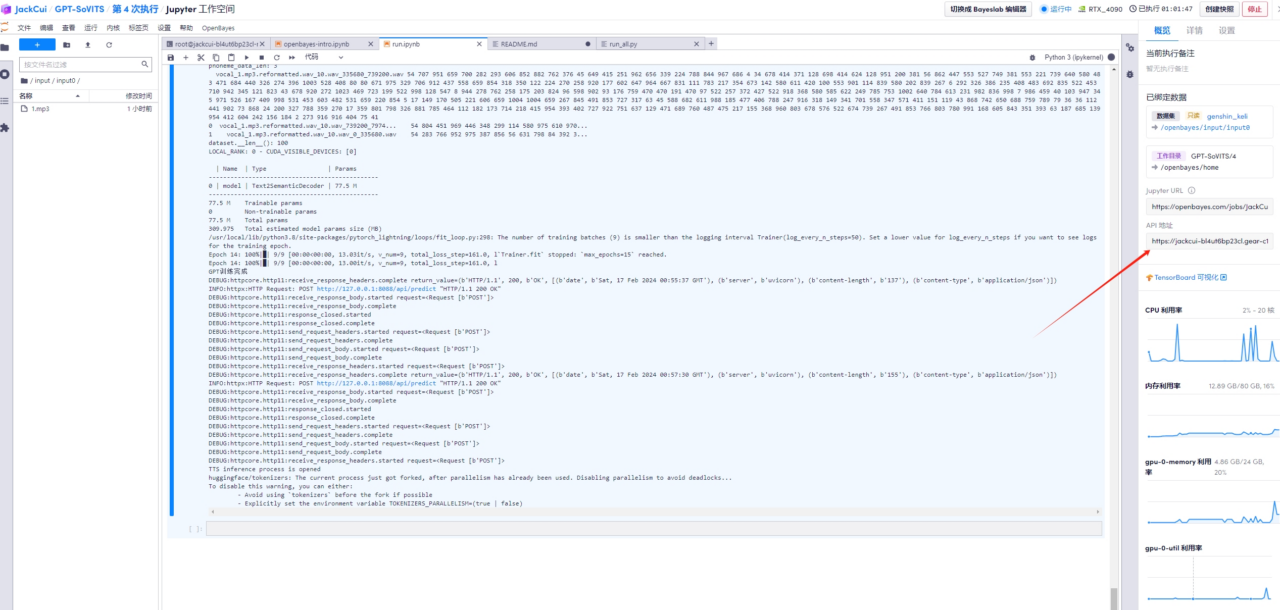
- Open the API address
When the front end shows that prediction is being turned on

Open API address:
- Voice cloning
Select the trained model, enter your text, and have fun.
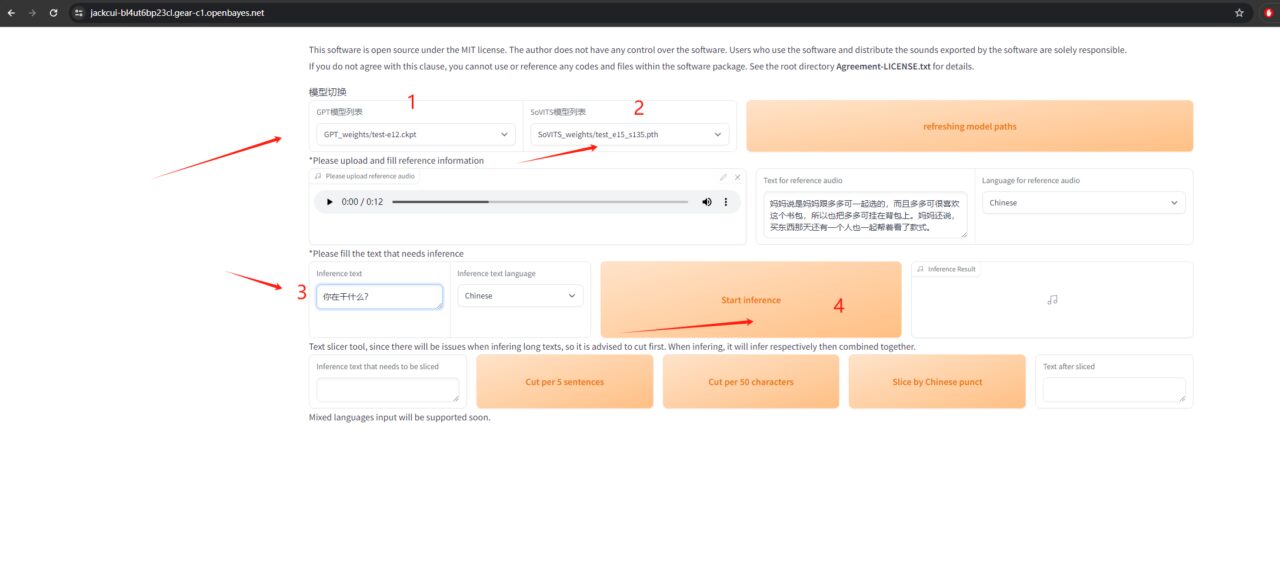
4. Custom audio
- Find data sets and create new data sets
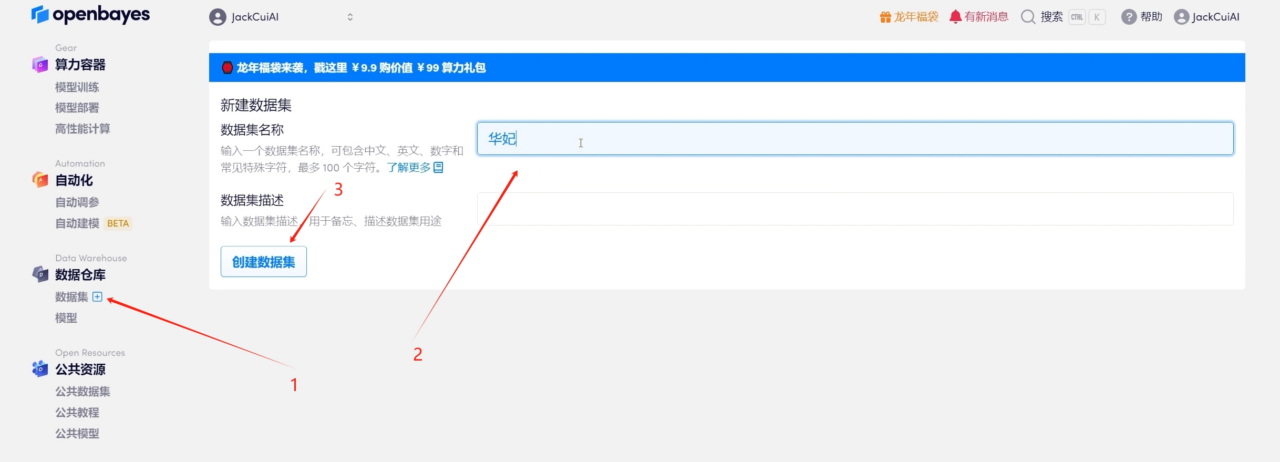
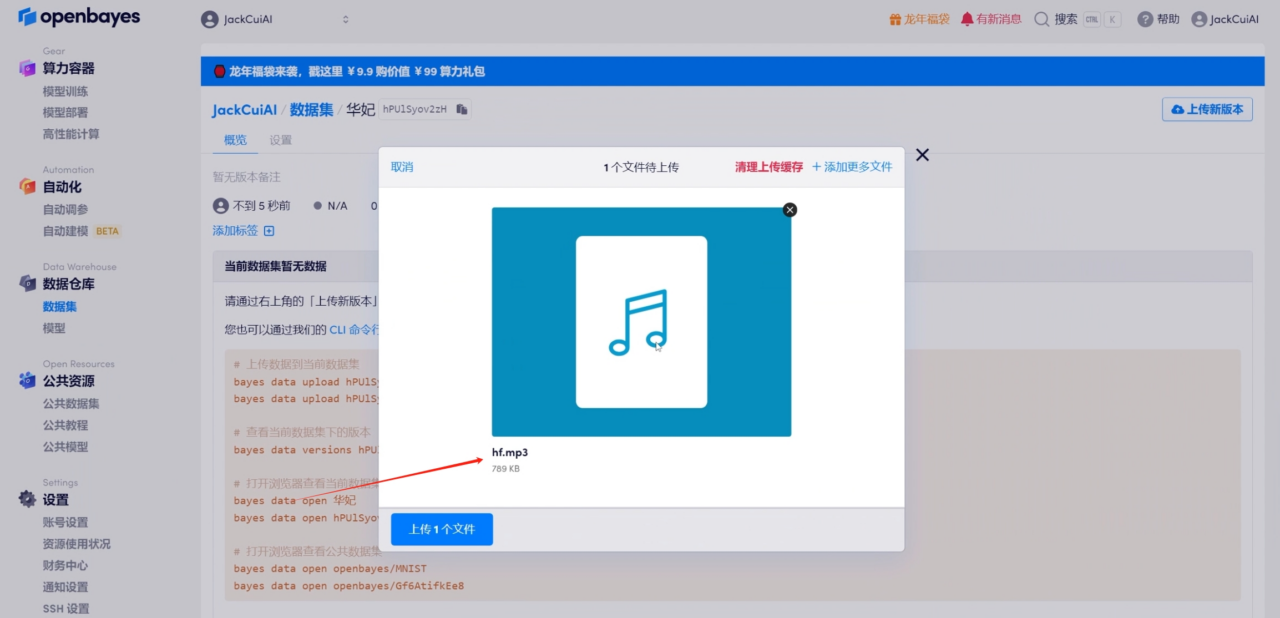
- Upload audio data
- Modify the configuration and start
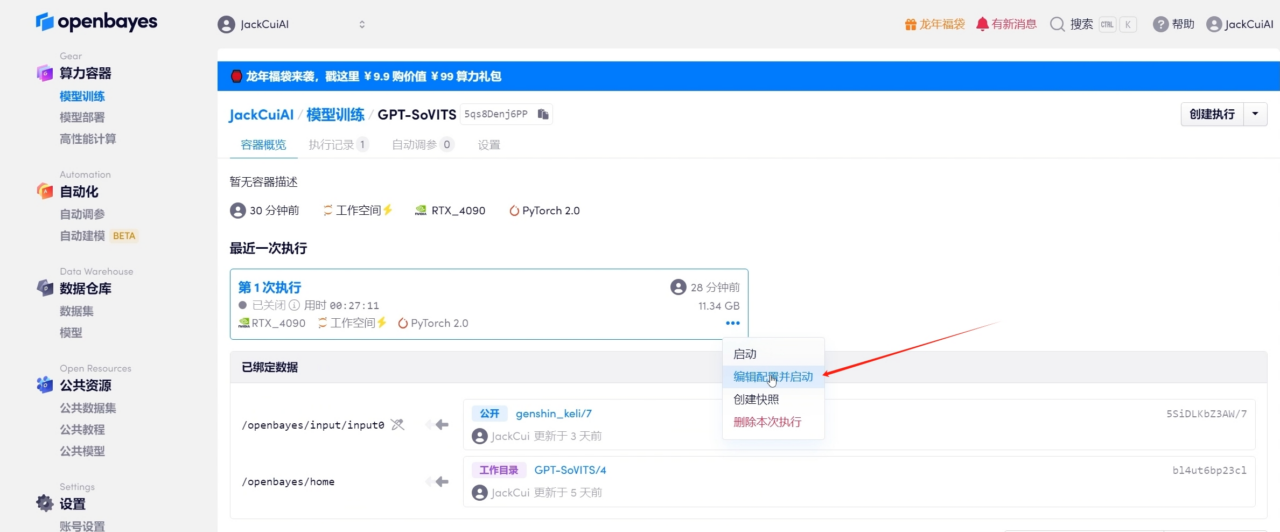
- Bind a new input address
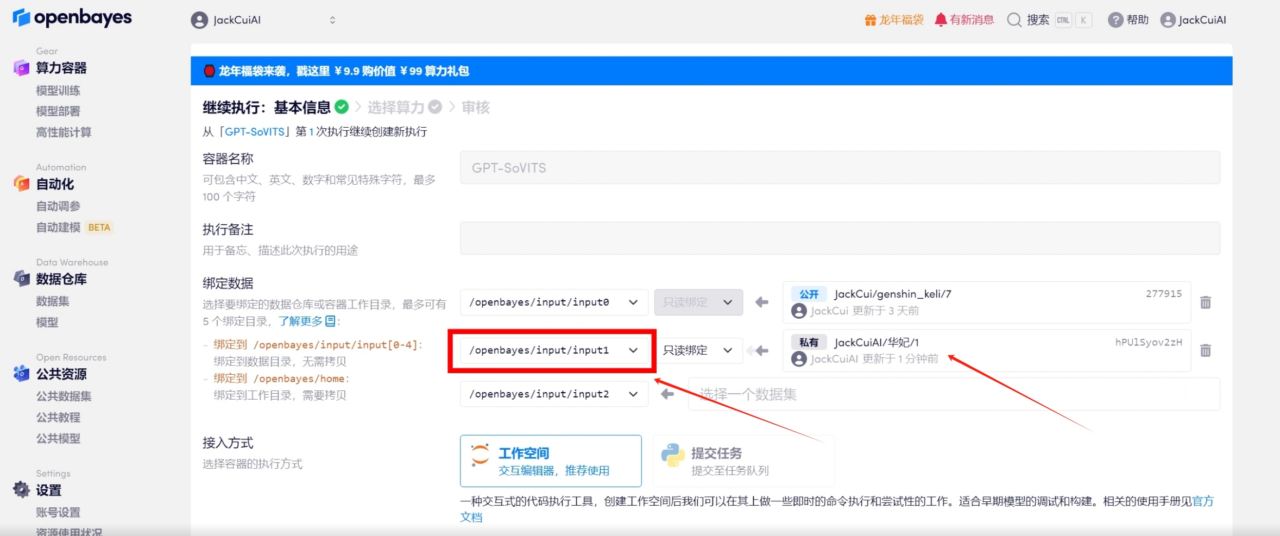
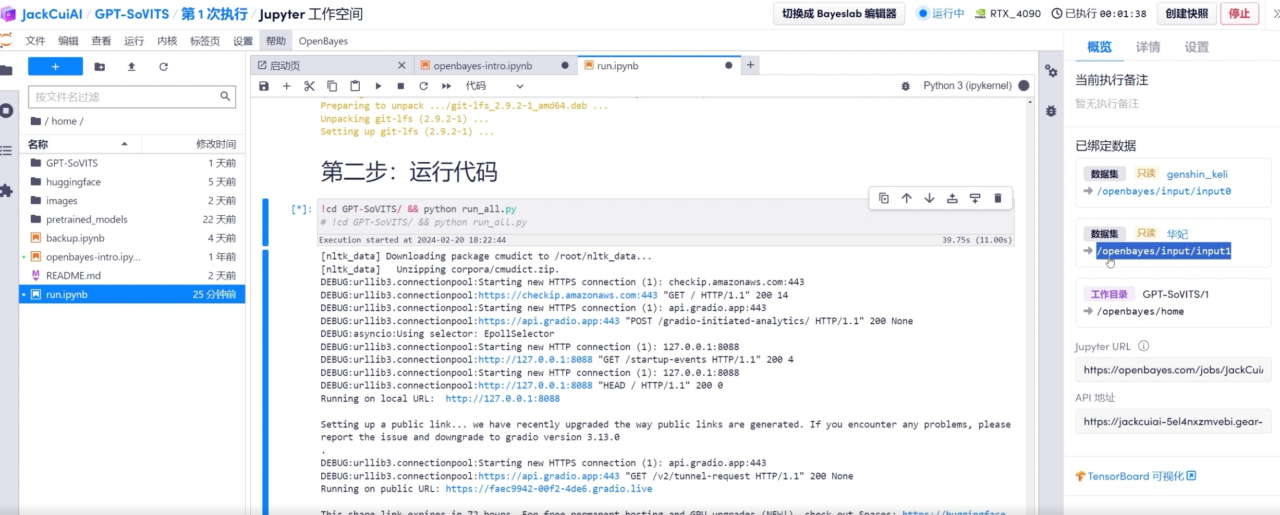
- Open the workspace
In this way, you can see the newly bound data set in the sidebar on the right.
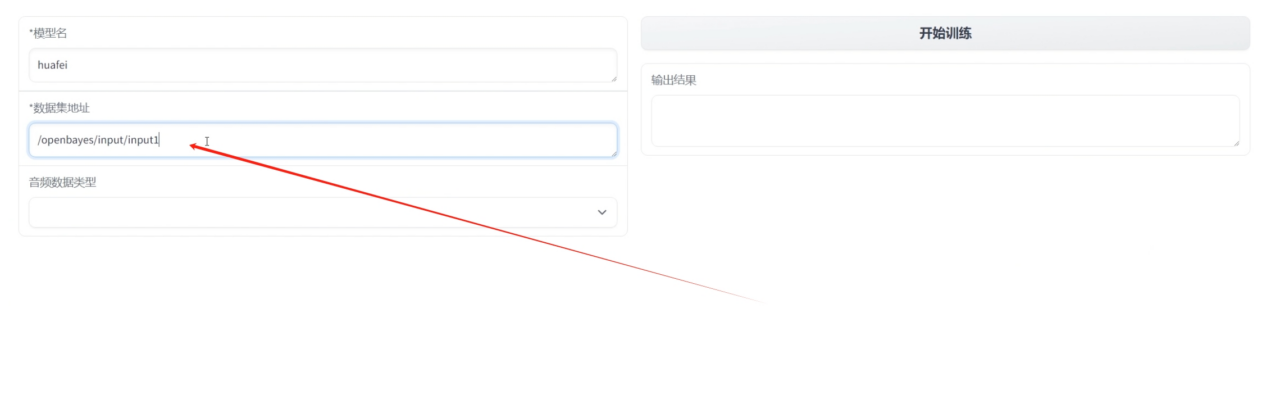
- Training to fill in the newly bound address
Notebook Overview
Level
Topic
Build AI with AI
From idea to launch — accelerate your AI development with free AI co-coding, out-of-the-box environment and best price of GPUs.