HyperAI
Command Palette
Search for a command to run...
ComfyUI DynamiCrafter Image to Video Workflow
Date
ComfyUI DynamiCrafter Image to Video Workflow Tutorial
Use Case
AI Painting ComfyUI DynamiCrafter Workflow
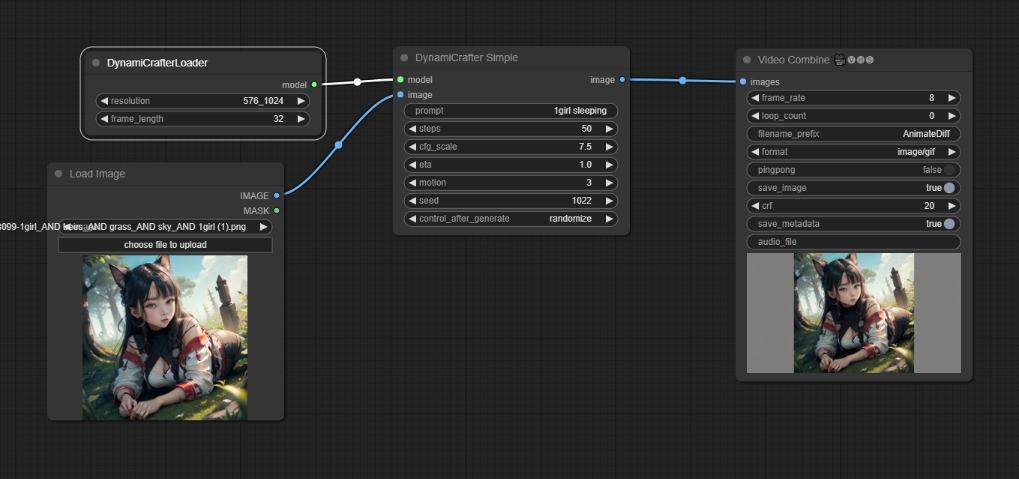
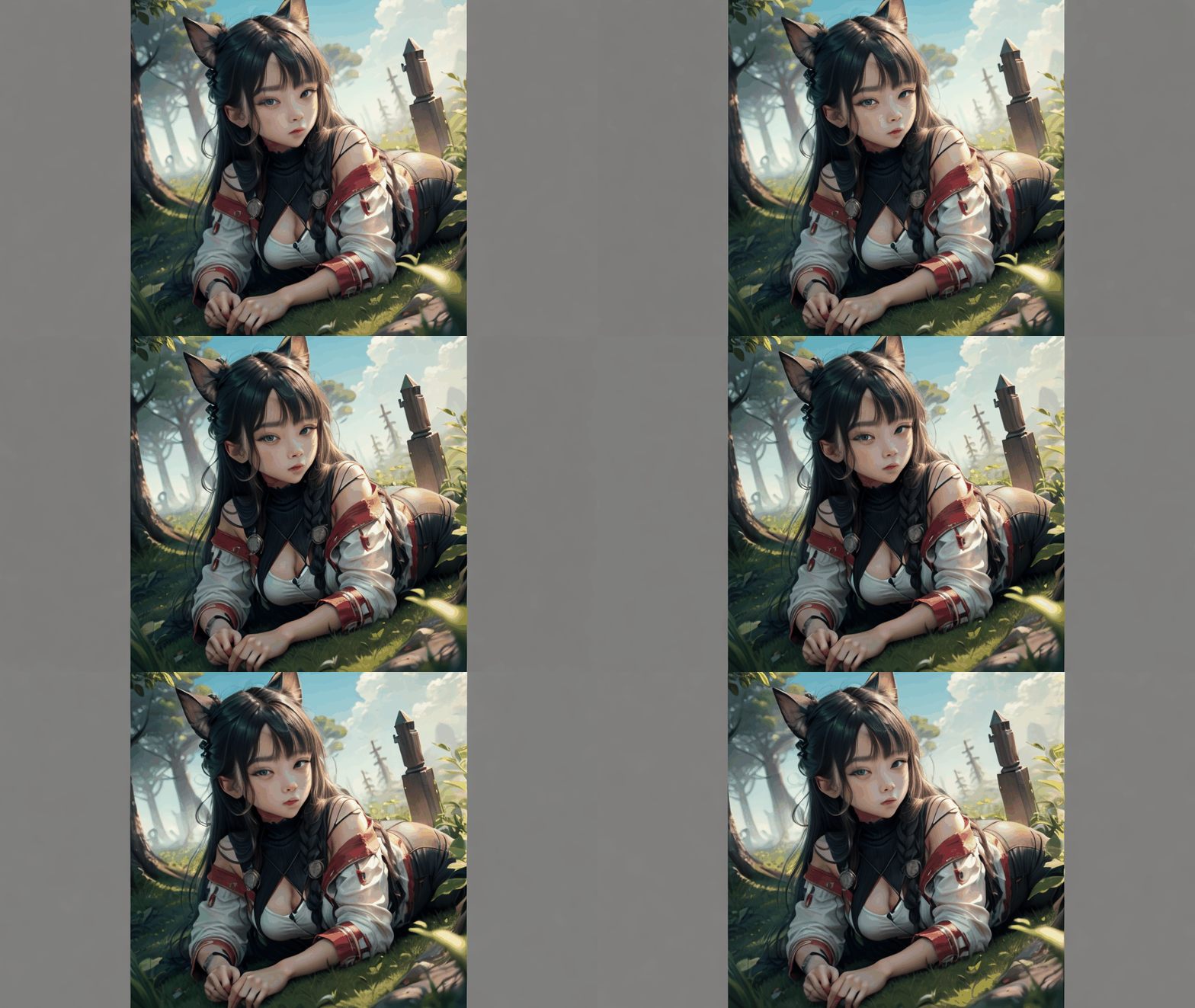
prompt: 1 girl
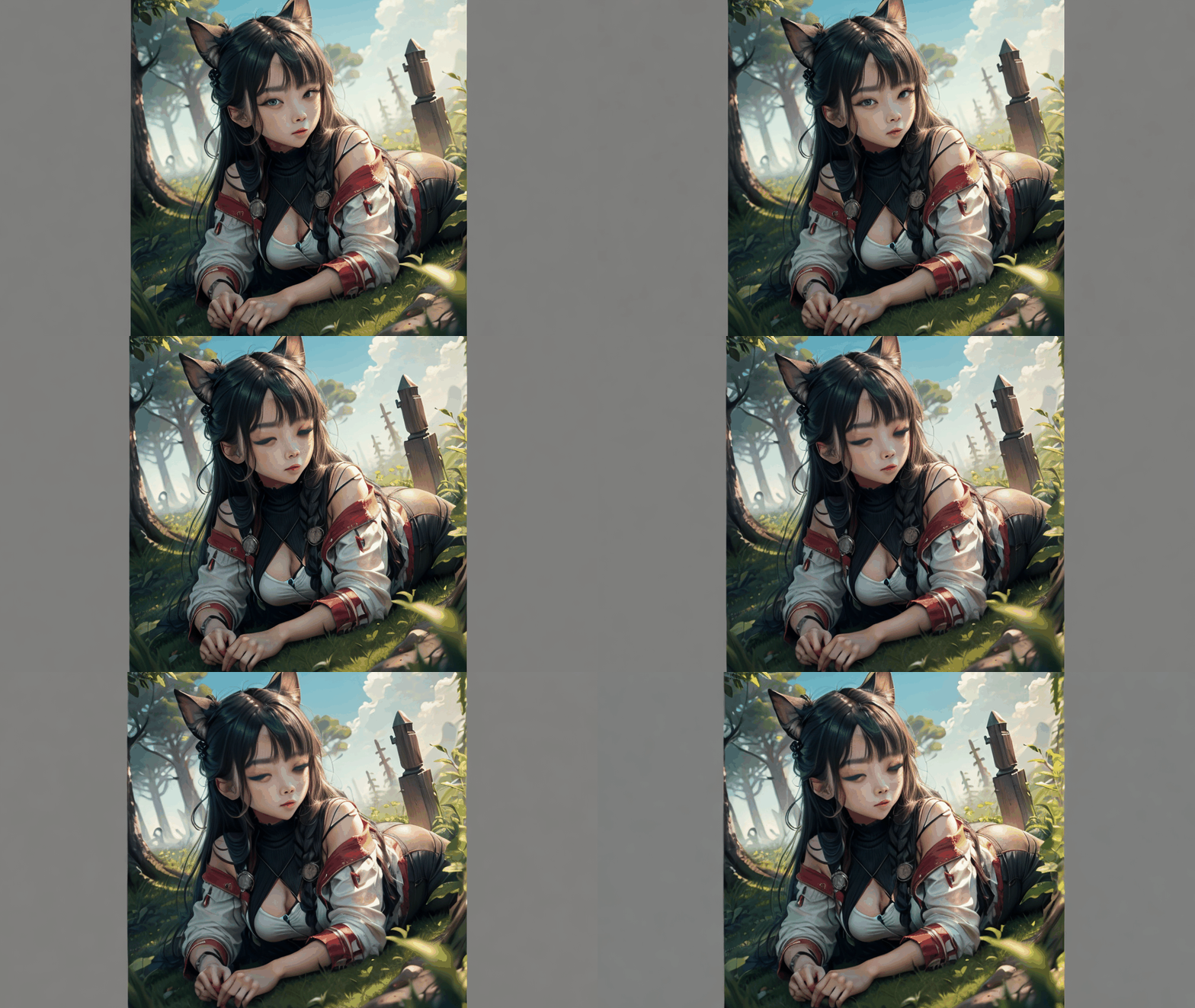
prompt: 1 girl sleeping
How to run
- Start a terminal
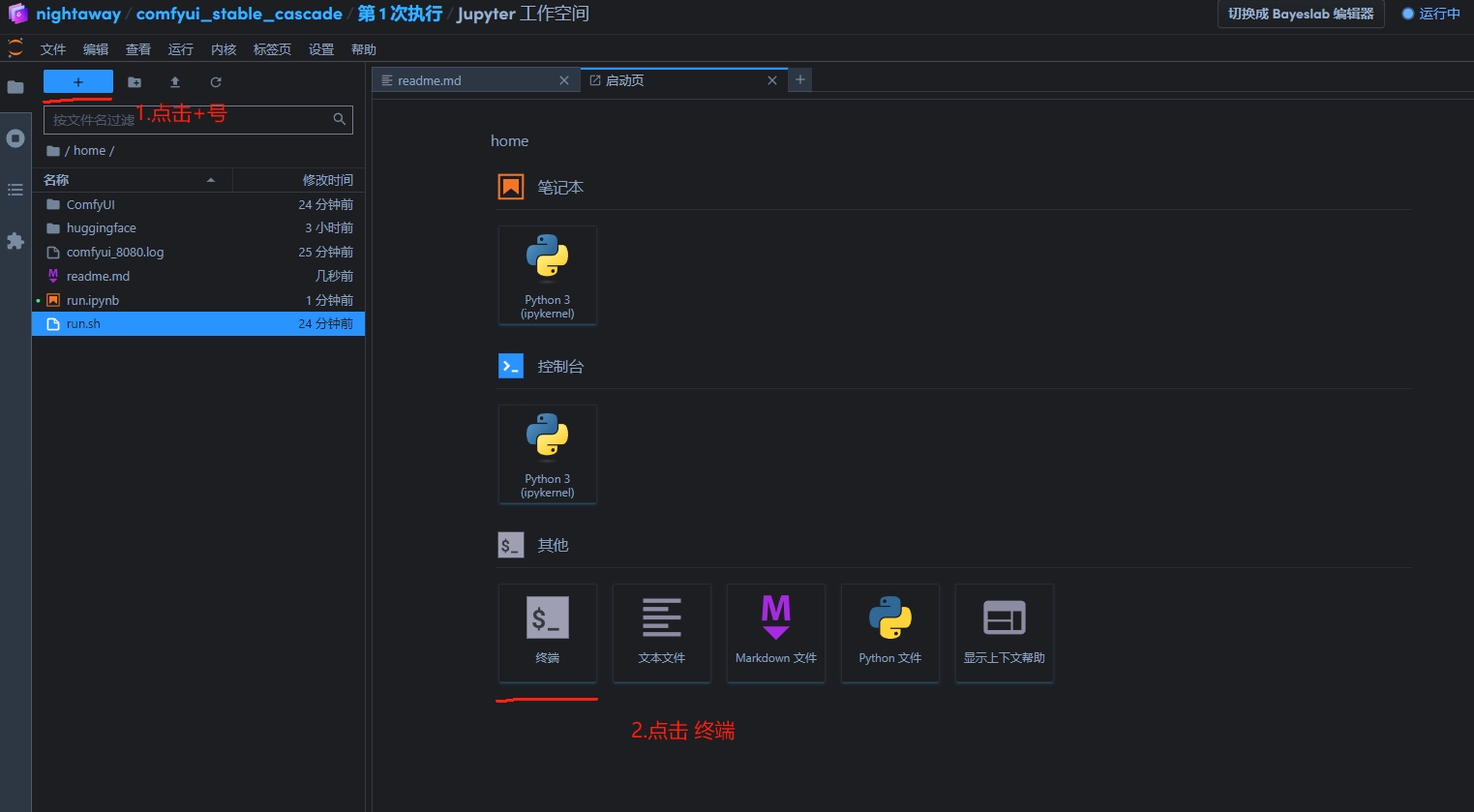
Step 1 - enter
apt-get update && apt-get install libgl1 -y --fix-missing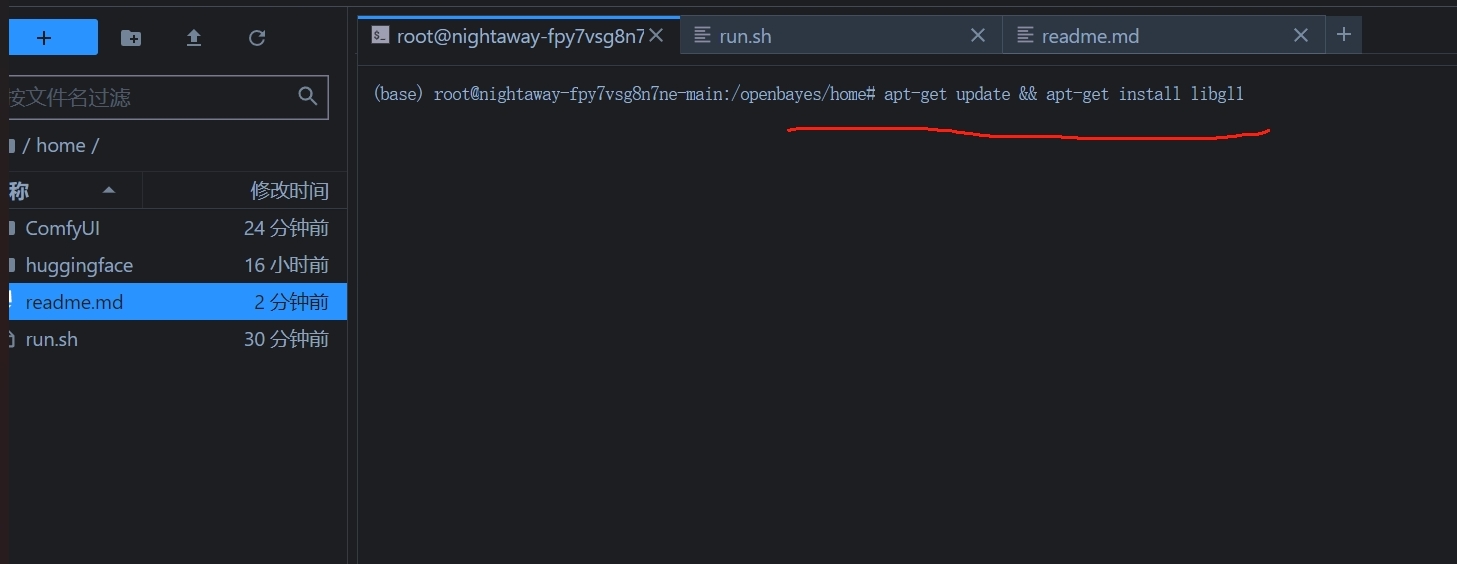
Step 3 - Run ./run.sh
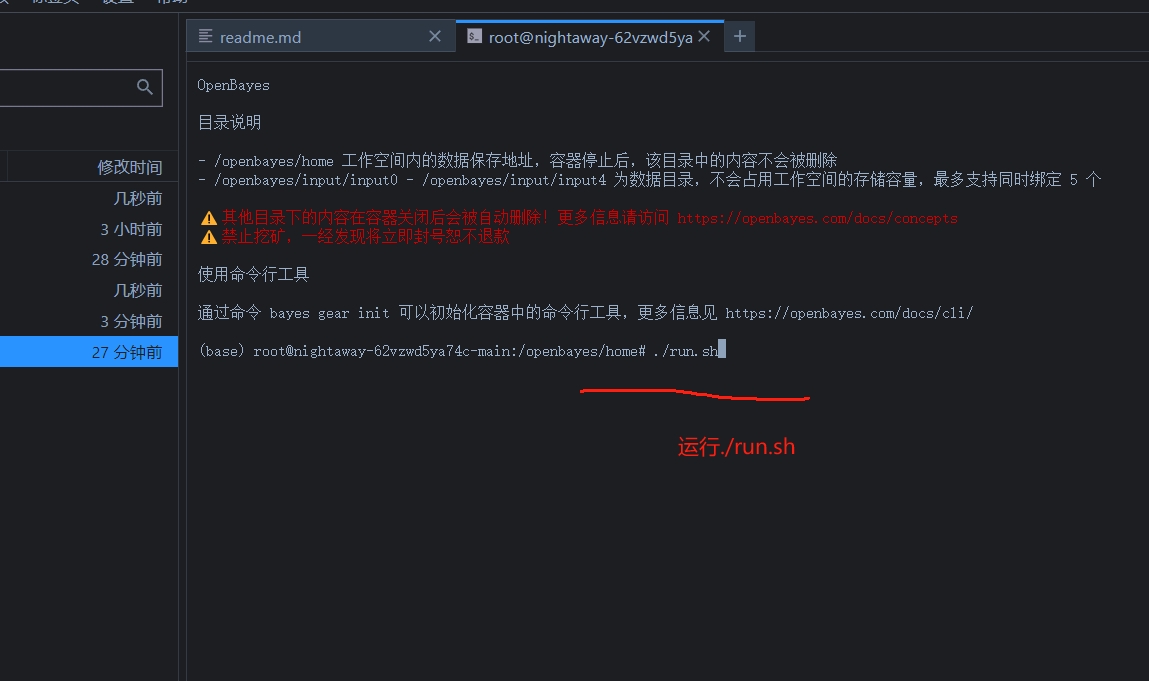
Step 3 - When http://0.0.0.0:8080 appears, paste the API address into your browser.
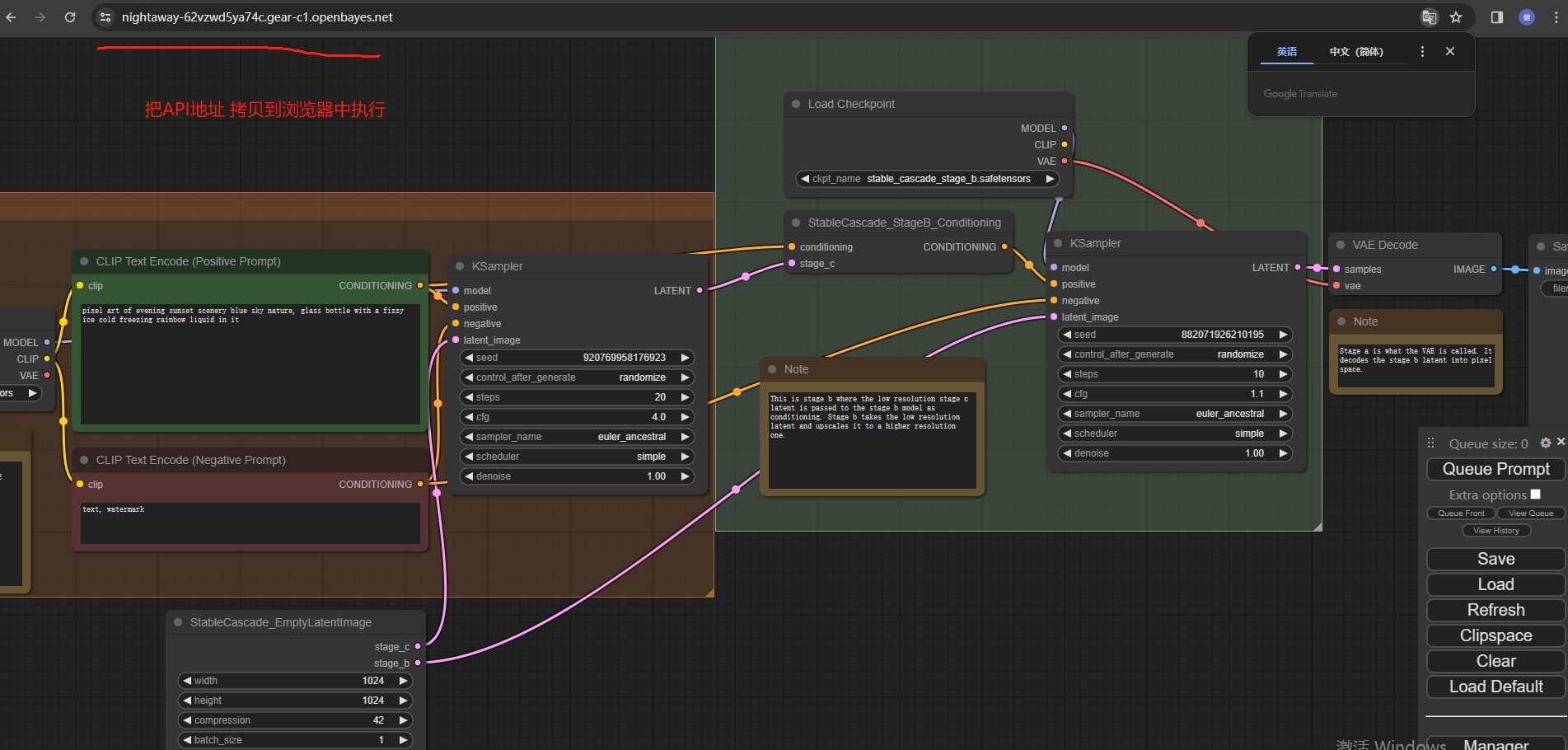
Step 4
Switch to Chinese
- Click Switch Locale in the lower right corner to switch to Chinese
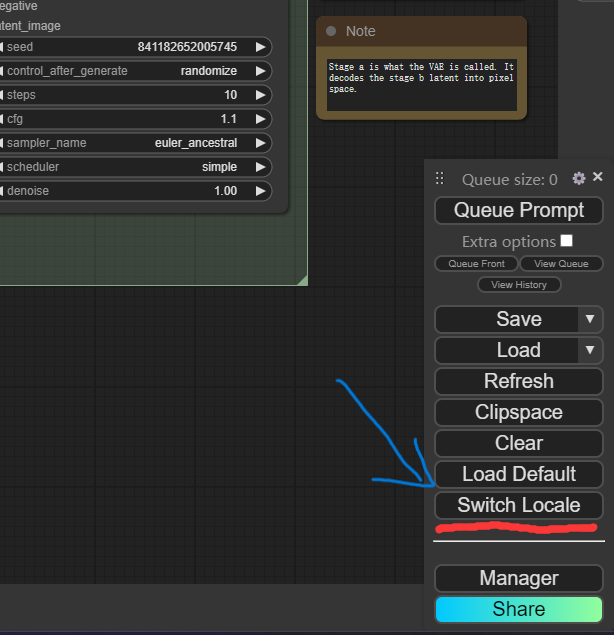
Loading Workflow
- Click Load Default in the lower right corner to load the DynamiCrafter workflow.
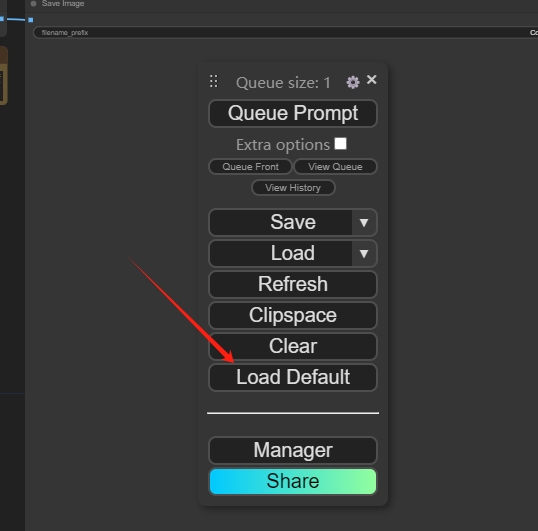
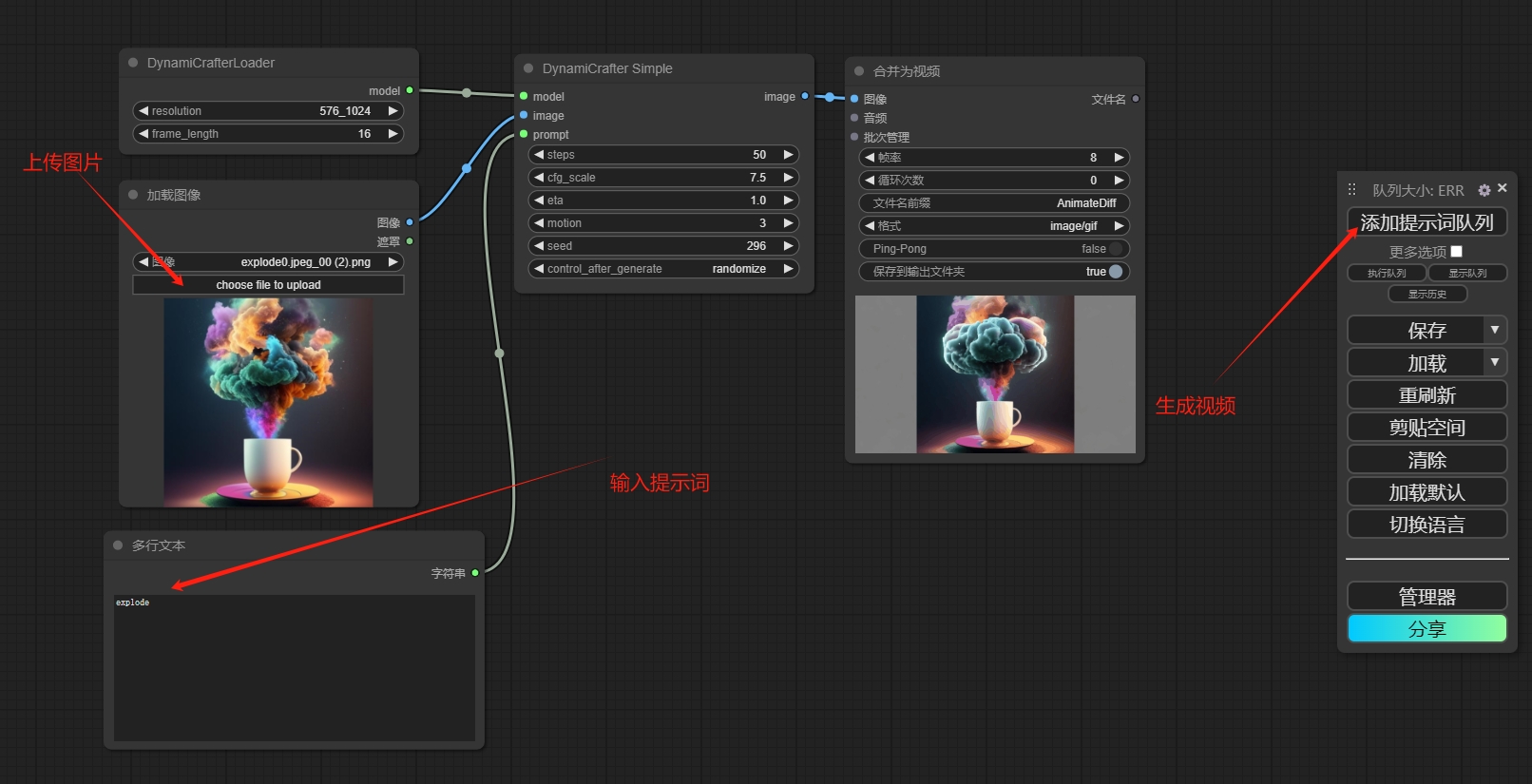
- Upload pictures to generate videos
- Switching Workflows
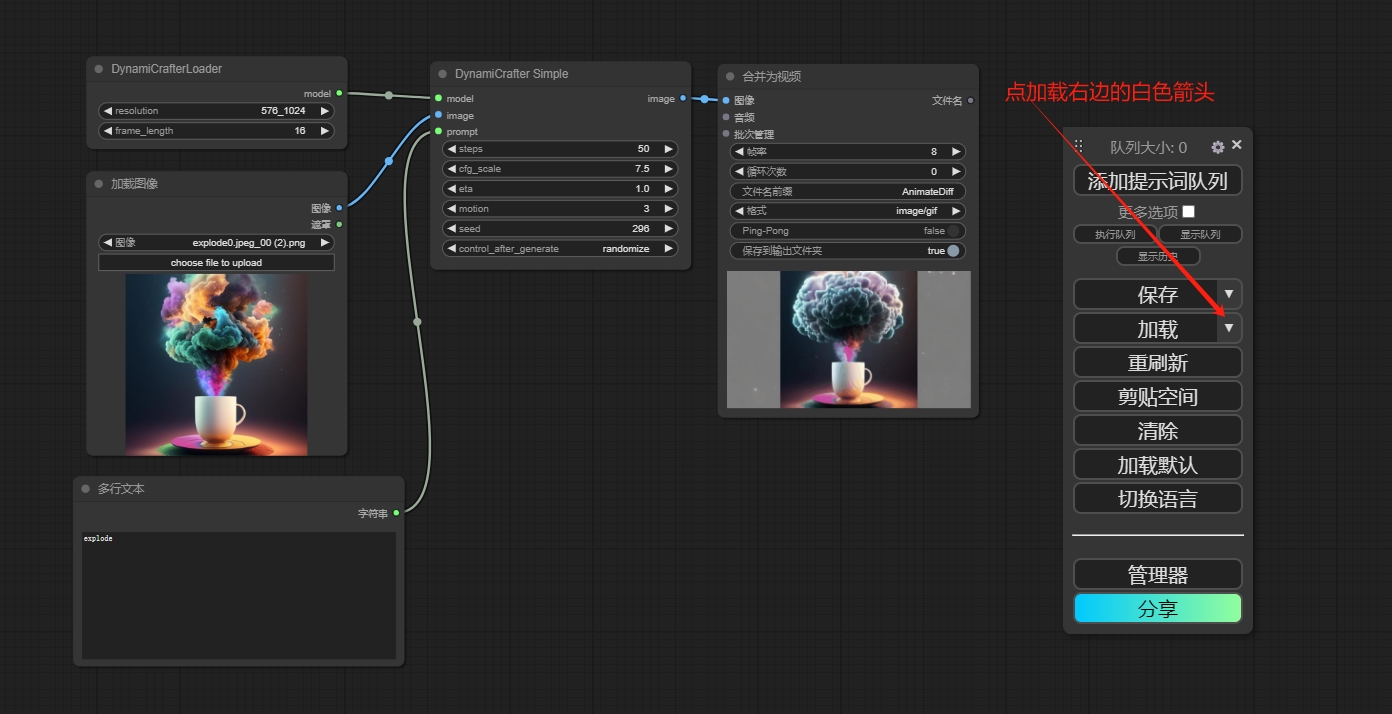
Step 8 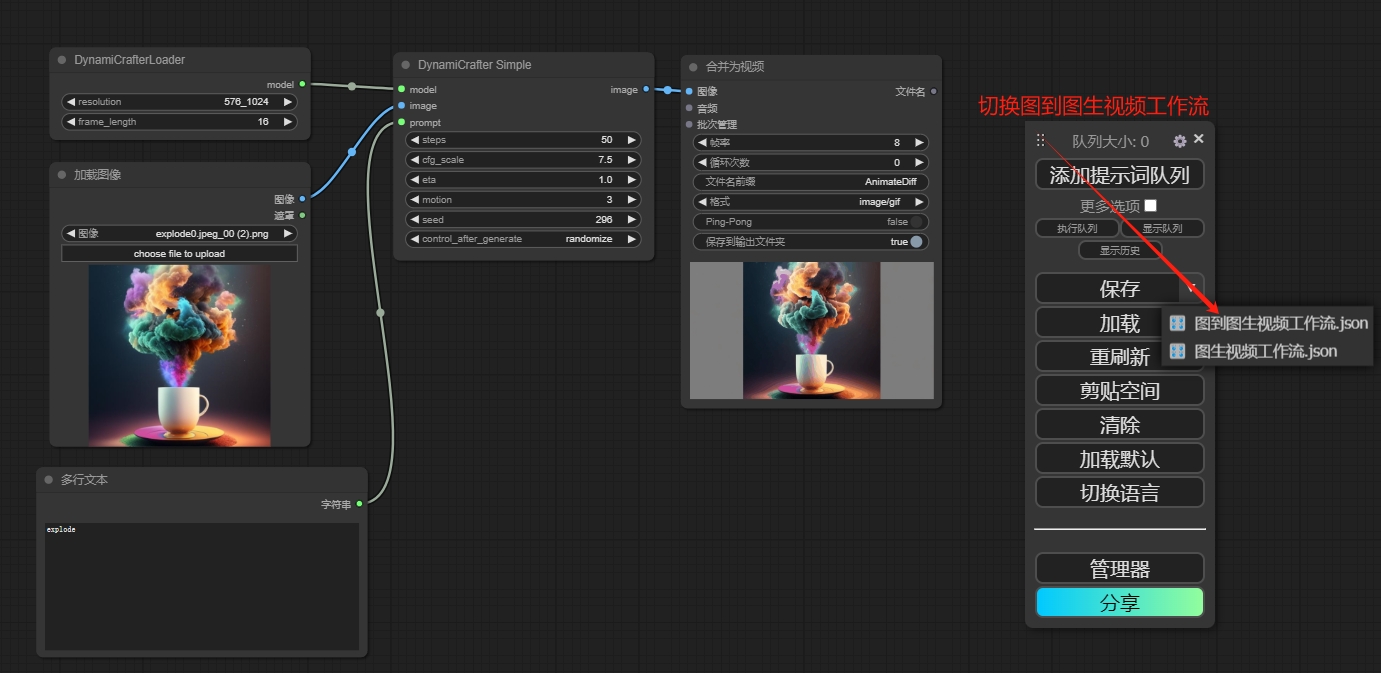
Step 8
This notebook is contributed by community users and is intended for educational and informational purposes only. If any content involves copyright infringement, please contact us at support@hyper.ai for prompt review and removal.
Notebook Overview
Level
Beginner
Build AI with AI
From idea to launch — accelerate your AI development with free AI co-coding, out-of-the-box environment and best price of GPUs.
AI Co-coding
Ready-to-use GPUs
Best Pricing
HyperAI Newsletters
Subscribe to our latest updates
We will deliver the latest updates of the week to your inbox at nine o'clock every Monday morning
Powered by MailChimp