Command Palette
Search for a command to run...
Online Tutorial | HKU Team Open Sources DeepTutor, a Personal Learning Assistant That Enables Interactive Learning Covering Understanding, Reasoning, and Generation Through Multi-Agent Collaboration

When learners repeatedly search through thick textbooks and massive amounts of papers but struggle to locate key knowledge points, when complex concepts lack intuitive explanations, when practice resources are scattered and fragmented, and when they even need to switch back and forth between multiple tools when conducting research, these long-standing learning pain points are becoming the entry point for the next generation of AI education tools.
recently,**The Hong Kong University Data Intelligence Laboratory (HKUDS) has open-sourced DeepTutor, a personal learning assistant.**DeepTutor aims to provide learners with a complete closed-loop solution from knowledge acquisition to research output. Compared to traditional online education tools that focus on content distribution or single-point Q&A, DeepTutor goes a step further, deeply integrating a multi-agent architecture with multi-source knowledge retrieval capabilities to build a comprehensive learning platform with understanding, reasoning, and generation abilities. After the project was open-sourced,On GitHub****It took only 39 days to break through 10k stars, and it has now obtained 17.8k stars.
From a technical perspective, DeepTutor is not simply about adding large model capabilities.**Instead, it utilizes a multi-toolchain including RAG (Retrieval Enhanced Generation), real-time web search, and academic paper databases.**This enables the systematic breakdown and execution of complex learning tasks. In practical use, users simply need to express their needs in natural language, whether it's solving difficult problems, planning learning paths, generating practice questions, or writing research reports.**The system can automatically complete intent parsing, information retrieval, and structured output.**This "task-centric" interaction approach is changing the traditional function-oriented logic of learning tools.
Specifically, DeepTutor mainly includes the following core functions:
*** Massive Documentation Q&A:**It supports uploading textbooks, papers, technical documents, etc. to build an AI knowledge base, enabling multi-agent collaborative solutions and providing precise citations.
* Interactive learning visualization: Transform complex concepts into easy-to-understand visualization tools, supporting personalized question-and-answer and context-aware dialogue.
*** Knowledge reinforcement and exercise generation:**Generates targeted quizzes and practice questions based on learners' knowledge levels, supporting simulation of real exam styles.
*** In-depth research and creative generation:**In-depth exploration of topics based on RAG, web pages, and paper searches to identify knowledge gaps and uncover potential research directions.
To help everyone quickly get started with DeepTutor and apply it to real-world learning scenarios,**HyperAI's official website (hyper.ai) has launched the "DeepTutor Personal Learning Assistant" in its tutorial section.**The environment has been configured, lowering the barrier to entry for users.
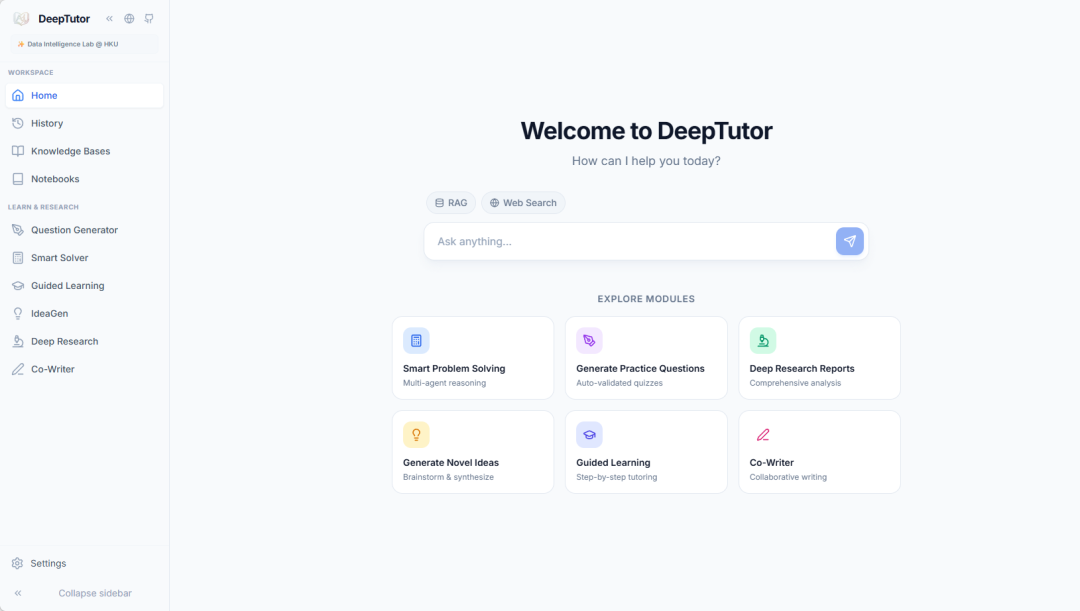 Experience DeepTutor with HyperAI in a low-barrier way
Run online:
Welcome to visit our official website for more information:
Demo Run
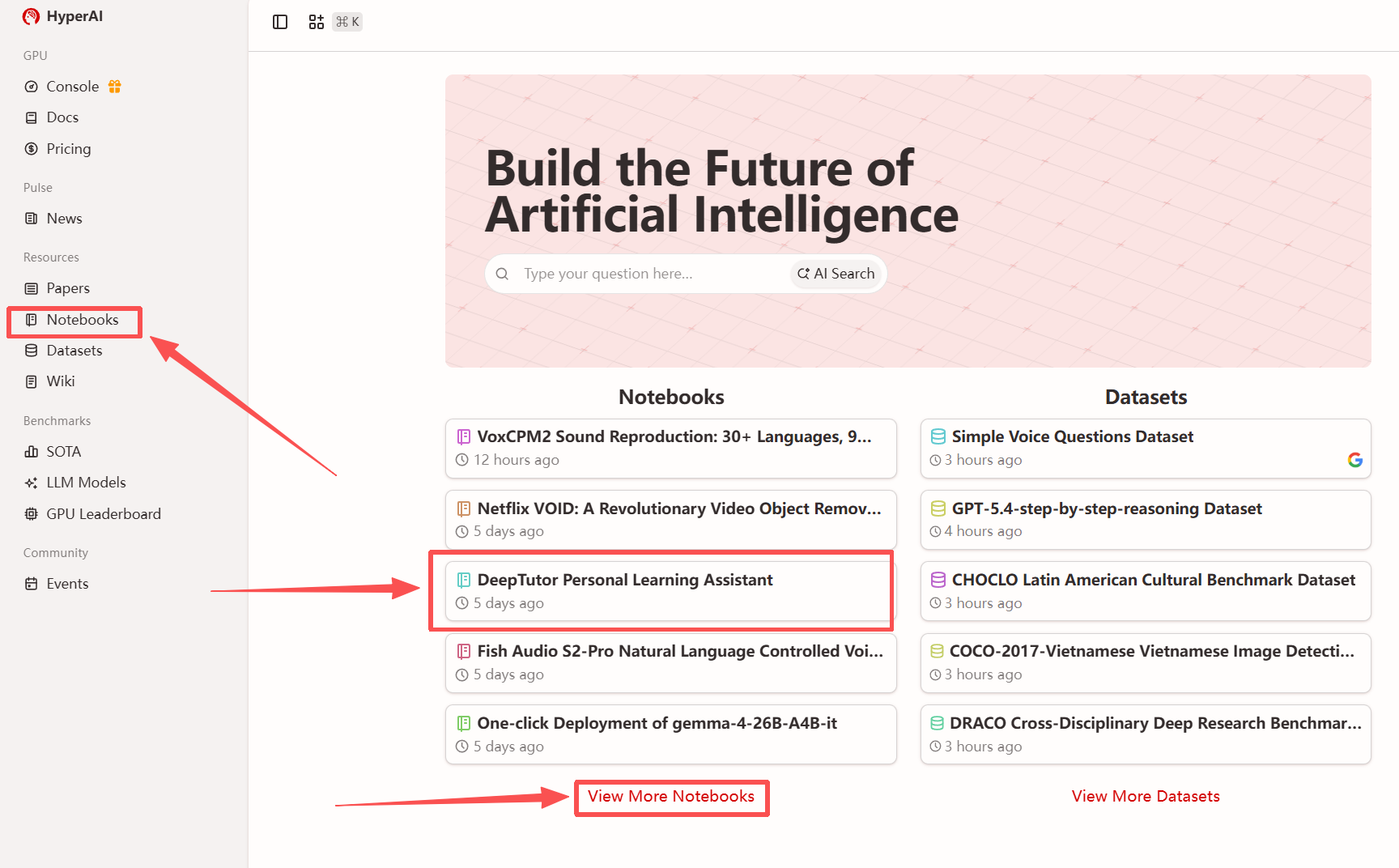
1. After entering the hyper.ai homepage, select the "Tutorials" page, or click "View More Tutorials", select "DeepTutor Personal Learning Assistant", and click "Run this tutorial".
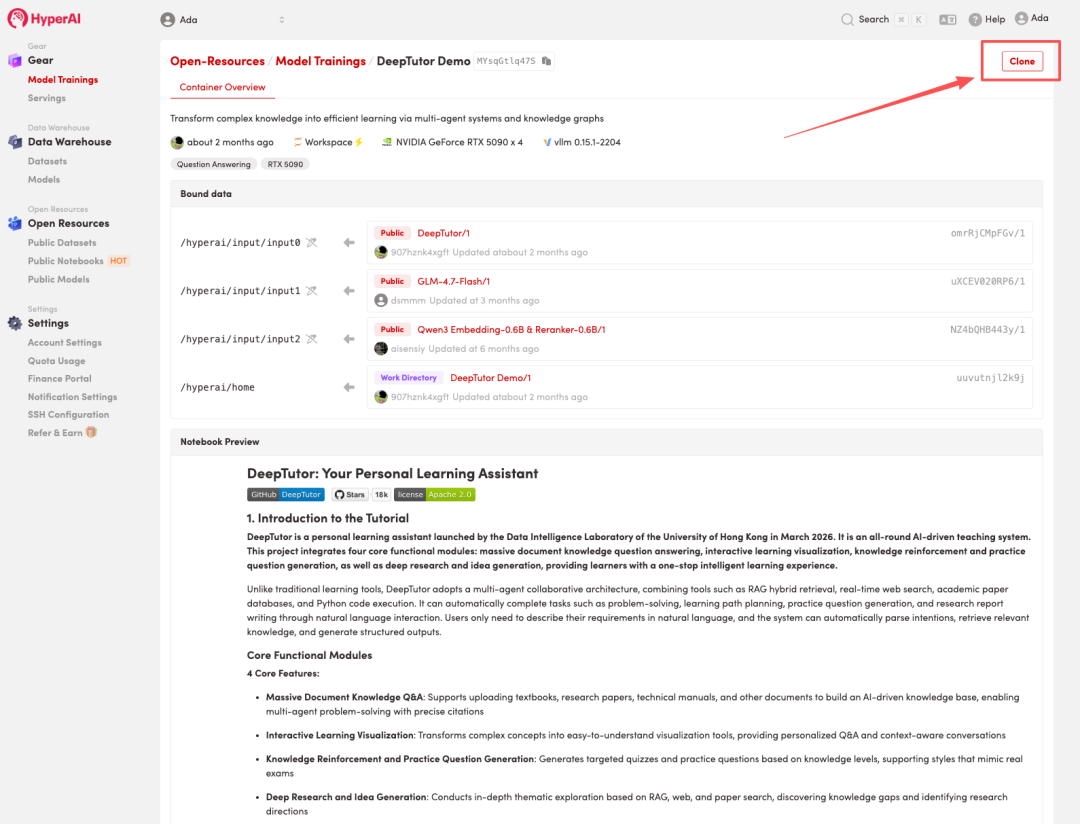
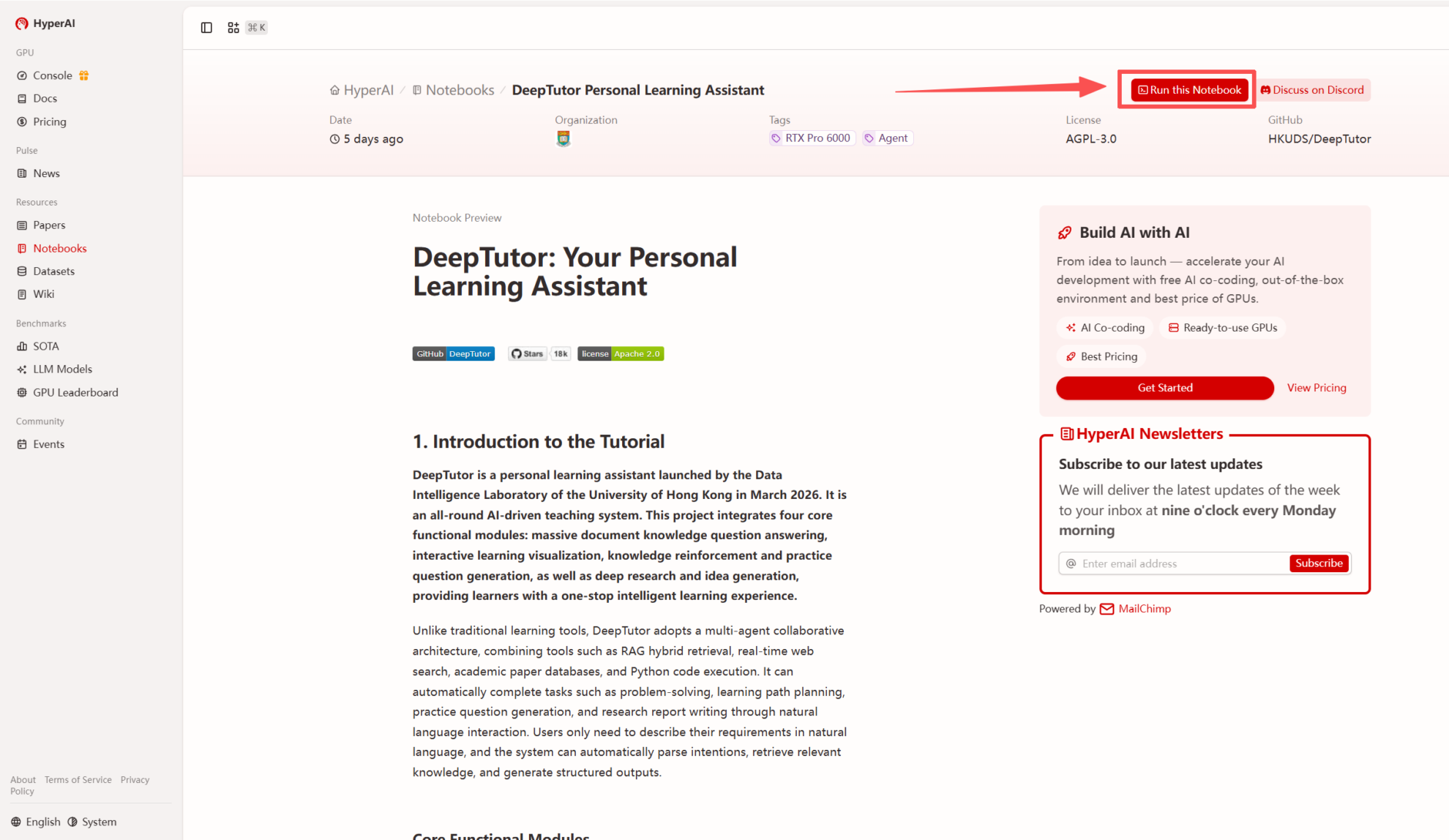 2. After the page redirects, click "Clone" in the upper right corner to clone the tutorial into your own container.
Note: You can switch languages in the upper right corner of the page. Currently, Chinese and English are available. This tutorial will show the steps in English.
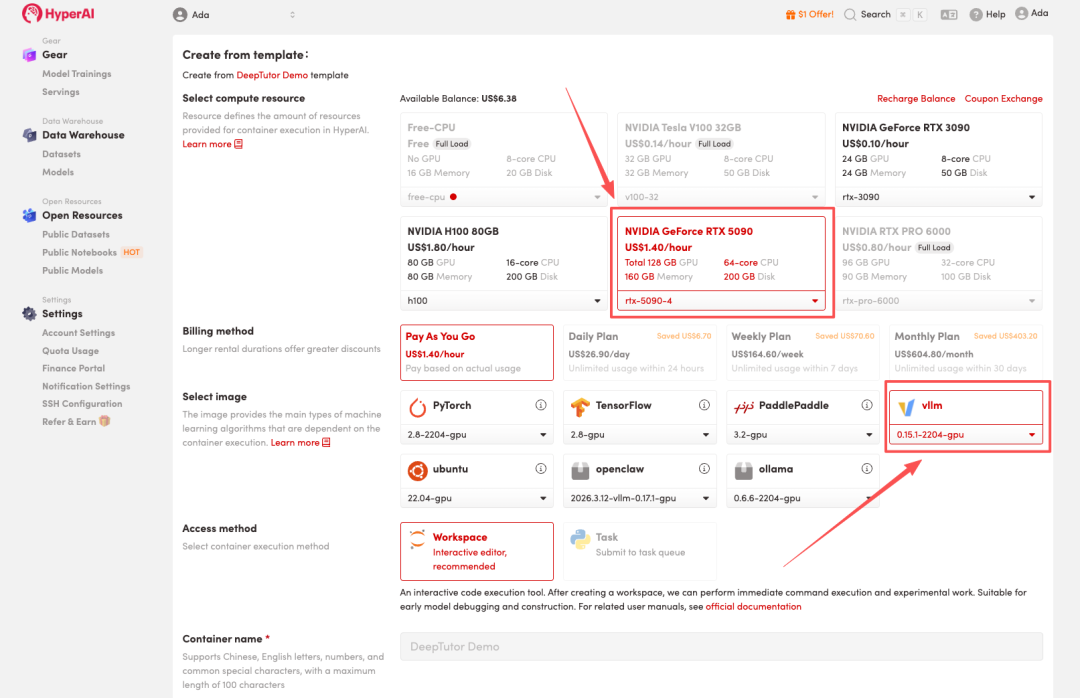
 3. Select the "NVIDIA RTX 5090-4" and "vLLM" images, and click "Continue job execution".
HyperAI is offering a registration bonus for new users: for just 1,youcanget20hoursofRTX5090computingpower(originallypricedat7), and the resources are valid indefinitely.
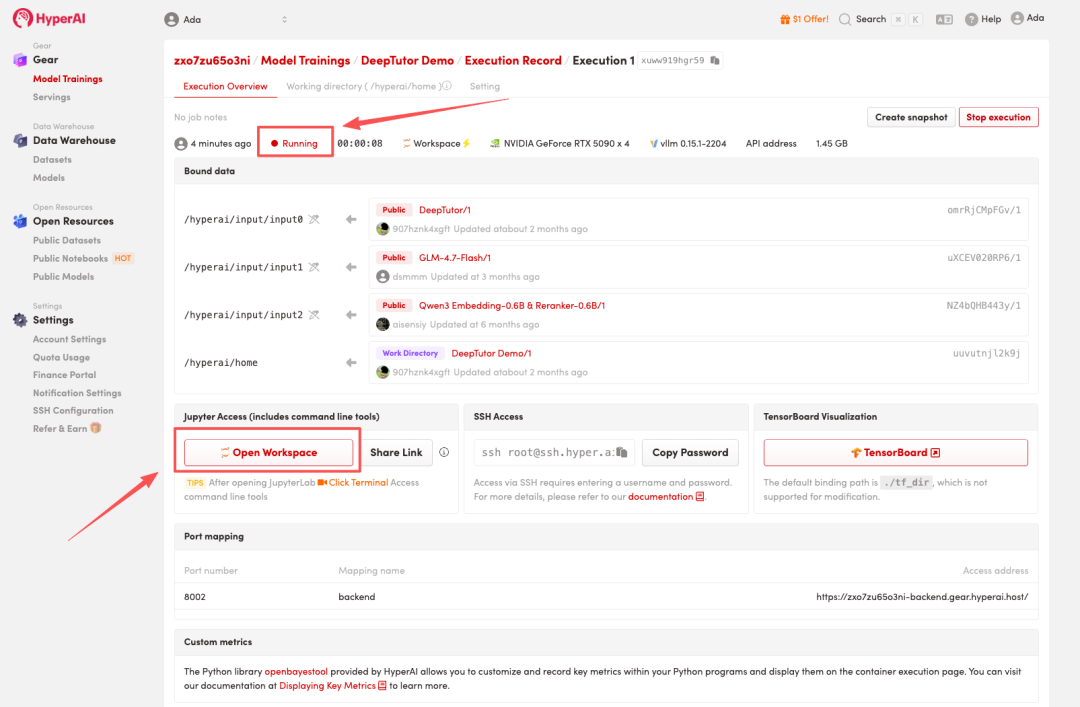
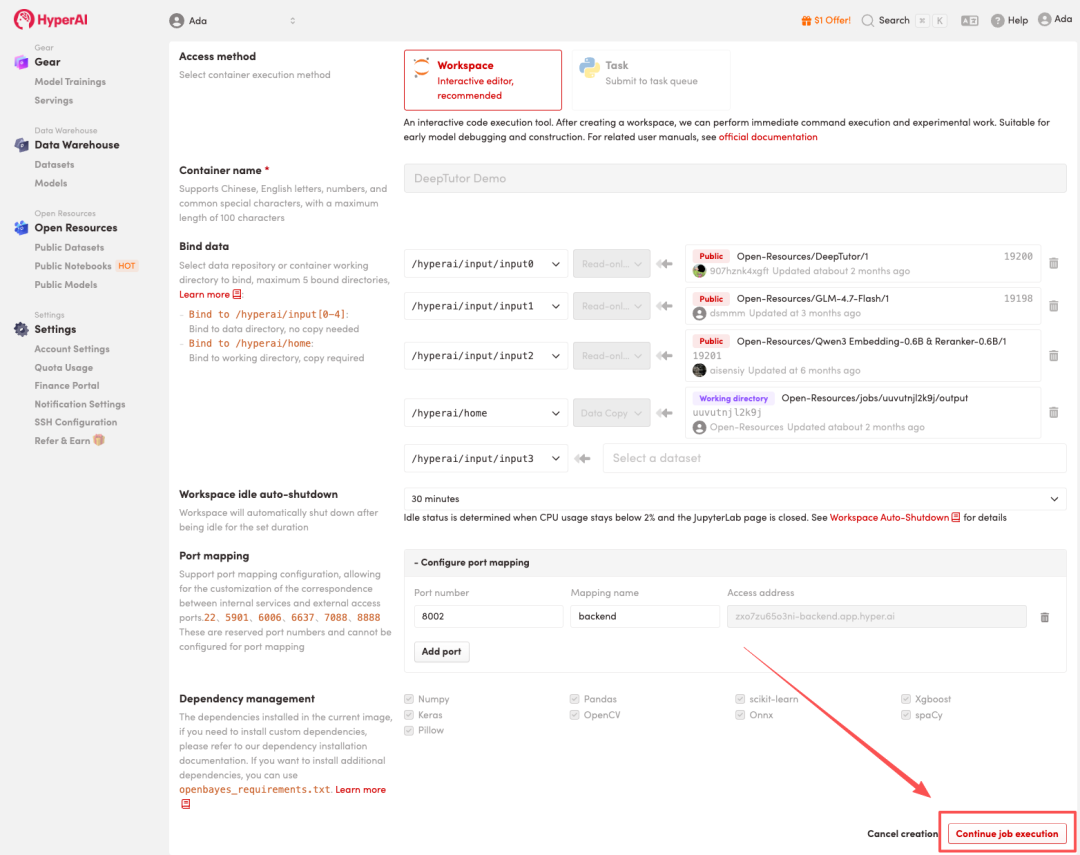 4. Wait for resources to be allocated. Once the status changes to "Running", click "Open Workspace" to enter the Jupyter Workspace.
 Effect display
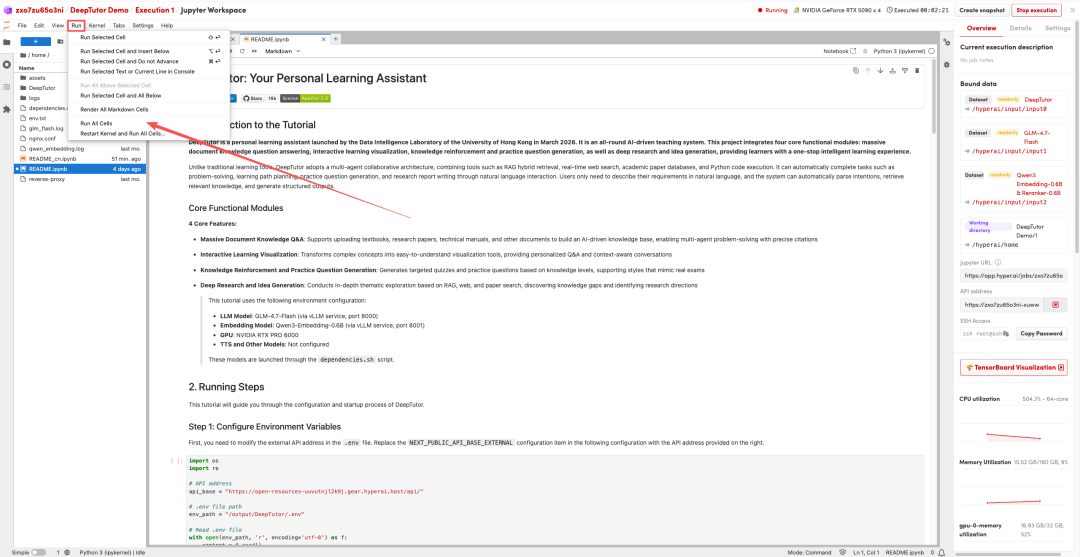
1. After the page redirects, click on the README file on the left, and then click on Run at the top.
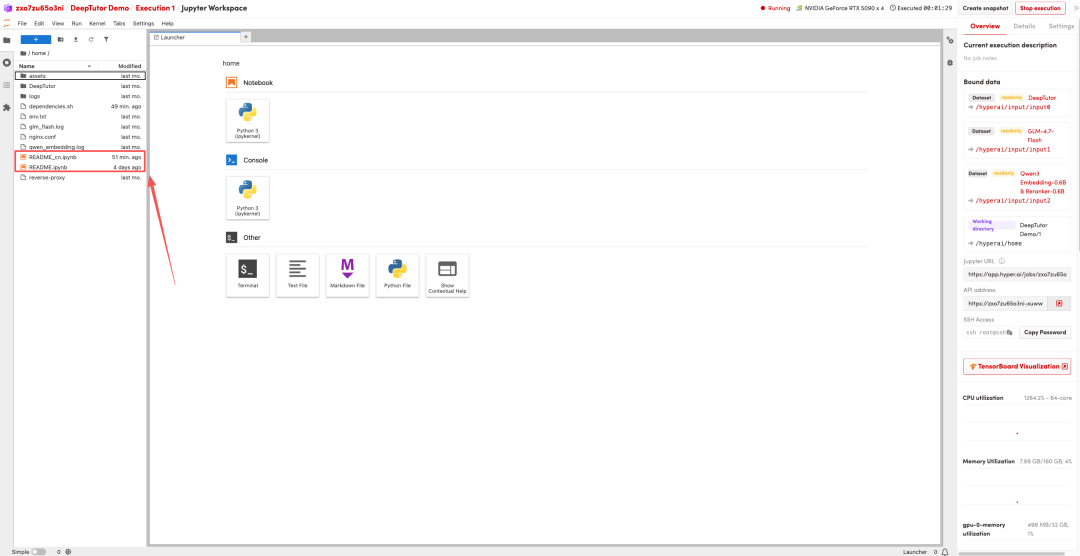
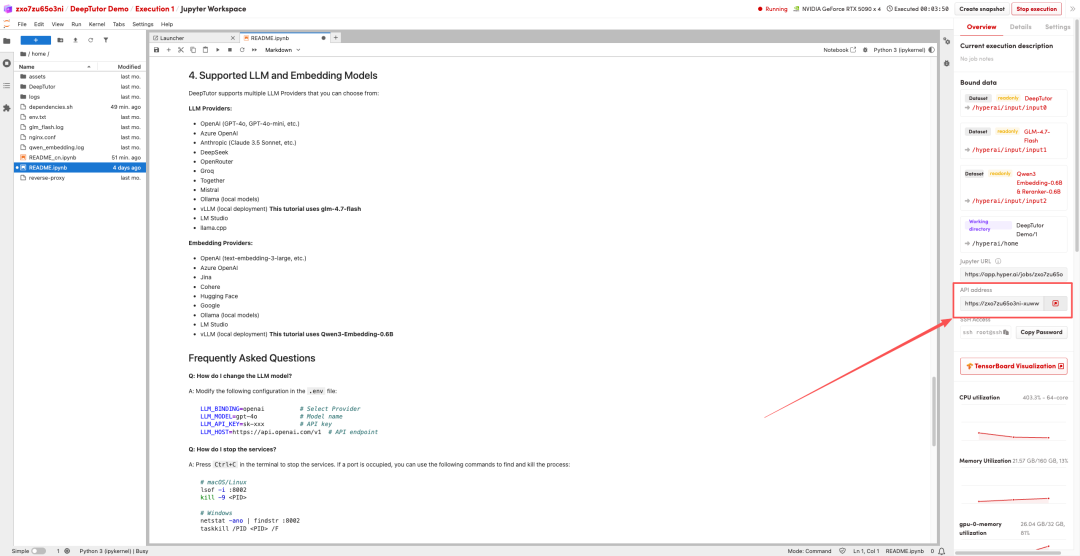
 2. Once the process is complete, click the API address on the right to jump to the demo page.
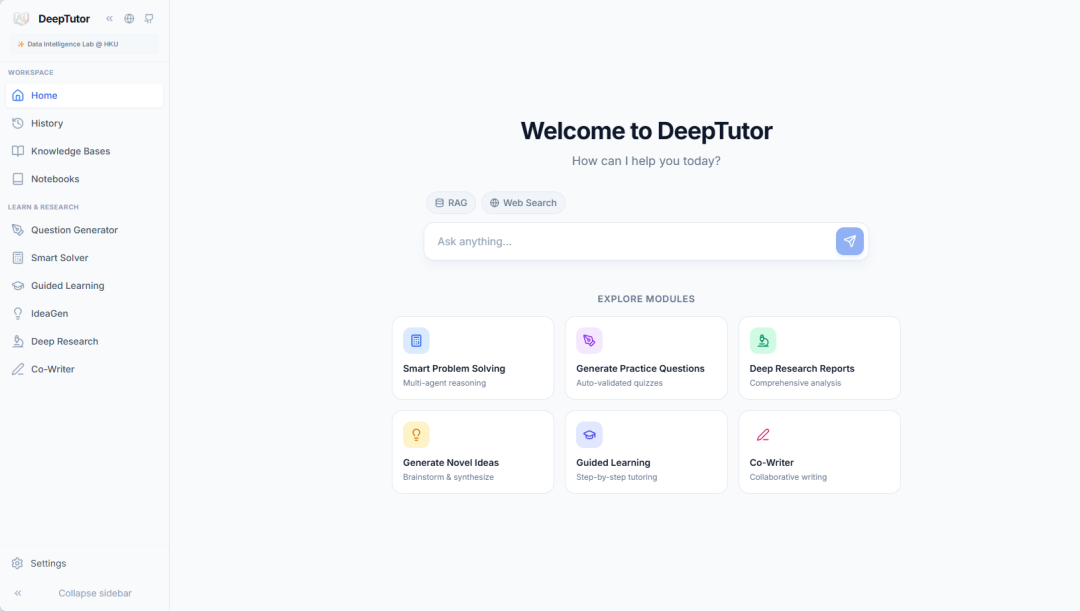 The above is a low-threshold deployment method.Detailed tutorials for DeepTutorWelcome to HyperAI for a hands-on experience!
Run online:
Project open source address:https://github.com/HKUDS/DeepTutor